Does AI Detection Matter? Can I Safely Use AI to Create My Content?
Google evaluates helpfulness and accuracy, not whether AI helped create the draft.


AI has been making big waves since it has arrived on the content creator scene. And some of the biggest questions are, does it really matter to search engines like Google, if your content is written in-part by AI? Does AI detection matter?
🔑 Does Google care if you use AI in your content creation process? No. They’ve stated clearly in their content guidelines that they “reward high-quality content, no matter how it’s produced… Our focus on the quality of content, rather than how content is produced, is a useful guide that has helped us deliver reliable, high quality results to users for years.”
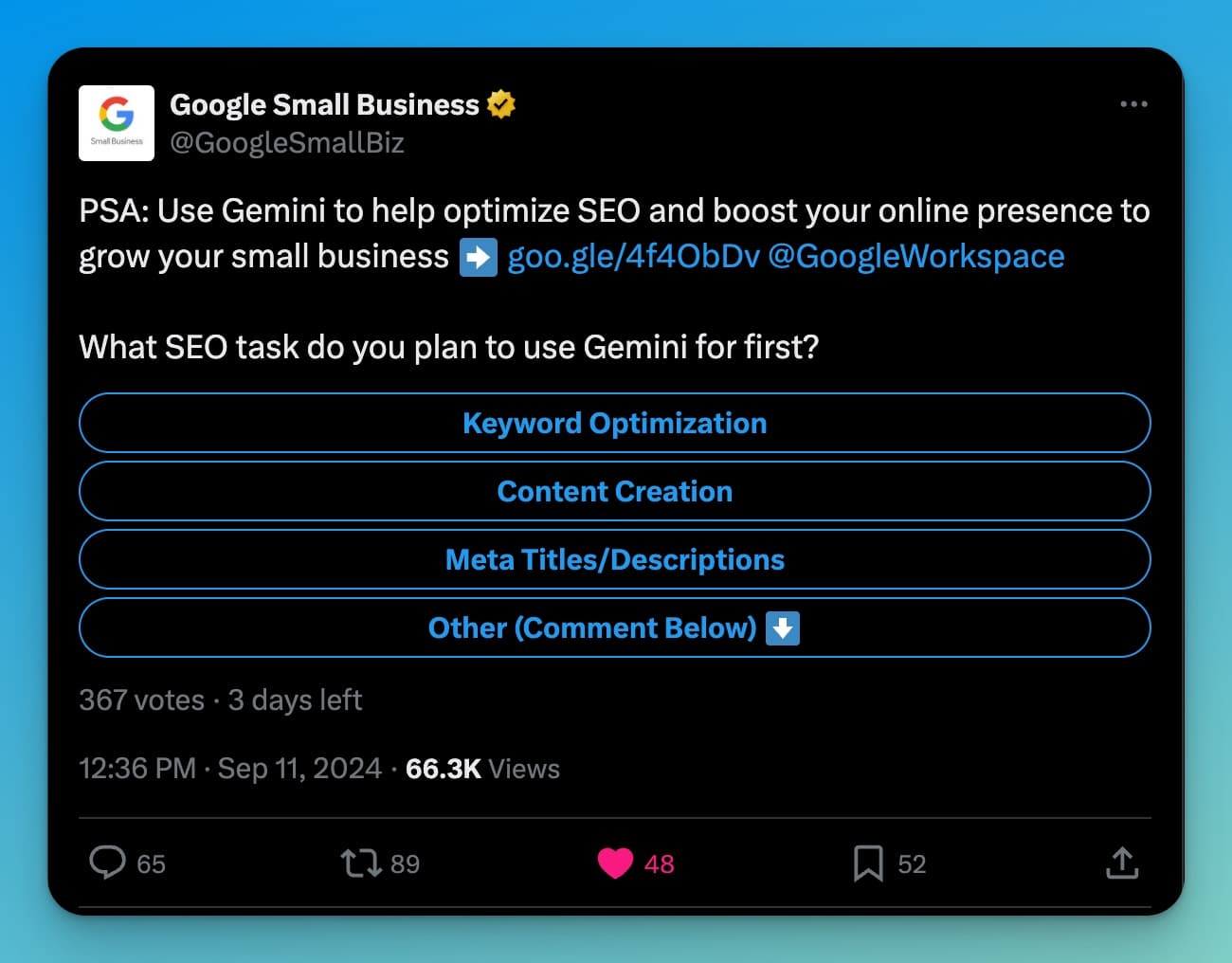
In fact, it doesn’t get more clear than this: Google specifically recommends using their AI tooling (Gemini) to “help optimize SEO and boost your online presence…”
What’s more, OpenAI (the makers of ChatGPT) have themselves stated that AI detectors simply don’t work: “Do AI detectors work? In short, no, not in our experience. Our research into detectors didn’t show them to be reliable enough.“
So, we have 2 big conclusions about the use of AI to create content:
- Google doesn’t care if you use AI in your creation process (as long as your content provides real value to people), in fact they now encourage it
- AI detectors have proven to be unreliable anyway
Watch my analysis of Google’s AI content creation policy for more detail:
In short, the writing process is something that’s always changed, so as long as you’re creating content that meets these key criteria (of delivering value to readers), it doesn’t matter if you use AI to get there.
Regardless of how it’s made, your content needs to:
- Be useful: Your content needs to deliver real value to people. Put yourself in the shoes of your target audience when you’re coming up with blog post ideas & as you create your content (whether with AI or not).
- Match the intent of the searcher: Your content must solve the problem your readers have, teach the skill they’re here to learn, successfully guide them through the process they’re following, and/or entertain them in the way they expect based on the preview of your content from Google search.
- Nail simple SEO best practices: This includes writing a great headline, having proper header structure, doing keyword optimization, including meta details, weaving in internal & external links, and a few more SEO fundamentals.
- Keep your personality front & center: Without your real life examples, stories, experiences, style, tone, and personality woven into your content, it’ll be painfully obvious that you used AI too much in your creation process. AI is great for creating first-draft content, then it’s over to you to personalize it and make it something your audience will connect with.
As I explain in the video above, the writing process has always been subject to change when new tools & technologies arrive on the scene. This has been the way things have always gone with digital content.
AI is no different. It’s simply a new set of (very powerful) tools, that can help us create content in new ways. I’ve found tools like RightBlogger to help me produce more great content, faster. Here’s my guide that breaks the process down.
Complete Blog Automation in Minutes
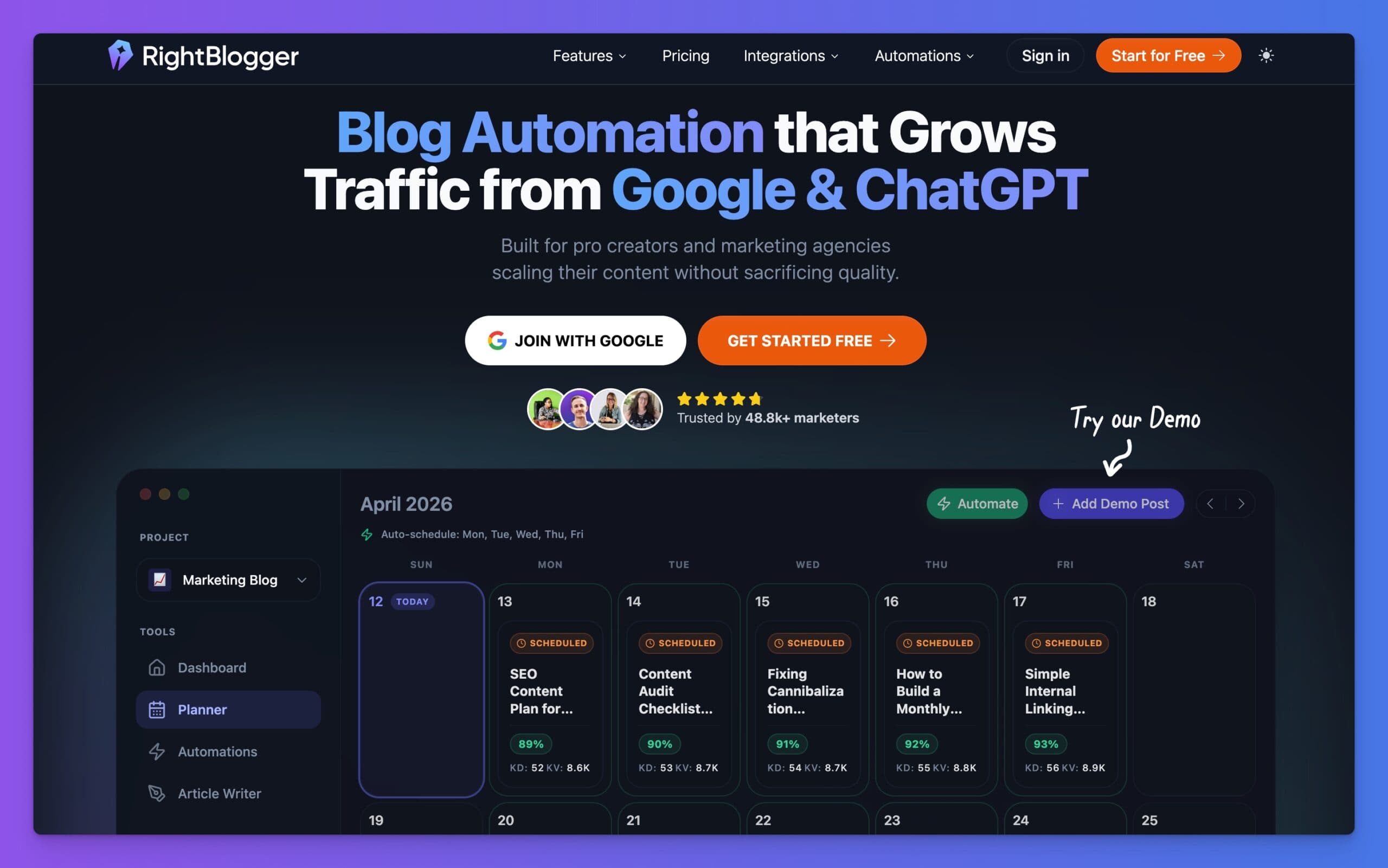
RightBlogger is an AI blog automation tool that helps you research, write, publish, promote, and maintain your blog. Join 50,000+ bloggers, creators, and marketing teams using it to grow traffic from Google and ChatGPT, with 80+ standalone tools, online courses, and a private community included on every plan.
Alright, so we’ve broken down if Google cares about your use of AI in the content creation process (no) and the question, does AI detection matter? (no). Let’s add a little more color to this equation.
While text that is poorly prompted by AI may sound clearly non-human to us & be obvious to tell that AI wrote it, there’s still no fool-proof way of detecting AI-written text today. It’s really tough to tell the difference.
I made another video recently, talking about Google’s stance on AI-generated content and what experts from OpenAI have contributed to this discussion, too:

In the rest of this guide, we’ll go a little deeper into what experts from OpenAI and Google have to say about this.
Let’s start with something fun. Take for example, this passage from the Bible that one of the most popular AI detectors thinks is written by AI:
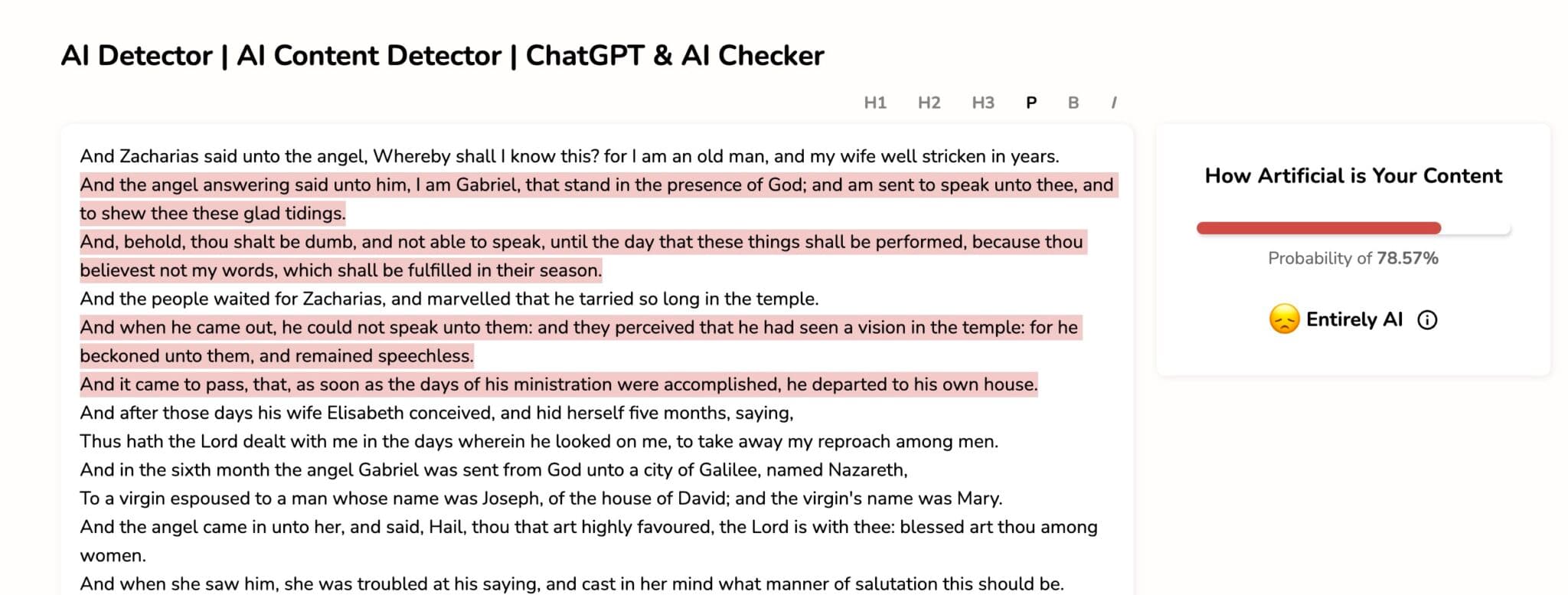
Chasing AI detection for most use cases, is the wrong way to spend your time.
In an academic setting (school papers and other education-related use cases), I totally support wanting to make sure students aren’t turning in AI-written term papers and the like. Kids will be kids, though. Many will try to toe that line.
Writing will always be an incredibly important skill, in my opinion.
But here’s the truth of what lies ahead in our future… just like what calculators did for our ability to do complex math instantly & easily, generative AI is now changing the nature of writing, itself. We’re comparing apples and oranges here, but it’s undeniable that the writing process has forever changed, and the new skill of writing with the help of AI, is one that can help us create more, faster.
OpenAI: Do AI Detectors Work? No
OpenAI, makers of the original AI model that exploded onto the scene in 2022 and the company behind ChatGPT, has stated that the tools made to spot AI-written content don’t really work reliably today.
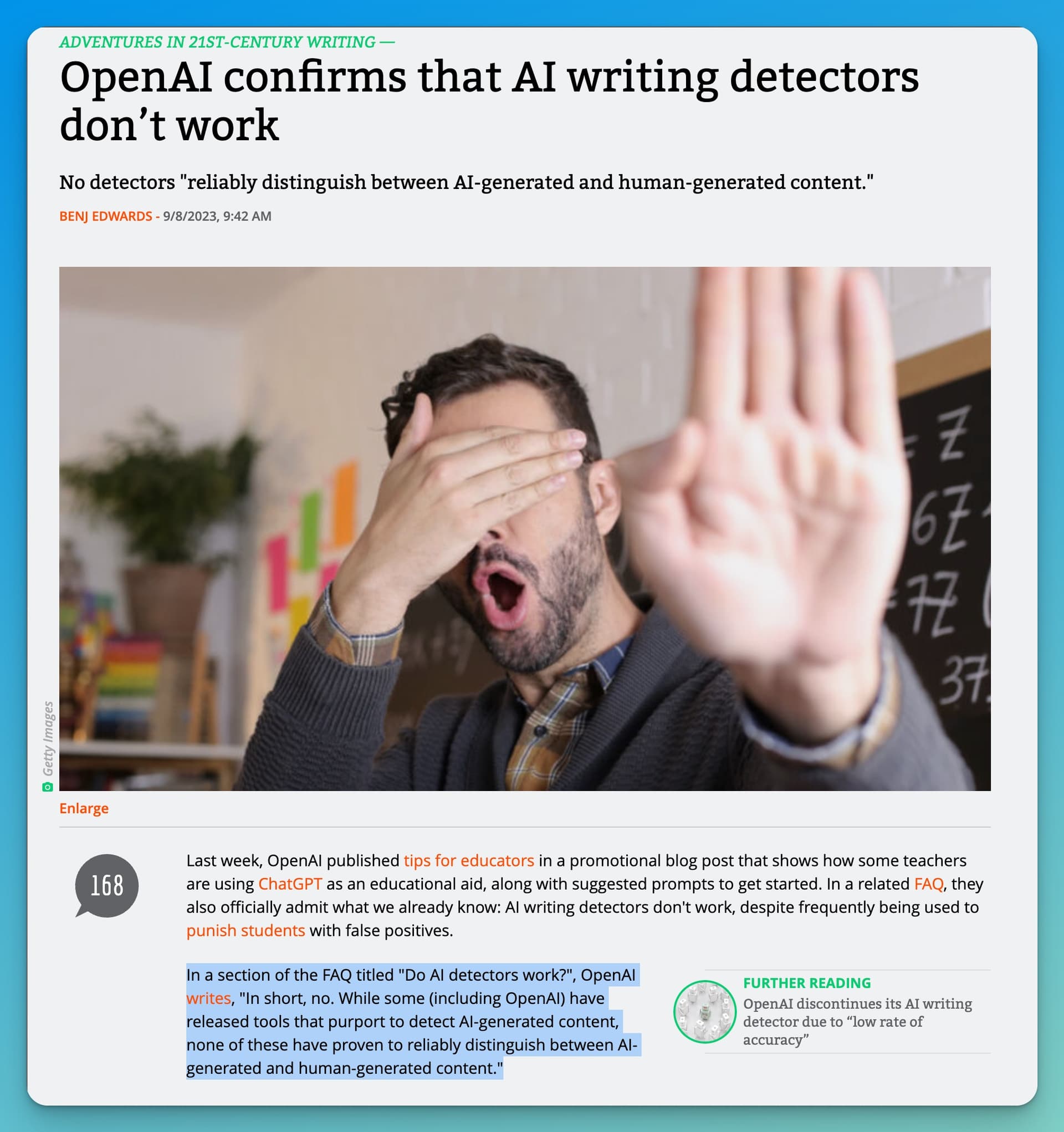
A piece on Ars Technica talked about how OpenAI explained that current AI detection tools can’t reliably tell AI and human writing apart. As of 2026, this hasn’t meaningfully changed.
This shows that it’s hard to come up with a way to spot the difference, and any tool trying to sell you on AI content detection, is likely being very optimistic about the way their tool attempts to accomplish this (in the most generous interpretation).
Google’s Take: Can I Safely Use AI to Create Content? Yes
Google doesn’t mind if the content you make is created with the help of AI, as long as it’s still really good. In a blog post, Google said it’s okay to use AI tools for creating content, if the end result still produces top-notch content.

Google’s March 2026 search quality rater guidelines reinforce this position further: raters are told to evaluate content based on helpfulness, accuracy, and user satisfaction, with no criteria for whether AI was involved. Ultimately, it’s up to you, the human in charge, to thoughtfully use tools like RightBlogger to start with a great first draft, and then personalize the content to really make it your own.
Making the Most of AI Tools
Since it’s hard to spot AI content, it’s incredibly important to keep a personal touch when you create your content. Tools like RightBlogger help you create great first drafts of your content using features like MyTone, Knowledge Library, and advanced customization features that give you easy ways to weave yourself into the creation process.
But, the most special part comes when you add in your own examples, thoughts, style, personality, and real-life stories. This is what truly makes your work special and of the highest quality when others come to interact with you.
Your role in the AI-assisted content creation process is key.
You take the first draft from AI, add your flair, and check to make sure it’s great. This personal touch is what makes your content stand out. For practical tips on this, see our guide on humanizing AI content. Just like it always has.
What to Do Next: Creating Content for Today’s World
Worries about detecting AI content might stick around for a while, but what matters most is the quality of what you create. How you arrive there isn’t as important, as long as what you’re doing feels good to you.
If you want to take a deeper look at AI detectors, read our full post about free AI content detectors and why these tools are often unreliable.
Whether you use tools like RightBlogger’s AI-powered Article Writer for a first draft assist, or write all your content from scratch, the goal is to make high-quality, fun, and honest content that connects with & helps readers.
By working together with AI tools and adding your own human touch, you’re on the right path to making great content, faster than ever before. And with AI search platforms like ChatGPT and Perplexity now surfacing content in their answers, quality AI-assisted content has even more ways to reach your audience in 2026.

Article by
RightBlogger Co-Founder, Ryan Robinson teaches 500,000 monthly readers how to grow online businesses. He is a recovering side project addict.



Automated SEO Blog Posts That Work
Try RightBlogger for free, we know you'll love it.





Leave a comment
You must be logged in to comment.
Loading comments...