How to Connect Your Duda Website with RightBlogger
If your website runs on Duda, you can now connect it directly to RightBlogger. This lets you send AI-generated articles straight to your Duda site—no copy-paste needed.
Keep in mind: the Duda API is only available for custom Duda plans, so you’ll need to be on one of those to connect.
What You’ll Need
Before you start, grab a few details from your Duda account:
- API Username and Password
These come from your Duda account, but only custom plan users can access them. Unfortunately, Duda doesn’t provide API access on standard plans. - Site ID
You can find this in your Duda site settings. It’s usually a short number or code that identifies your site.
How to Set It Up in RightBlogger
- Go to the Projects section in RightBlogger.
Open a project or create a new one for your Duda site. - Click the Integrations tab at the top.
- Select Duda from the list of integrations.
- Enter your API Username, API Password, and Site ID.
- Optionally, you can set:
- A default author name
- Default categories and tags
- Whether to publish immediately or save as a draft
- Click Save Changes.
Sending Content to Duda
Once your Duda integration is connected, you can send any article you create in RightBlogger directly to your site.
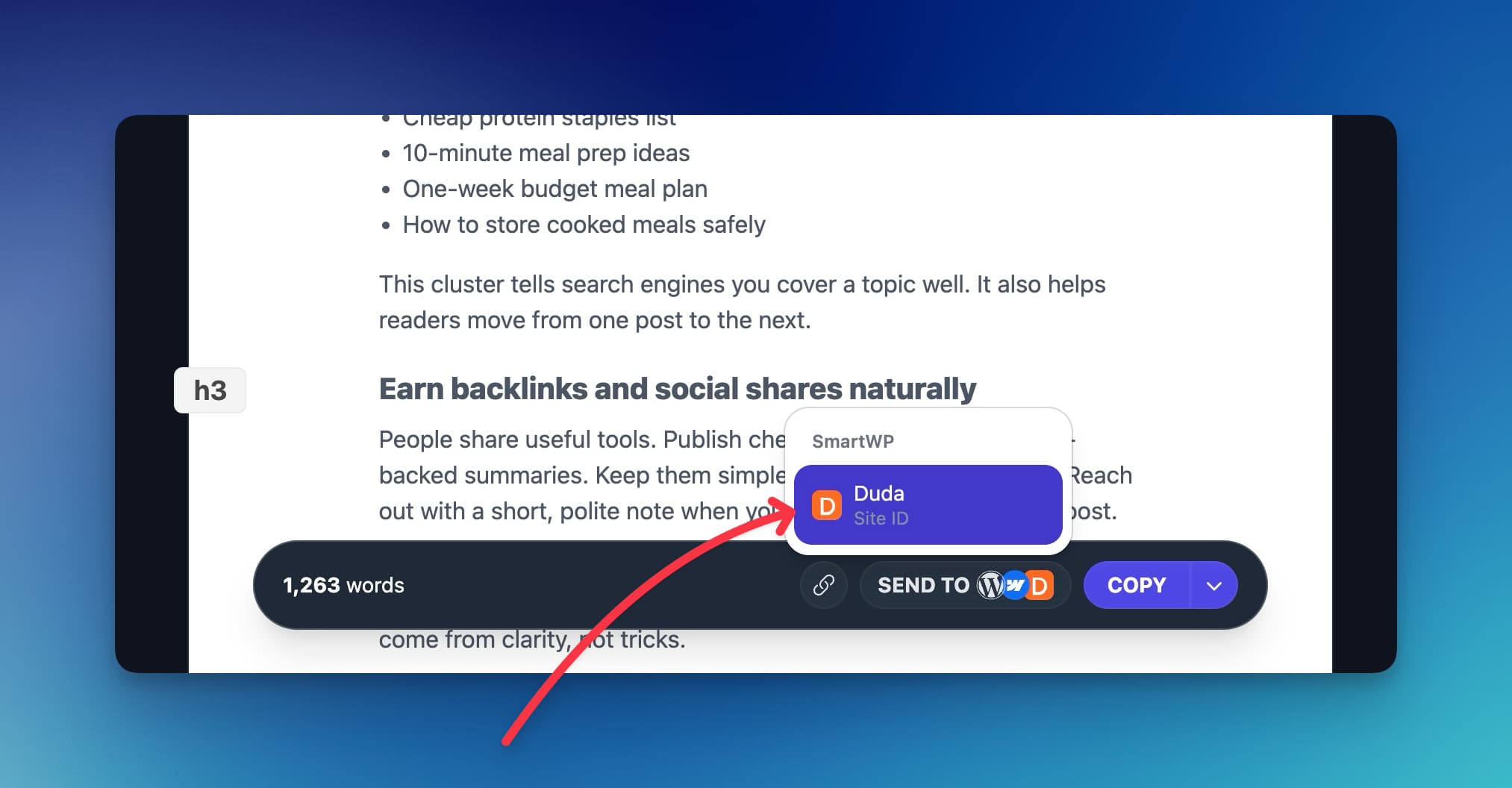
Just click the Send To button after generating your content, choose Duda, and your post will appear in your Duda dashboard—either as a draft or live, depending on your settings.
Notes
If you’re not on a custom Duda plan, the integration won’t work due to API restrictions from Duda’s side. You can contact Duda support about upgrading your plan to enable API access.
Conclusion
The Duda integration makes publishing faster and easier for creators using custom Duda plans. You can create, edit, and send content straight from RightBlogger without leaving your dashboard.
If you run into any issues or need help finding your API details, reach out to Duda support or contact us at RightBlogger. We’re happy to help you get connected.
Do I need a custom Duda plan to connect Duda with RightBlogger?
Yes. You need a custom Duda plan because that is the only type of plan that gives access to the Duda API.
RightBlogger connects to Duda using your API Username and API Password. If your Duda plan does not include API access, the connection will fail.
If you are not sure what plan you are on, check your Duda account or ask Duda support about upgrading so you can use the API.
Where do I find my Duda API username, password, and Site ID?
You get the API Username and API Password from your Duda account (custom plans only). These are the credentials RightBlogger needs to publish posts to your site.
Your Site ID is in your Duda site settings. It is the short code or number that identifies the site you want to connect.
Once you have all three, go to your RightBlogger project, open the Integrations tab, pick Duda, and paste them in. You can also review the main Duda integration overview if you want a quick reference.
Can I send posts to Duda as drafts instead of publishing right away?
Yes. In the Duda integration settings inside RightBlogger, you can choose whether posts publish immediately or save as a draft.
Draft mode is helpful if you want to review formatting, add images, or double check links in Duda before going live.
You can also set default author name, categories, and tags. That way each post is organized the same way without extra steps.
How do I send an AI-generated article from RightBlogger to my Duda site?
After you create an article in RightBlogger, click the Send To button and choose Duda. RightBlogger will push the post to your Duda dashboard.
The post will show up as a draft or published, based on the settings you picked during setup.
If you want a faster writing workflow, you can start with the RightBlogger AI Article Writer and then send the finished post to Duda in one step.
What should I do if the Duda integration is not working in RightBlogger?
First, confirm you are on a custom Duda plan with API access. Most connection issues happen when the Duda API is not available on the account.
Next, recheck that your API Username, API Password, and Site ID are correct and match the exact Duda site you want to publish to.
If you still cannot connect, use the step by step Duda setup help guide. You can also contact Duda support for API access questions, or reach out to RightBlogger support for help inside your project.
New:Autoblogging + Scheduling
Automated SEO Blog Posts That Work
Try RightBlogger for free, we know you'll love it.

- No Card Required
- Blog Posts in One Click
- Unlimited Usage


Leave a comment
You must be logged in to comment.
Loading comments...



