Understanding Sitemaps: The Essential Guide for Bloggers
Submit your CMS-generated sitemap once, and search engines automatically track future updates.
If you have a website, you’ve probably seen the term sitemap thrown around. A sitemap is a list of the pages on your site that you want search engines to know about. It helps them find and index your pages. It does not make them rank, which is the part people most often get backwards.

What Is a Sitemap?
A sitemap is a file that lists every page on your website that you want search engines to know about. It’s like handing Google a table of contents for your site. Without one, search engine bots have to discover your pages by following links, which means some pages might get missed.
Why Do You Need a Sitemap?
The primary function of a sitemap is to make sure search engines can discover and index all your website’s pages. By providing a clear path to all your important pages, a sitemap helps:
- Enhance Visibility: It prompts search engines to crawl and index your site’s pages, making them appear in search results.
- Better Coverage: Pages buried deep in your site structure (3+ clicks from the homepage) are more likely to get crawled when they’re listed in the sitemap.
- Change Detection: Your sitemap includes timestamps, so Google can see when pages were last updated and re-crawl them accordingly.
How to Create and Submit a Sitemap
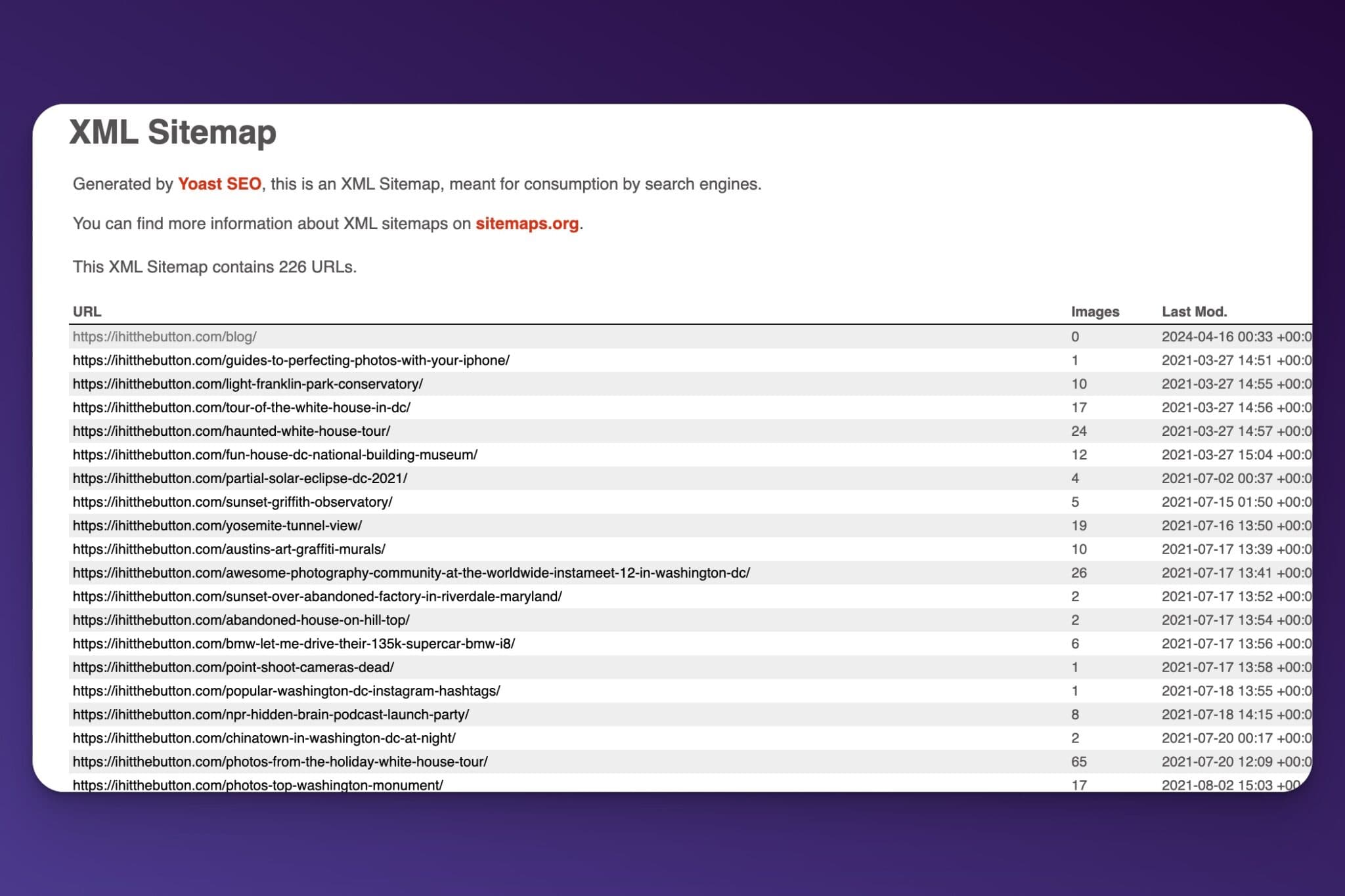
Automatic Generation
If you’re using a content management system (CMS) like WordPress or Squarespace, your sitemap is generated automatically. You can find it at yoursite.com/sitemap.xml.
Submitting Your Sitemap to Search Engines
To make sure your site is crawled and indexed, you’ll need to submit your sitemap to search consoles like Google Search Console and Bing Webmasters. Here’s how you can do it:
- Locate your sitemap URL: It usually ends with /sitemap.xml.
- Submit to Google Search Console: Login to your account, select ‘Sitemaps’ from the menu, and add your sitemap URL.
- Submit to Bing Webmaster Tools: Similarly, use your Bing dashboard to submit the sitemap.
Remember, once you have submitted your sitemap, these tools will do most of the heavy lifting. They automatically check for updates and changes, keeping your content fresh in search engine results.
Managing Sitemap Updates
You don’t need to resubmit your sitemap every time you make changes. That’s the beauty of it. Every time you add or edit pages, your CMS updates the sitemap automatically. Google monitors the sitemap URL you submitted and follows the links to make sure everything stays indexed.
Do Small Sites Need a Sitemap?
While large sites with lots of content gain enormous benefits from having a sitemap, smaller sites might wonder if they need one. Although smaller sites can be indexed by search engines without a sitemap, submitting one is still beneficial. It eliminates the guesswork for search engines and speeds up the indexing process, potentially boosting your site’s overall SEO performance.
Set Up Your Sitemap Today
Submitting your sitemap is one of the easiest SEO wins available. It takes a few minutes, your CMS handles the updates automatically, and it gives your content the best chance of ranking in search results.
For a step-by-step walkthrough, check out our guide on setting up your XML sitemap. And if you want to go deeper on SEO fundamentals, see our SEO Mastery course for RightBlogger subscribers.
Automated SEO Blog Posts That Work
Try RightBlogger for free, we know you'll love it.




