What is a Noindex Tag? Definition and How to Use It
Keep useful pages crawlable while excluding confirmations, duplicates, tests, and internal search results.
A noindex tag tells search engines: “Don’t show this page in search results.” It’s a simple line of HTML that gives you control over which pages on your site get indexed and which ones stay hidden.
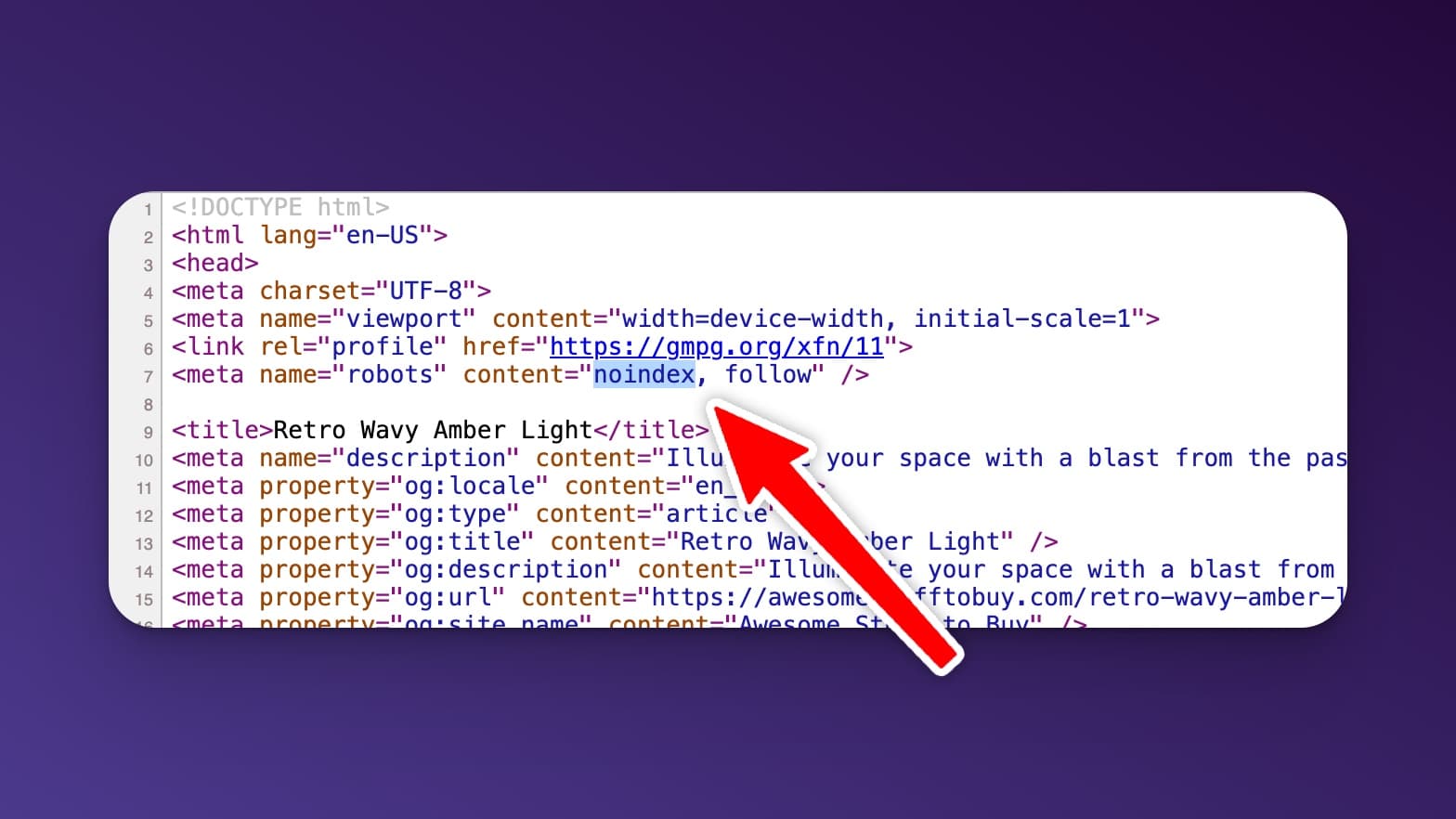
Understanding the Noindex Tag
A noindex tag is a value in the robots meta tag that tells search engines not to include a page in their index. The page can still be crawled and visited directly, it just will not appear in search results. That makes it a clean way to control which pages of your site are searchable and which ones stay hidden.
When to Use a Noindex Tag
You’d use a noindex tag when you have pages that serve a purpose but shouldn’t show up in search results. Common examples:
- Thank you / confirmation pages after a form submission
- Duplicate content like print-friendly versions or paginated archives
- Staging or test pages that aren’t ready for the public
- Internal search results pages that add no SEO value
- Login or admin pages with no reason to appear in search
How to Add a Noindex Tag
If you are editing HTML directly, add this tag inside the <head> section of the page:
<meta name="robots" content="noindex">To also stop search engines from following the links on the page, use content="noindex, nofollow". For non-HTML files like PDFs, send an X-Robots-Tag: noindex HTTP response header instead. After making the change, use Google Search Console to test the live URL and confirm Google sees the noindex directive.
If you’re on WordPress, you don’t need to touch code. Most SEO plugins handle this with a toggle:
- Yoast SEO: Edit the post → scroll to Yoast → Advanced tab → set “Allow search engines to show this content in search results?” to No.
- Rank Math: Edit the post → Rank Math panel → Advanced tab → Robots Meta → check “No Index”.
Best Practices for Using Noindex Tags
Use noindex tags strategically. Avoid them on pages you want to rank, and reserve the directive for pages that serve a purpose but are not meant for search. Major engines like Google and Bing honor noindex, though a few smaller search engines may not, so treat it as a strong signal rather than a hard lock.
One common mistake to avoid: do not also block a noindexed page in your robots.txt file. If search engines cannot crawl the page, they never see the noindex tag, so it can stay in the index. Leave the page crawlable so the directive can actually be read.
When Not to Use a Noindex Tag
Never noindex your homepage, key landing pages, blog posts you want traffic to, or any page that targets a keyword you’re trying to rank for. The noindex tag is for cleanup, not for hiding content you’re unsure about. If a page has value to searchers, let Google index it.
If you’re not sure whether a page is indexed, check it in Google Search Console or use RightBlogger’s Chrome Extension to inspect the page’s meta tags with one click. For more on how indexing works, see our guide on submitting URLs to Google.
Automated SEO Blog Posts That Work
Try RightBlogger for free, we know you'll love it.




