Search Google or Type a URL: What It Means and When to Use Each
Search for research; use verified bookmarks for logins, payments, and downloads.

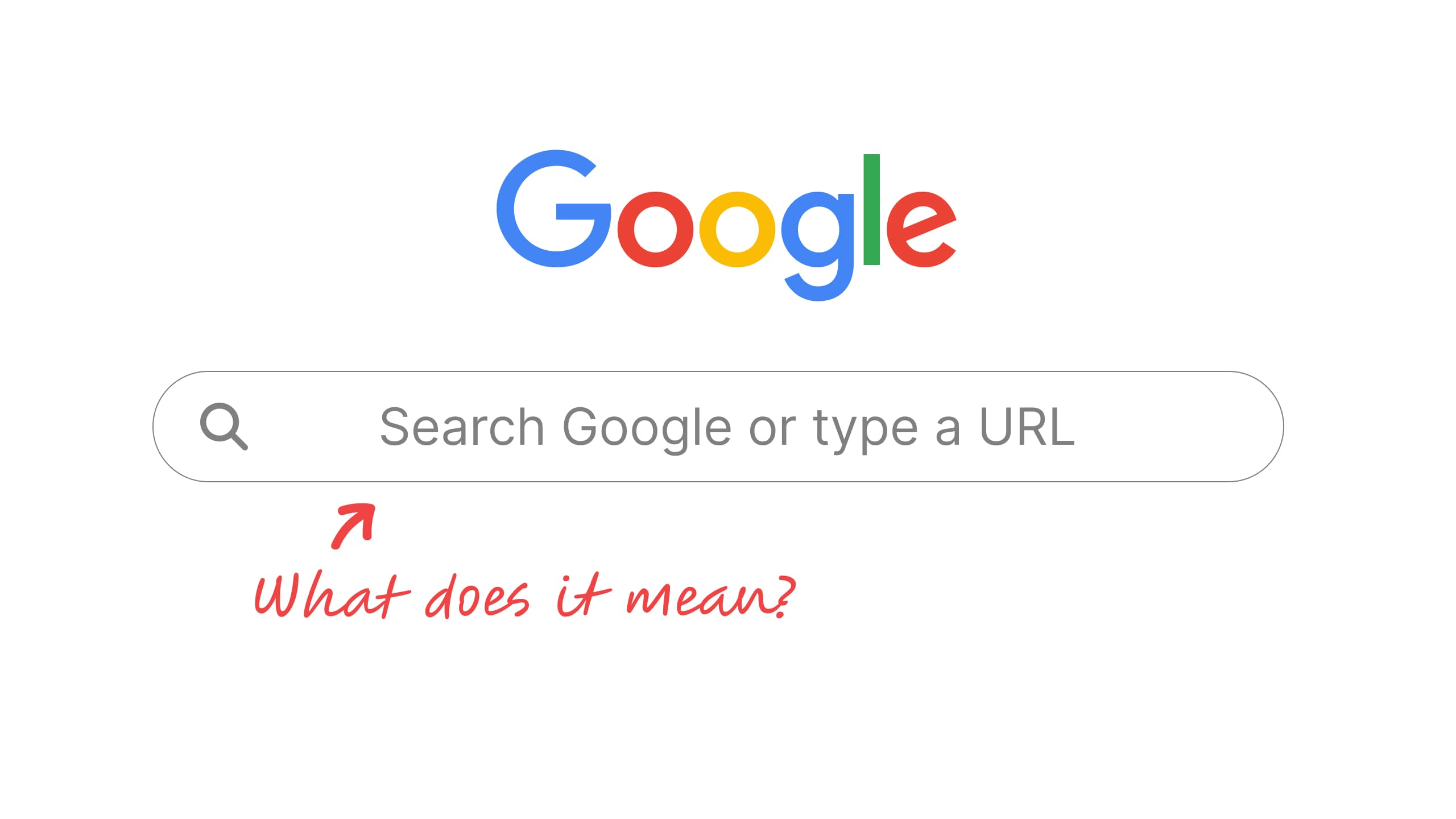
“Search Google or type a URL” is the hint text in Chrome’s address bar when Google is your default search engine. It means the box does two jobs: type words and you get Google results, or type a web address like wikipedia.org and Chrome opens that site directly.
The middle word is your default search engine, so switch to Bing and it reads “Search Bing or type a URL.” The search box on Chrome’s New Tab page now says “Ask Google or type a URL,” and Chrome on Android and iPhone uses a shorter “Search or type URL,” sometimes with the engine’s name added. All of these wordings come straight from Chrome’s own interface text.
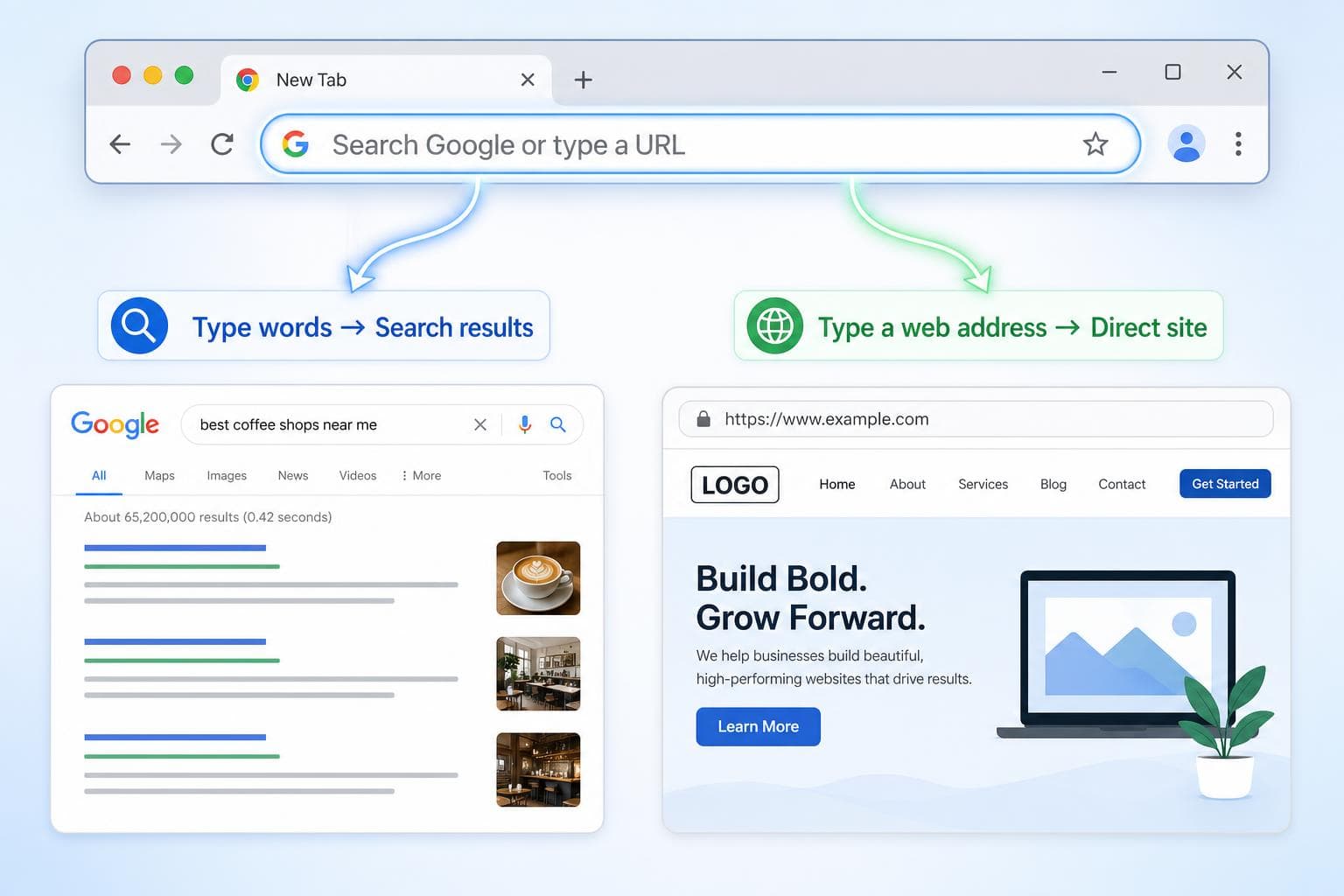
What does “Search Google or type a URL” mean?
Chrome’s address bar is also its search bar, a combined box Google calls the omnibox. The hint text is a reminder that you can use it either way. If what you type looks like a web address, Chrome goes there. Anything else gets sent to your search engine as a query.
| What you type | What Chrome does | Where it can go wrong |
|---|---|---|
chase.com | Opens the site directly | A typo can land you on a lookalike domain |
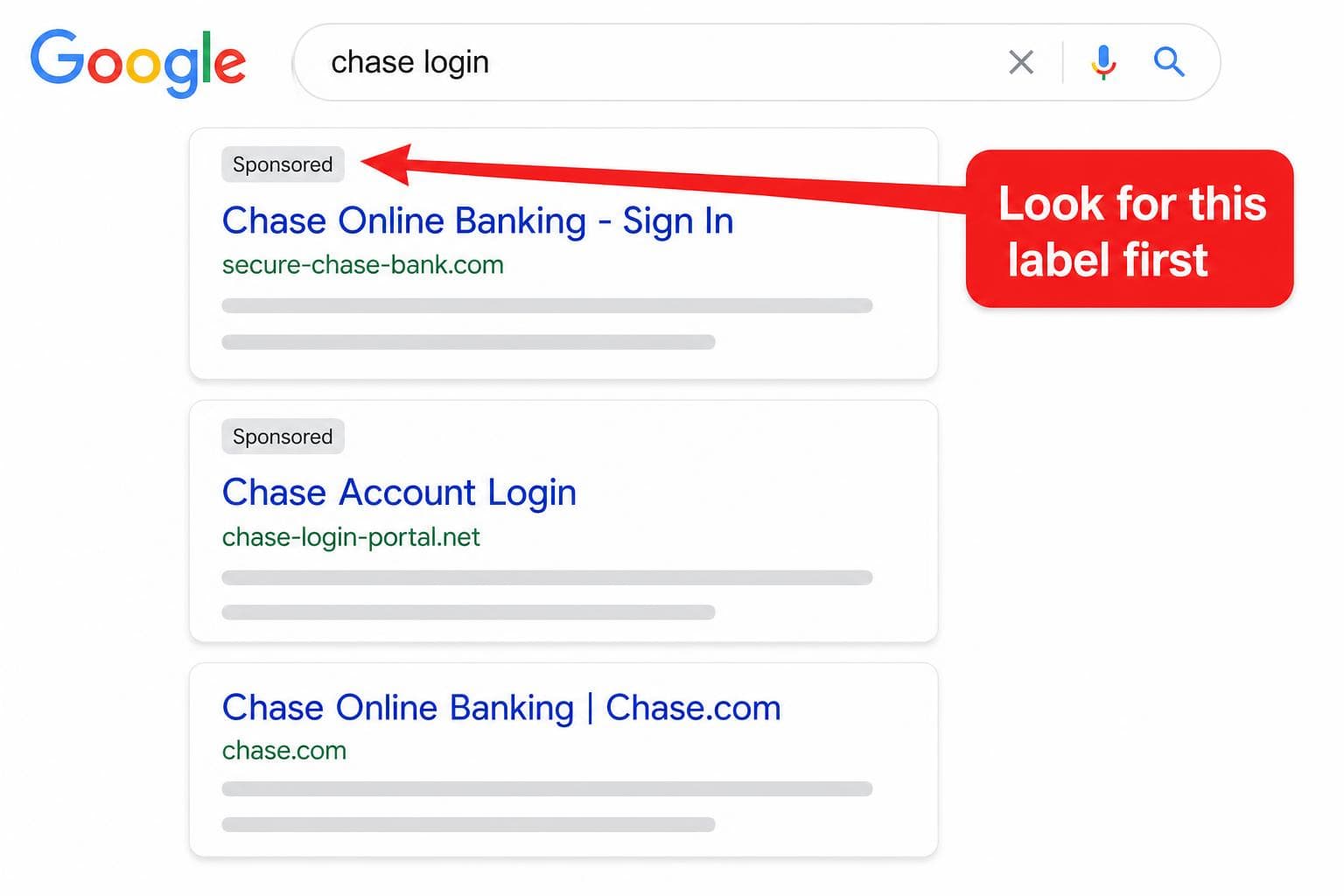
chase login | Runs a Google search | Ads and fake “login” pages can sit above the real one |
best budget laptop | Runs a Google search | Thin review sites and sponsored listings |
As you type, the box also suggests sites and searches based on your browsing history and your search engine. Those suggestions are predictions, not a safety check, so a suggested address isn’t verified just because it shows up.
The “Search Google or type a URL” meme
The joke is taking the instruction literally: clicking the box and typing the words “Search Google or type a URL” into it. The top post on Imgflip’s tag for the phrase is exactly that setup. It’s a cousin of the older joke about people who type “Google” into Google to get to Google.
It also works, in the sense that Chrome treats the phrase as an ordinary search and shows you results for it. If you typed it into the box and ended up on this page, you’ve done the meme.
Should you search Google or type a URL?
Search when you don’t know exactly where you’re going. Type the address, or better, use a bookmark, when you do, especially for logins, payments, and downloads. A search adds one extra step (picking a result), and that step is where ads and lookalike pages get their chance.
| Search Google | Type a URL or use a bookmark | |
|---|---|---|
| Best for | Research, comparisons, troubleshooting | Sites you already know and trust |
| Speed | Slower: scan results, pick one | Faster when you know the address |
| Main risk | Clicking an ad or fake result | Mistyping into a lookalike domain |
When searching is the better move
Typing a URL only helps if you know it. When you’re comparing standing desks, fixing a printer that won’t connect, or checking a restaurant’s hours, you don’t, and guessing domains wastes more time than scanning a results page.
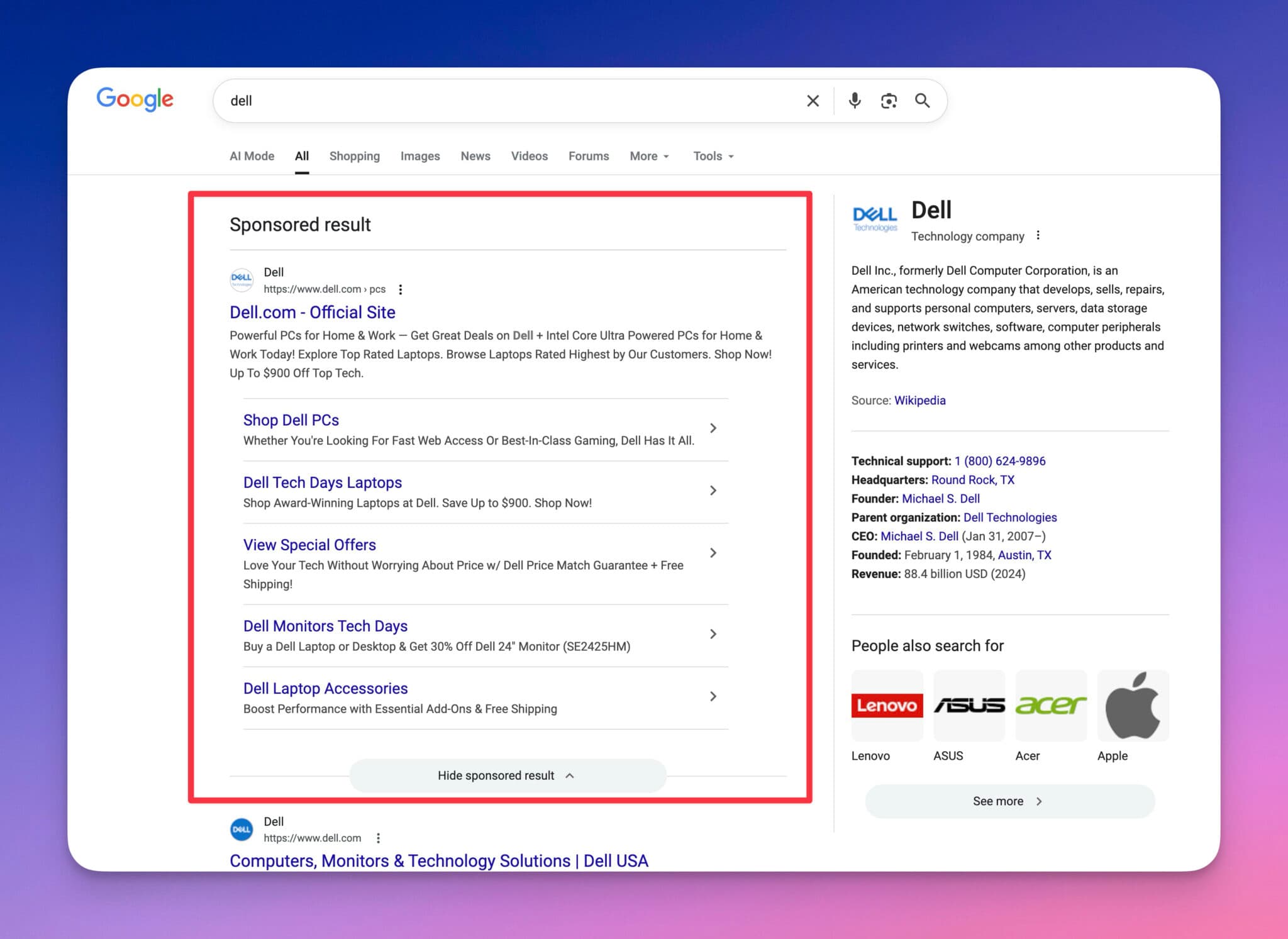
Just read the results before you click. Look at the domain under each title, notice anything labeled “Sponsored,” and open uncertain results in a new tab so your results page stays put. Even a plain brand search like “Dell” gives you several listings to pick from before you reach dell.com.
Go direct for logins, payments, and downloads
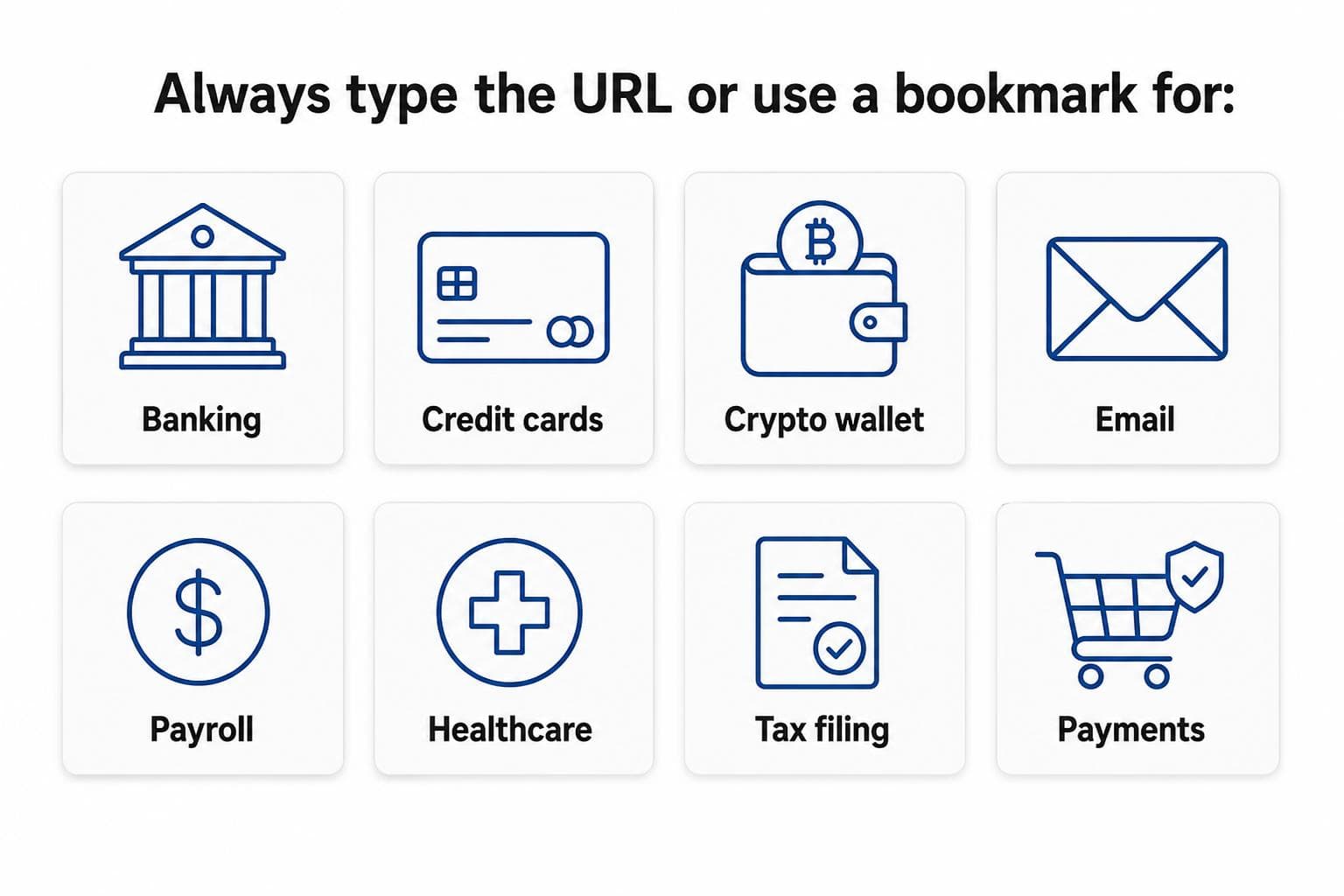
Advertisers can bid on almost any search term, including a bank’s name or a popular app’s “download” query, and scammers sometimes get fake ads through. That makes the results page a common route to phishing pages and fake installers. For banking, email, payroll, health portals, tax filing, and software downloads, skip it: visit the real site once, confirm the address, and bookmark it. Then use the bookmark every time.
If you do land on a results page for one of these, check for the “Sponsored” label before clicking anything.
Watch for typosquatting when you type
Typing an address isn’t automatically safe. Typosquatting is when someone registers a domain one slip away from a real one (a missing letter, a swapped letter, a zero for an “o,” or a different ending like .co instead of .com) and waits for people to mistype it.
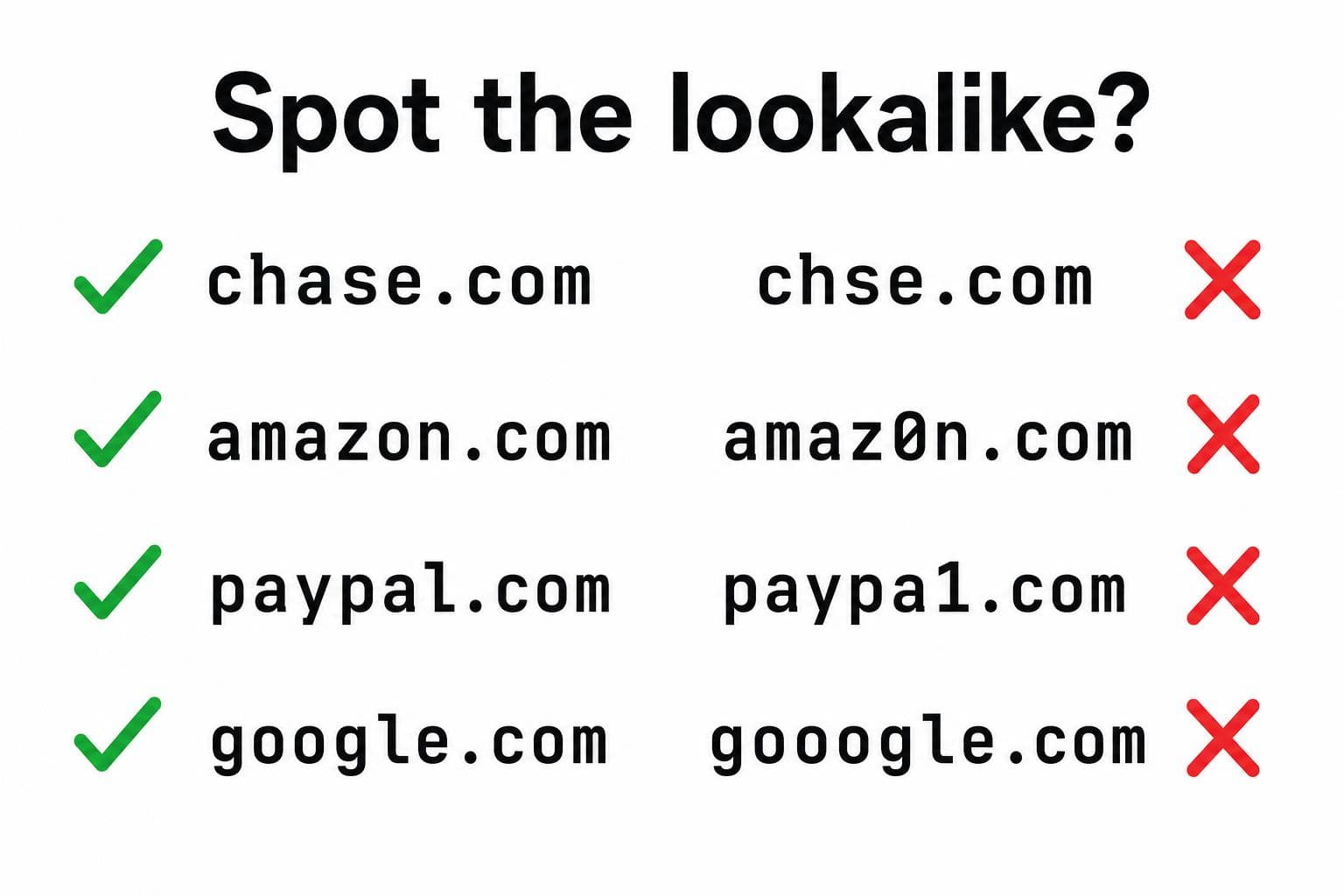
Chrome helps a little here. If an address looks like a slightly altered version of a site you normally visit, it may ask “Did you mean…?”, “Is this the right site?”, or warn “Fake site ahead” (Google’s explanation). Separately, Safe Browsing shows a red “Dangerous site” page for known phishing and malware sites. You can choose its level in Chrome’s settings: Enhanced protection, Standard protection (the default), or No protection, which Google marks as not recommended.
Bookmarks still beat both habits for the sites that matter, because there’s nothing to mistype and no results page to read.
How to change “Search Google or type a URL”
The text follows your default search engine, so changing the engine is how you change it. In Chrome on a computer (Google’s steps):
- Select More (the three dots, top right), then Settings.
- Select Search engine.
- Next to “Search engine,” select Change and pick a new default.
On a work or school computer, your admin may set the search engine for you. If it changes on its own, or won’t stay changed, Google says that can be a sign of malware.
If you add browser extensions, keep the list short and stick to tools you recognize. Our roundup of SEO Chrome extensions for bloggers is a good example of the kind worth installing.
What about “Ask Google or type a URL”?
It’s the same box with question-style wording. Newer versions of Chrome show “Ask Google or type a URL” in the New Tab page search box, which also has a button for AI Mode in Chrome. AI Mode answers your question with an AI response and links instead of a list of results.
On a computer, select AI Mode on the right of the box, or press Tab + Enter, to send your question there. Typing a web address still opens the site as usual. To hide the AI Mode button in the address bar, right-click the address bar and unselect Always show AI Mode. Google says AI Mode in Chrome isn’t available to everyone or on every device yet.
Why a typed URL sometimes becomes a search
Chrome only opens what looks like an address. A brand name without the ending (netflix instead of netflix.com), an accidental space, or a typo in the ending makes it look like a query, so you get search results instead.
Type the full domain with no spaces, or add https:// at the front to make it unambiguous. Once the right site loads, bookmark it.
Frequently asked questions
Is Google a URL?
Google is a search engine, and google.com is its URL (web address). “Search Google” means typing words for Google to look up. “Type a URL” means typing any site’s address, including google.com, to go straight there.
How do you clear address bar suggestions?
To remove one suggestion, use the remove option next to it in the drop-down. To clear them in bulk, delete your browsing history from More, then Delete browsing data. On a shared computer, this keeps sensitive sites from showing up as suggestions later.
Can I turn off address bar suggestions?
Partly. Go to Settings, then You and Google, then Google services, and turn off Improve search suggestions. That stops Chrome sending what you type to your search engine, but Chrome may still suggest pages from your local history.

Article by
RightBlogger Co-Founder Andy Feliciotti focuses on website development and shares his photography and travel adventures on YouTube.


Automated SEO Blog Posts That Work
Try RightBlogger for free, we know you'll love it.





Leave a comment
You must be logged in to comment.
Loading comments...