RightBlogger Summer Updates: Chat Tool, Major Quality Improvements & More Personalization
GPT-4o, live-search chat, and a Knowledge Library make outputs more accurate and personal.


Hey gang! I’m pumped to bring you our summer 2024 update today (queue my happy dance🕺). We’ve packed this update with tons of new tools like Chat, fresh features, massive quality improvements across the board, and a bunch of really cool personalization enhancements I think you’re gonna love.

Let’s break today’s update into the four main categories I go through in the video above.
1. Sidebar and Dashboard Enhancements
We’ve made some significant updates to the sidebar and content dashboard that’ll help you significantly improve your content workflows.
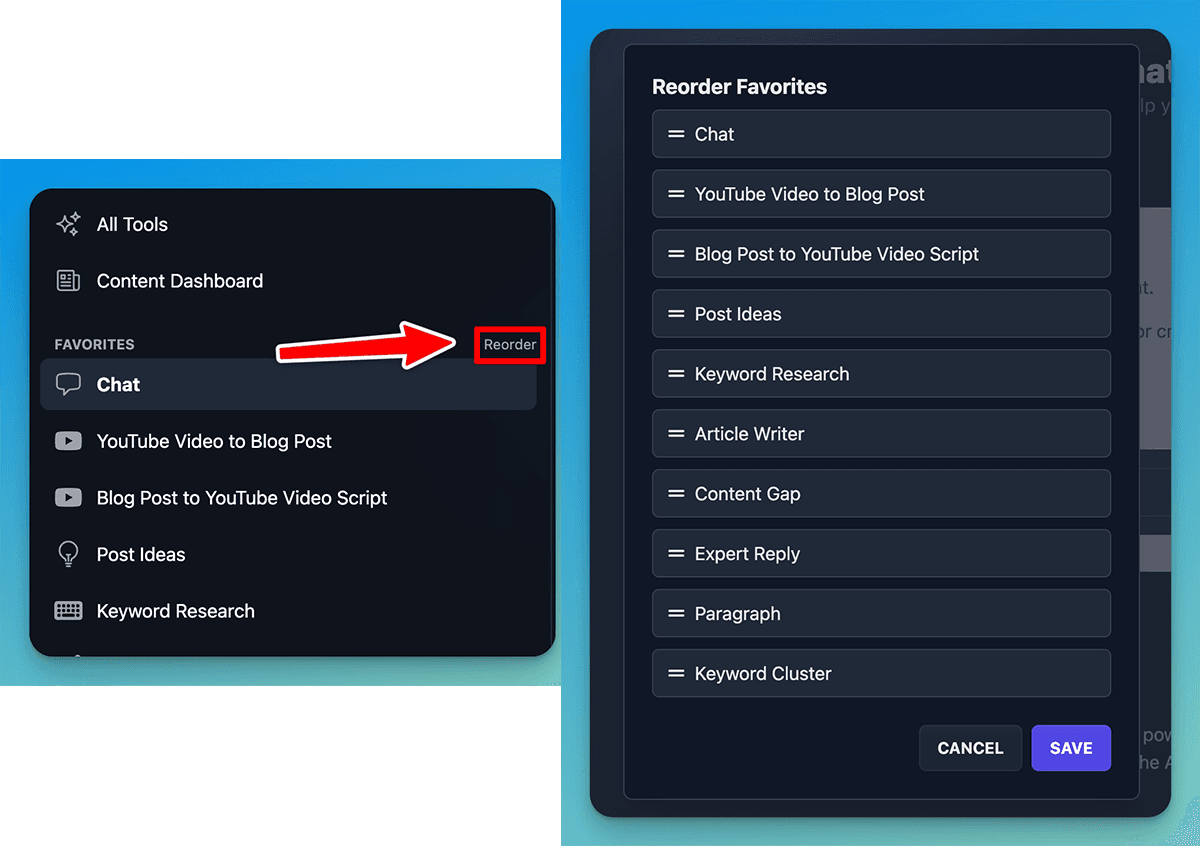
- Reorder Favorites: By very popular request, you can now rearrange your favorited tools, into a smooth step-by-step flow that supports your content creation process. Here’s what my custom favorites looks like, which helps me stay on track with what comes next in my workflow.
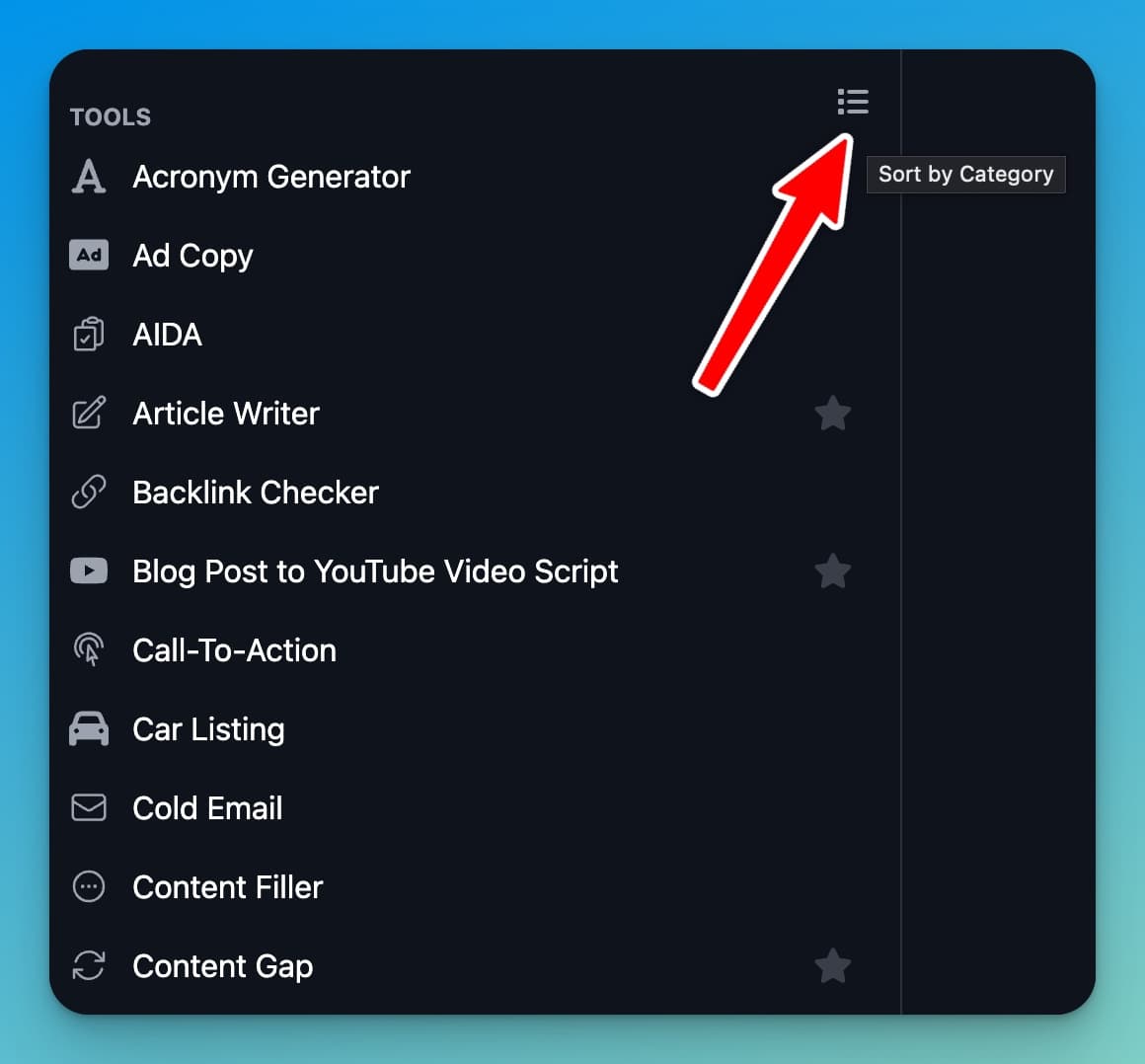
- Sorting Options: Sort tools alphabetically or group them into their major categories (the default sidebar view).
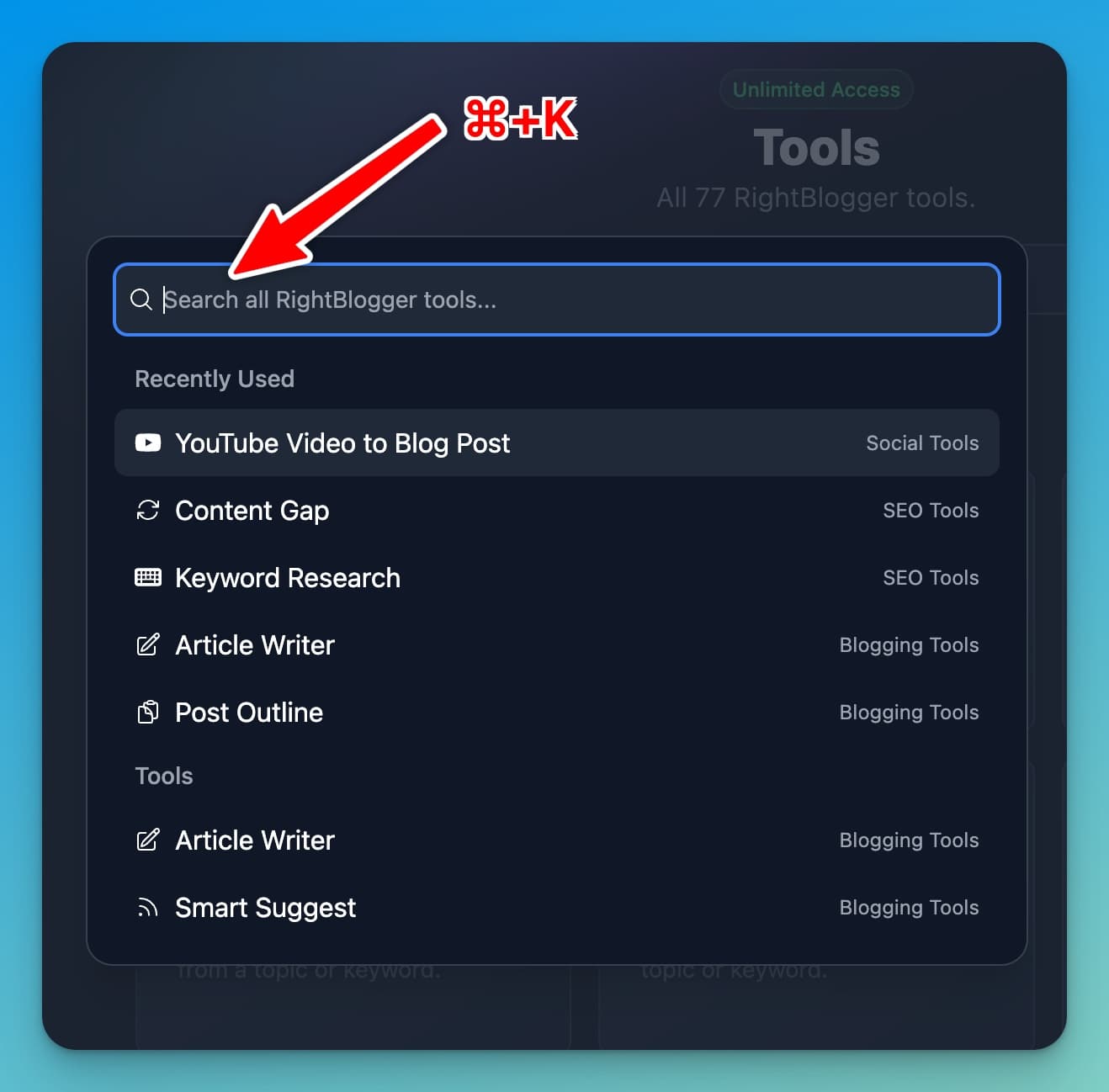
- Improved Search: Find any tool quickly by pressing Command + K (on Mac) from anywhere inside RightBlogger, or by using the search bar at the top of the page.
Now, let’s talk about the quality improvements you’ve probably already noticed.
2. Major Quality Improvements Across All Tools
You can expect to see noticeable upgrades in the quality of your content creations in all 90+ tools inside RightBlogger, thanks to OpenAI’s GPT-4o model (their newest model), that we’ve deployed in the platform.
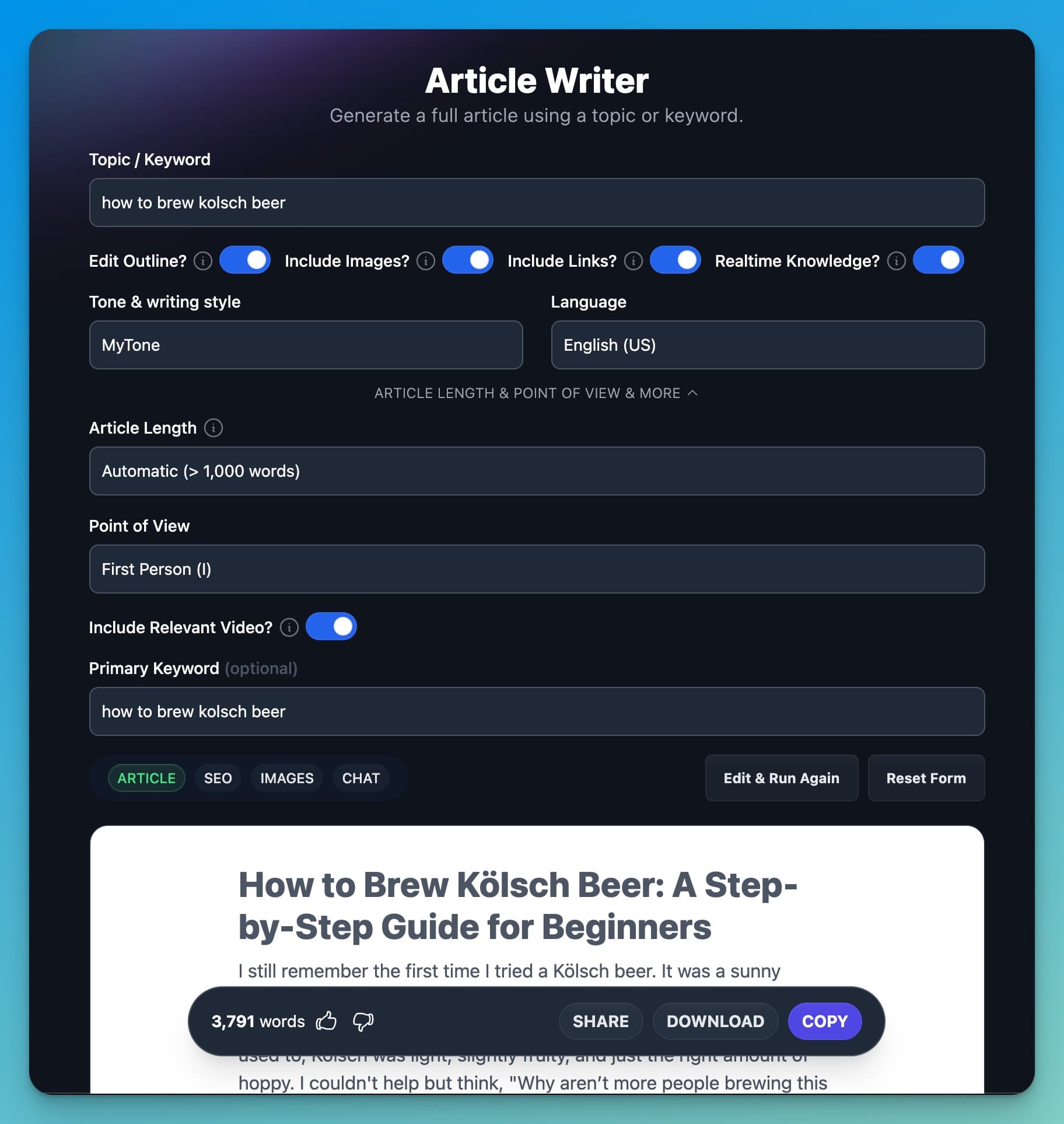
We also have a couple of very cool new personalization features, including a Creativity Slider and the Knowledge Library. Here are the highlights:
- Higher Quality Outputs: Especially in tools like the Article Writer where you’ll generate 1,000+ words of content on the regular, you’ll see much higher quality outputs that adhere to your instructions, deliver more polished content, and more closely match your MyTone configurations.
- Prompt Improvements: All tools now work more efficiently and effectively, after a review and overhaul of the complex network of prompts behind-the-scenes powering our most popular tools. Highly detailed prompting is part of our secret sauce that makes RightBlogger’s creations so damn good.
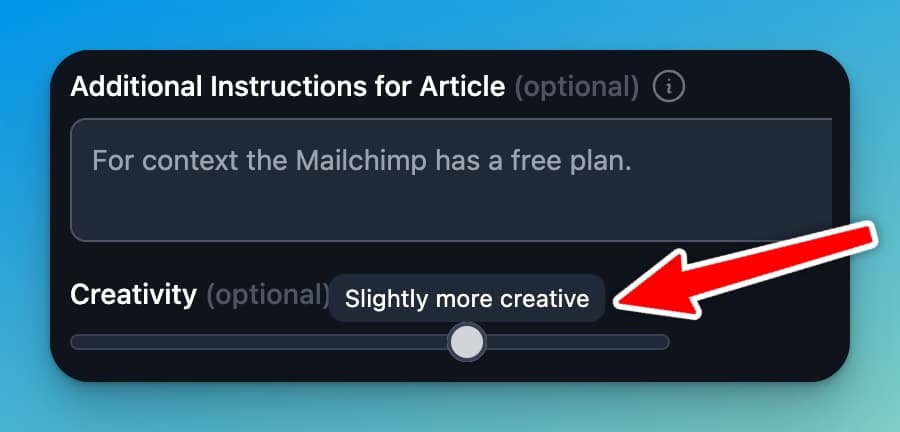
- Creativity Slider: This is a fun one. You can now customize how creative the AI gets with your content using this new feature. This slider is particularly useful for longer creations, like what you’ll create using the Article Writer tool, with noticeable cool effects. Here’s a walkthrough of what to expect and how to use the creativity slider.
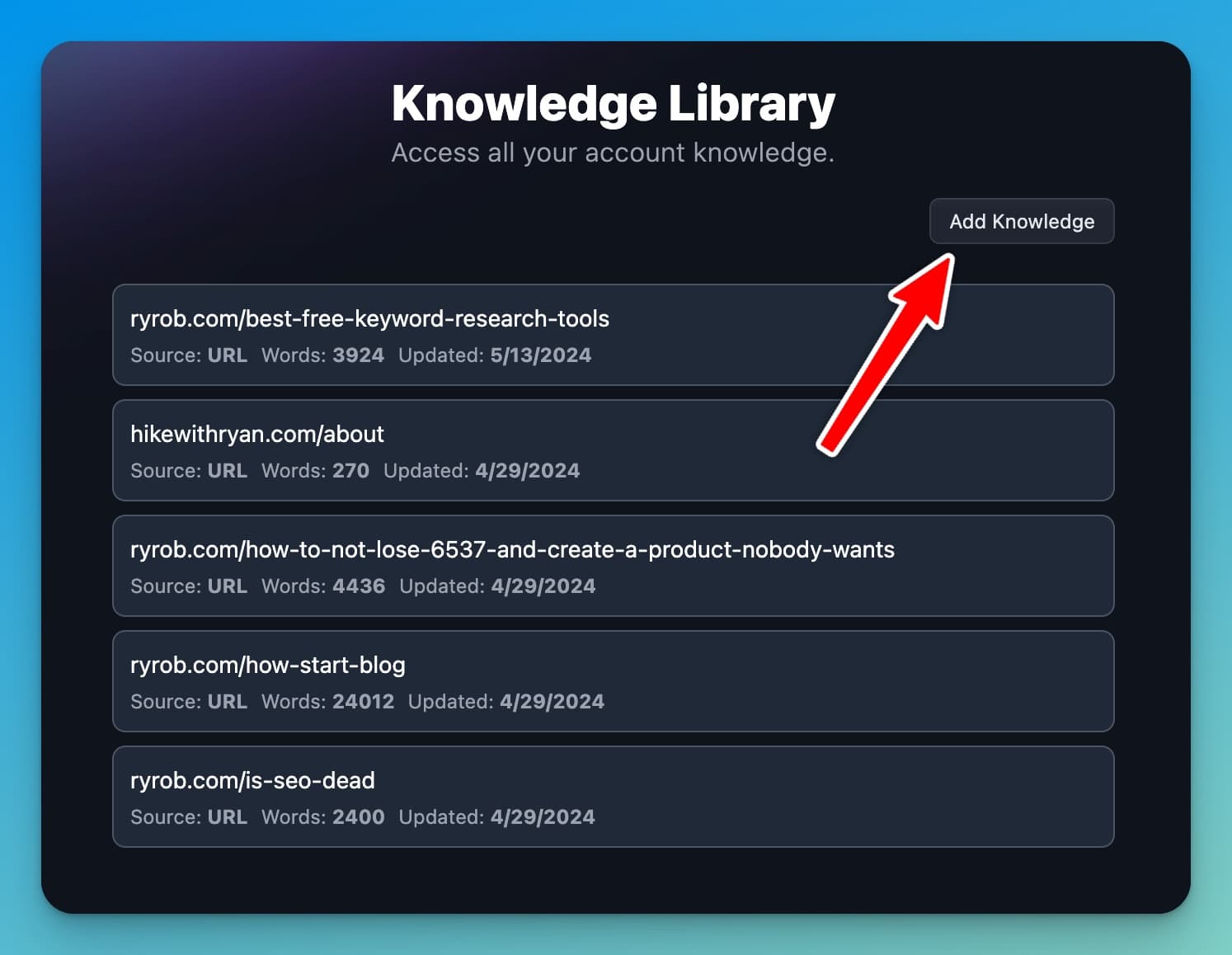
- Knowledge Library: A major upgrade, the more content you create using RightBlogger. We quietly rolled out a custom Knowledge Library about a month ago, where you can add (and store) resources you want the AI to work with, including your previous content, to help produce better, stronger, more you outputs.
A note on AI models: We use a blend of different AI models for a wide variety of diverse tasks throughout RightBlogger’s tools. We’ve found some models to be significantly better at certain tasks & processes than others, so we lean into the strengths each model brings to the table. Currently, we’re using a mix of GPT-4o, GPT-4, GPT-3.5 Turbo, and Anthropic’s Claude 3.5 Sonnet.
3. Introducing the All New Chat Tool
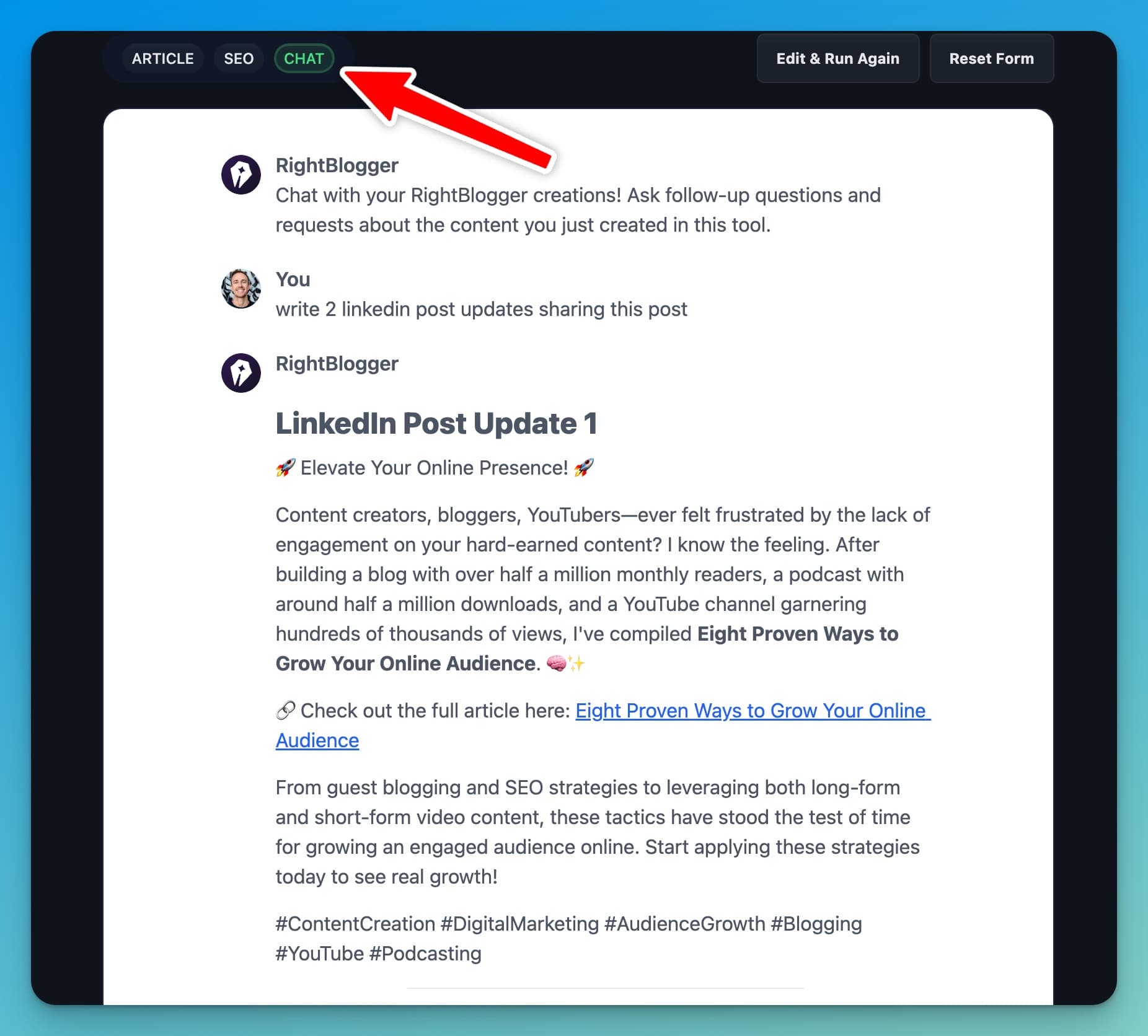
Another banger! We just launched a much-requested new tool, the Chat Tool is now available inside RightBlogger, allowing you to interface directly with the AI in a chat-style environment, just like ChatGPT.
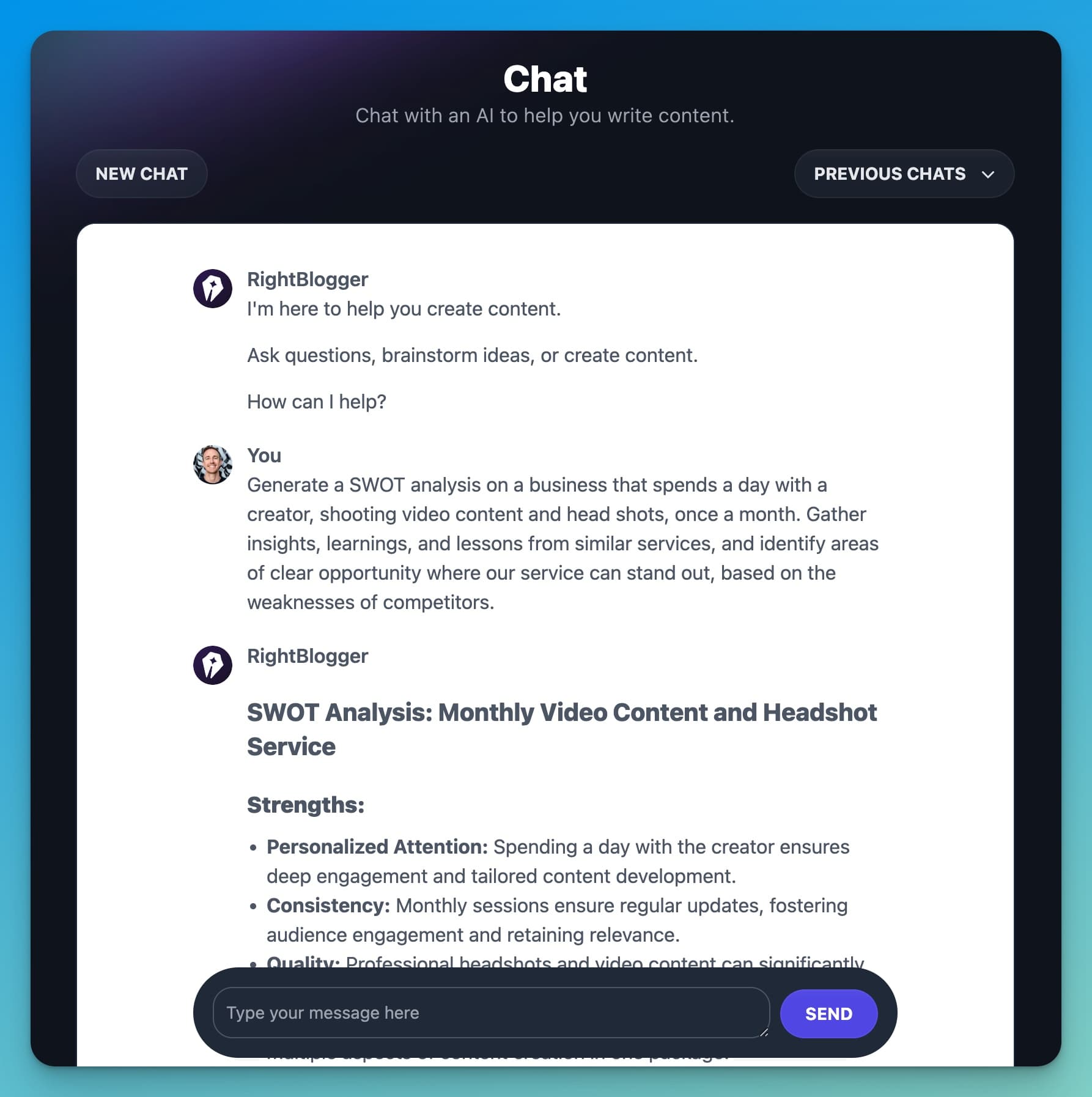
Here’s what you can do with the brand new Chat Tool:
- Chat Interface: Interact with the AI similarly to ChatGPT for quick questions, or generating any sort of creations that don’t adhere to a specific tool format inside RightBlogger. This is huge, because you can now create anything you can imagine using RightBlogger.
- Real-time Results: Some AI models are limited by their datasets that end in the recent past. With the Chat Tool inside RightBlogger, you’ll get real-time information from live Google searches, keeping your creations up-to-date.
- Integrated Chat: You can also use the chat feature across almost all tools inside RightBlogger, allowing you to interact with your content, ask questions, tweak or improve your outputs, and get more mileage out of each creation.
Chat isn’t the only new tool we’ve added recently, either.
4. New Tools and Upgrades
Thanks to your awesome feedback and suggestions, we’ve rolled out several big new tools (and improvements) designed to make your content creation process more efficient. Here are a few of my recent favorites:
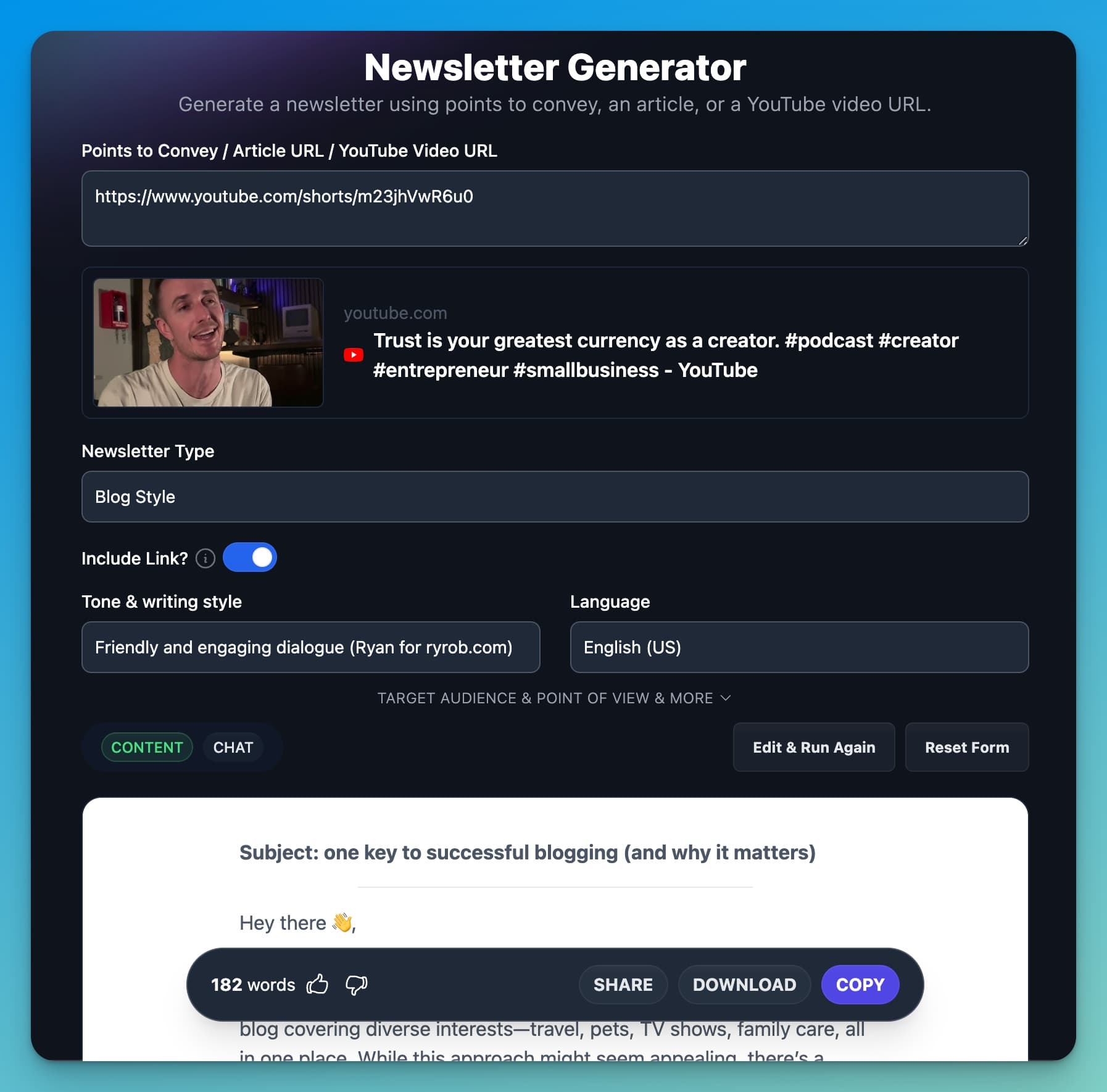
- Newsletter Generator: Easily create engaging email newsletter copy to repurpose and promote your content to your email list. This tool has been another huge win in my repurposing workflow. One of my least favorite things has always been writing emails to promote my blog posts, after I’ve just finished writing something… so, the Newsletter Generator was born 😂 I hope you find it as insanely useful as I do!
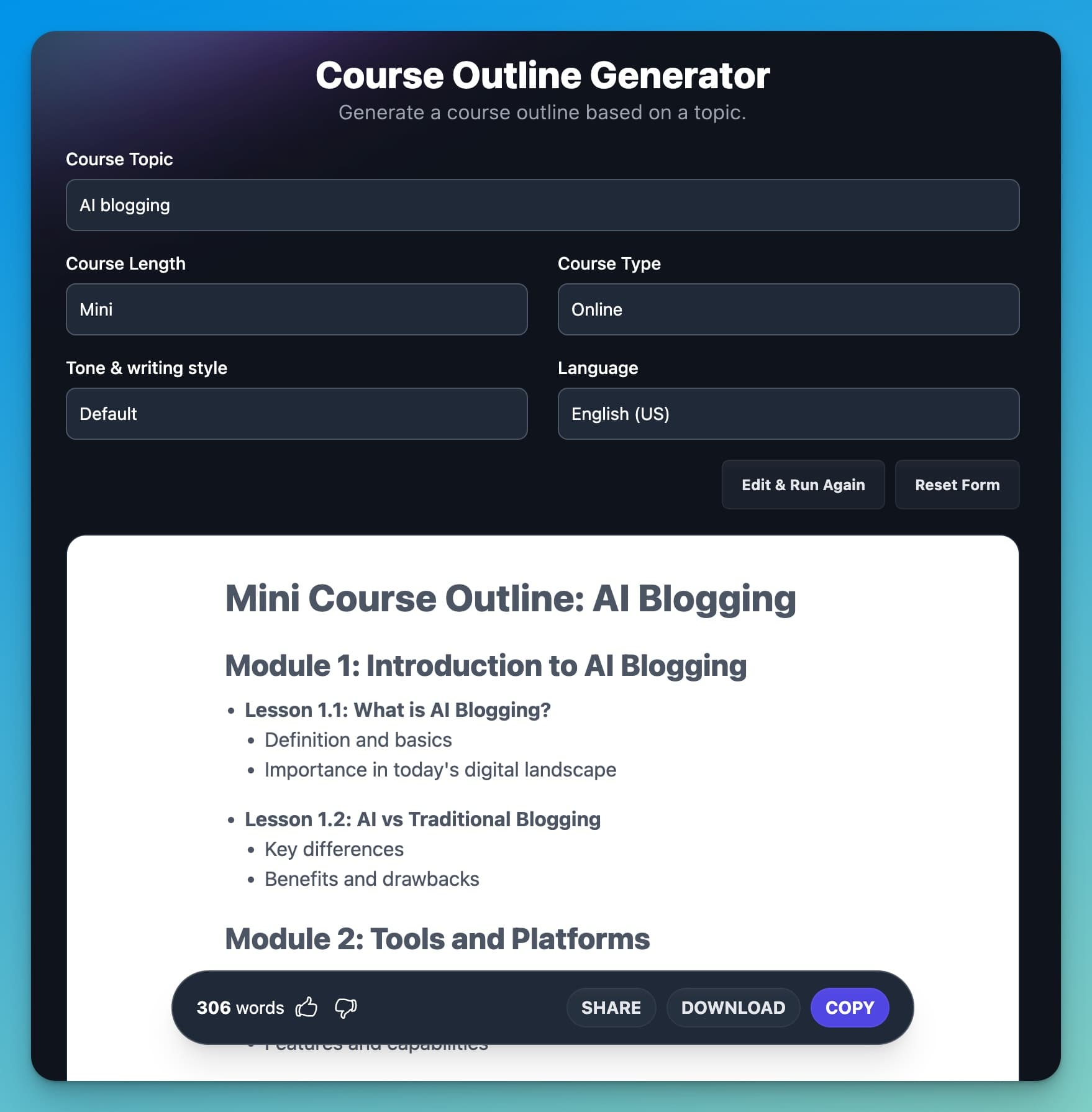
- Course Outline Tool: Another tool we developed in order to scratch my own itch. I love online courses, and teach a few of them, myself. This one became obvious when Andy & I started talking about making a companion course to go along with RightBlogger, so that you can get the most out of using our tools in order to actually get results growing your business. With this tool, you can develop comprehensive course outlines for both online & in-person settings, and in a variety of lengths.
- Enhanced Keyword Data: Our Keyword Research Tool just got a whole lot more powerful with some upgraded data sources and research improvements under the hood.
- Increased Character Limit: Add more content to most tools across RightBlogger, for more flexibility on your end and increased accuracy in your creations.
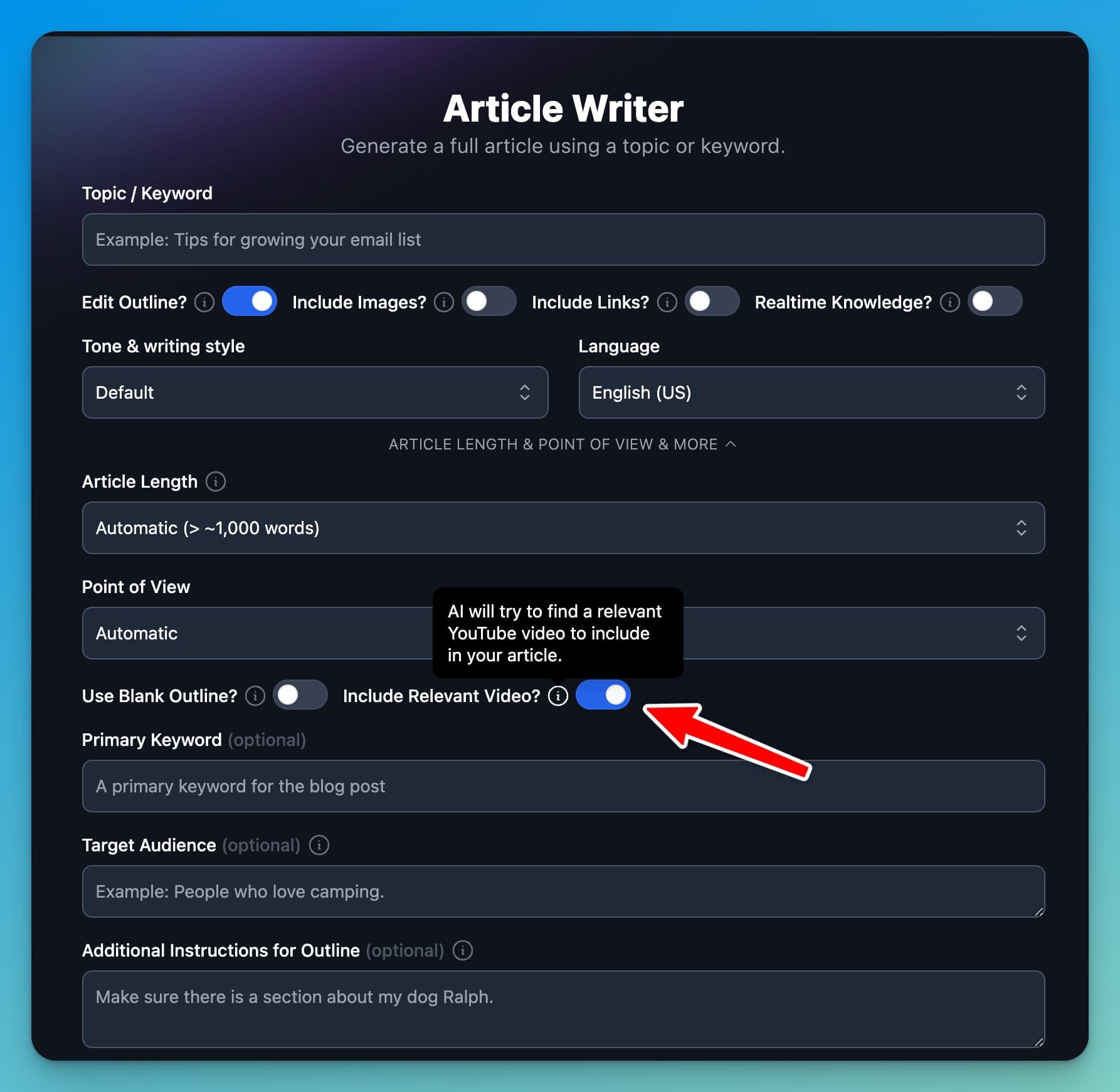
- YouTube Embeds: You can now include related YouTube videos directly into your content using tools like the Article Writer and YouTube Video to Blog Post Generator. By default when you toggle on the ‘Include Relevant Video’ button in the Article Writer, AI will source the YouTube video it believes is most relevant to your content topics. If you wanna work with your own videos, use our YouTube Video to Blog Post Generator, it’s my favorite.
Let’s bring this update home with my favorite part… you 😊🙏
Have New Tool Ideas, Suggestions, or Requests?
We can’t thank you enough for your support, ideas, and all the fantastic feedback y’all have given us over the past year as we’ve built out this killer platform. Your ideas quite literally help us improve and grow, so we wanna hear more of them!
If you have new tool ideas, suggestions, feature requests, or feedback to share, head over to our Feedback Board.
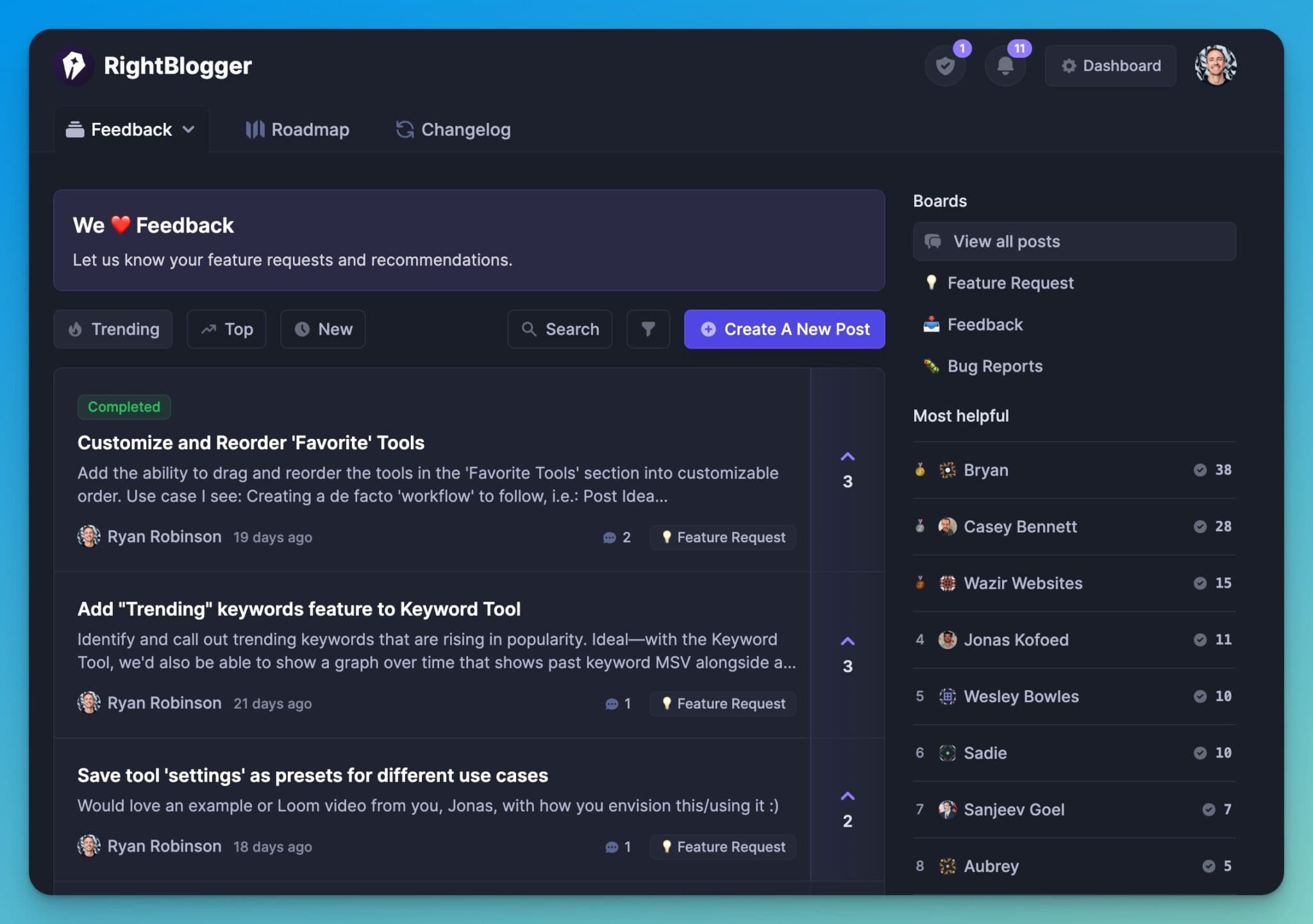
Using this platform, you can share your thoughts directly with us, in a format where others can upvote your ideas & you’ll get updates as we (lol, I mean Andy) works on everything.
We mean it when we say we love incorporating your suggestions into our tools.
That’s it for today, friends. Enjoy these new features, upgrades, and happy blogging!

Article by
RightBlogger Co-Founder, Ryan Robinson teaches 500,000 monthly readers to grow online businesses. He is a recovering side project addict.



Automated SEO Blog Posts That Work
Try RightBlogger for free, we know you'll love it.





Leave a comment
You must be logged in to comment.
Loading comments...