RightBlogger Spring 2023 Updates: Article Writer & Streaming
Generate articles with editable outlines, live web data, and instant streaming results.

Hey there! We’re excited to share some amazing April 2023 updates for our platform, RightBlogger. Let’s dive right in and explore the new features that will enhance your blogging experience.

Added AI Streaming to Tools
We’ve made significant changes to our tools page to ensure a smoother and faster user experience. Previously, there was a slight delay when using our tools, but not anymore!
Now, all the tools stream back to you instantly, saving you valuable time. Whether you’re using the summarizer tool or the Pinterest tool, you’ll notice a remarkable improvement in speed.
Improved Pinterest Tool
We’ve made the Pinterest tool even more user-friendly. Previously, when copying items into Pinterest, it could be a bit cumbersome. However, we’ve broken down all the items into titles and descriptions, making it a breeze to organize and upload your content to Pinterest. Simply click copy on any item, and you’re good to go!
AI Article Writer Improvements
One of the most requested improvements was for our article writer tool, and we’re thrilled to announce that we’ve delivered! Let’s take a closer look at the new and exciting features.
You can now edit an outline while generating an article. This means you can guide how the article is generated specifically or let AI do its thing.
Additionally, we’ve introduced a real-time data option that pulls in the latest information from other sites. This means you’ll have access to the most up-to-date data while writing your articles. Keep in mind that the AI currently has information up to 2021, so for the most current details, this feature is invaluable.
We’ve added an advanced settings section to cater to your specific needs. If you prefer the previous version of the article writer, there’s a short form option that generates a concise article of around 500 words. However, if you want to dive into long-form writing, the new version is your go-to.
Additionally, if you have a particular point of view you want to maintain throughout your article, you can easily do that using the first-person perspective.
Edit and Run Again
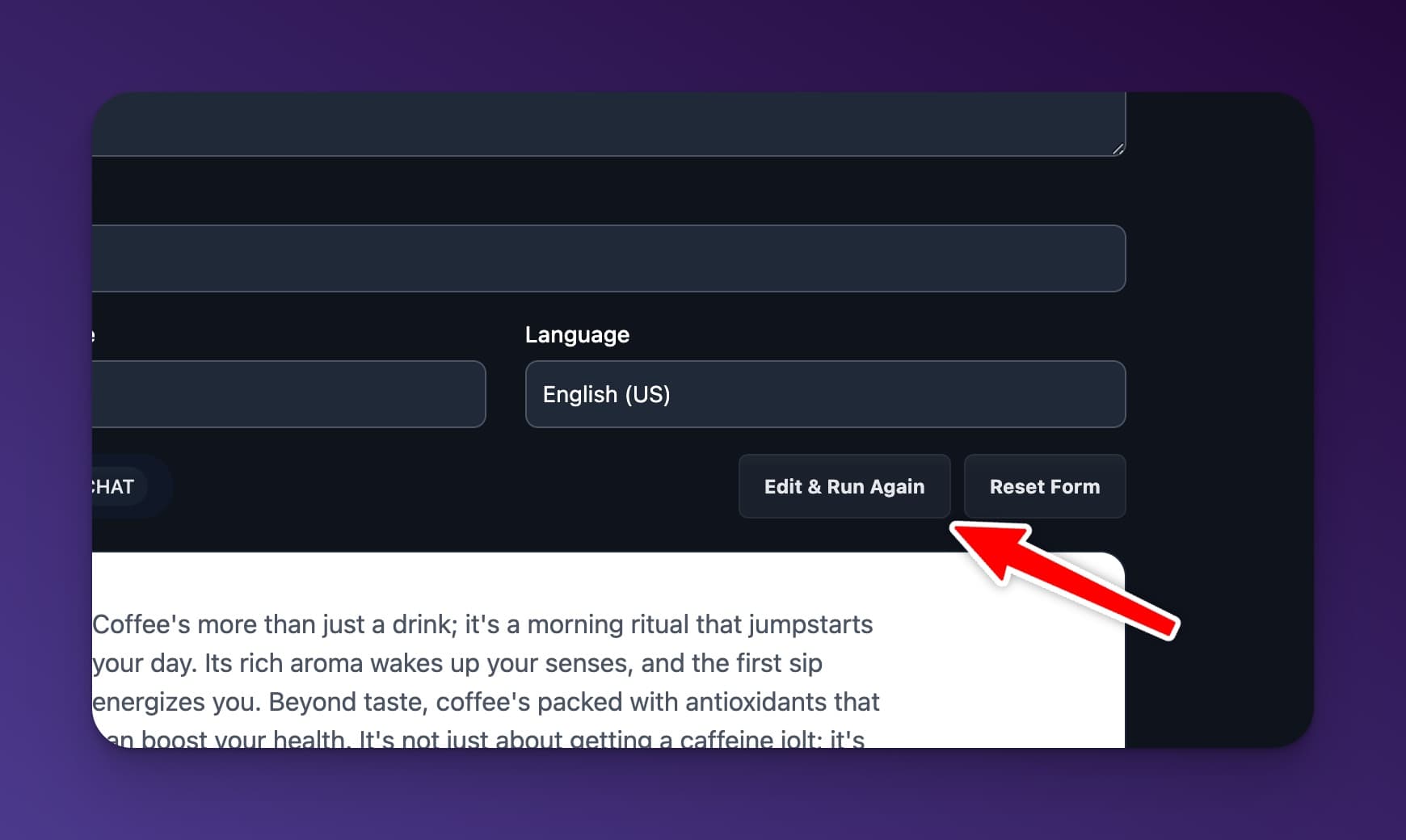
We understand that sometimes the generated results may not fully meet your expectations. That’s why we’ve introduced the “Edit and Run Again” button. If you’re not satisfied with the AI’s output, simply click the button, tweak the settings, and regenerate the article. It’s a fantastic way to experiment with different tones and styles.
Exciting Updates and Future Trials
These are just some of the amazing changes we’ve made to RightBlogger in April. We hope you find them useful and enjoy using our platform. We’re continuously working on adding new features and enhancements to make your blogging journey even more rewarding. Keep an eye out for upcoming features that will further improve your experience.
Thank you for being a part of RightBlogger!

Article by
RightBlogger Co-Founder, Andy Feliciotti builds websites and shares photography and travel adventures on YouTube.




Automated SEO Blog Posts That Work
Try RightBlogger for free, we know you'll love it.





Leave a comment
You must be logged in to comment.
Loading comments...