How to Use ChatGPT: The Complete Guide [Updated 2026]
Use the right model, sharper prompts, and live sources without trusting every answer.

![How to Use ChatGPT: The Complete Guide [Updated 2026]](/_next/image?url=https%3A%2F%2Fcms.rightblogger.com%2Fwp-content%2Fuploads%2F2023%2F08%2Fhow-to-use-chatgpt.jpg&w=3840&q=75)
ChatGPT is OpenAI’s AI assistant, and in 2026 it does far more than answer questions in text. You can talk to it out loud, hand it a photo or a PDF, ask it to generate images, send it to browse the web for you, and have it remember how you like to work. Under the hood, the default is GPT-5.5 Instant, while OpenAI’s newer GPT-5.6 Sol powers the higher reasoning settings.
That power is great once you know your way around, but the blank chat box hides a lot. This guide walks you through the whole thing: signing up, picking the right model, writing prompts that actually work, using voice, images, and files, and knowing when to trust the answer. No jargon, no fluff.
Getting Started with ChatGPT
Head to chatgpt.com and sign up for a free account with your email, Google, Apple, or Microsoft login. You can also try ChatGPT without an account, but signing in saves your chat history and gives you more features, so it is worth the minute it takes.
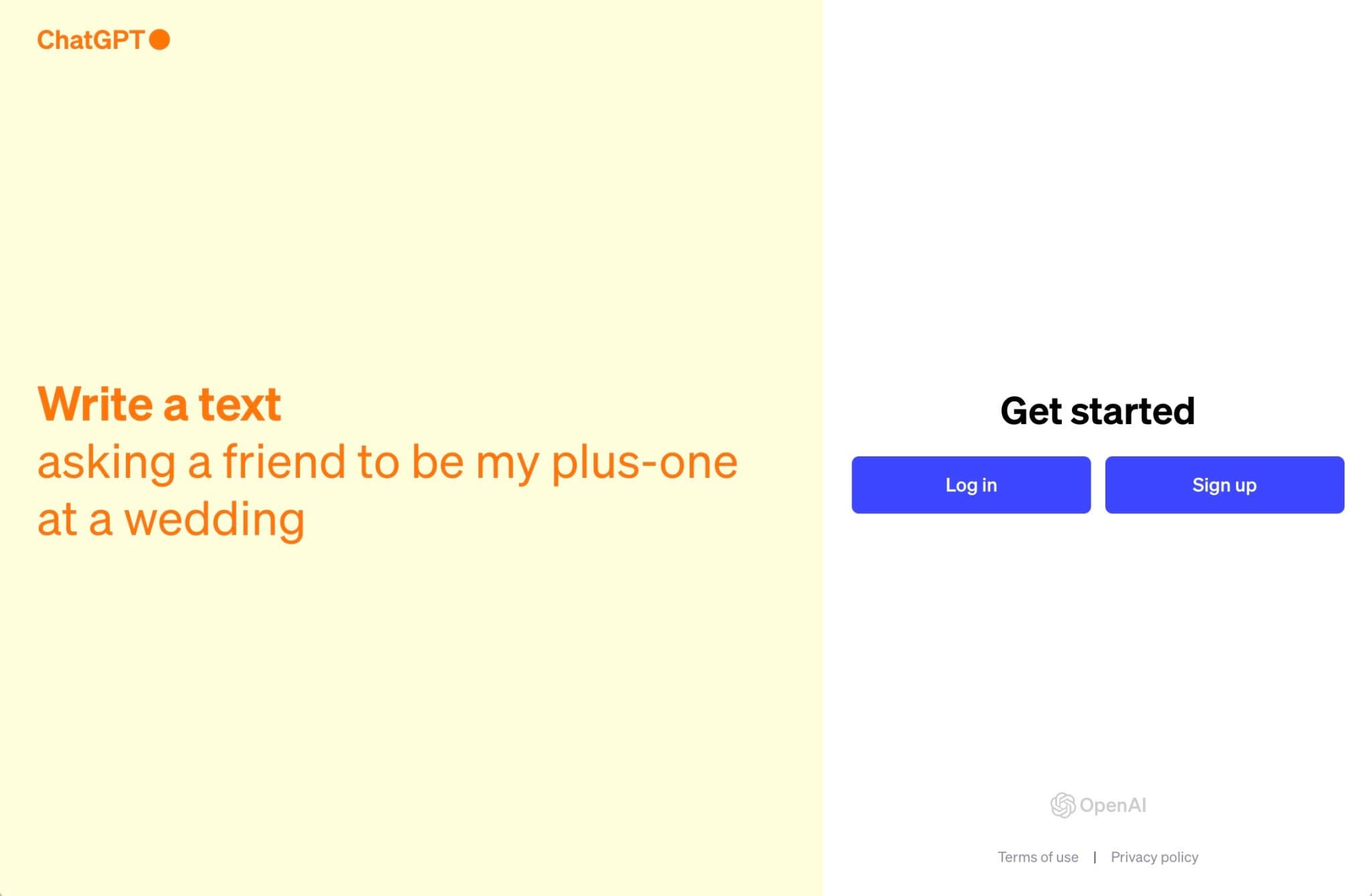
ChatGPT runs everywhere you do. Use it in any browser, install the iPhone or Android app, or download the macOS and Windows desktop app, which has a keyboard shortcut that pops the chat open over whatever you are working on.
Once you are in, you land on a simple chat screen. The box at the bottom is where you type, and the left sidebar holds the New Chat button and your past conversations, which you can search. Start a fresh chat whenever you switch to a new topic.
How to Use ChatGPT: The Basics
You use ChatGPT by typing a request, called a “prompt,” into the chat box and hitting Enter. The clearer your prompt, the better the answer. Here are a few examples to show the range:
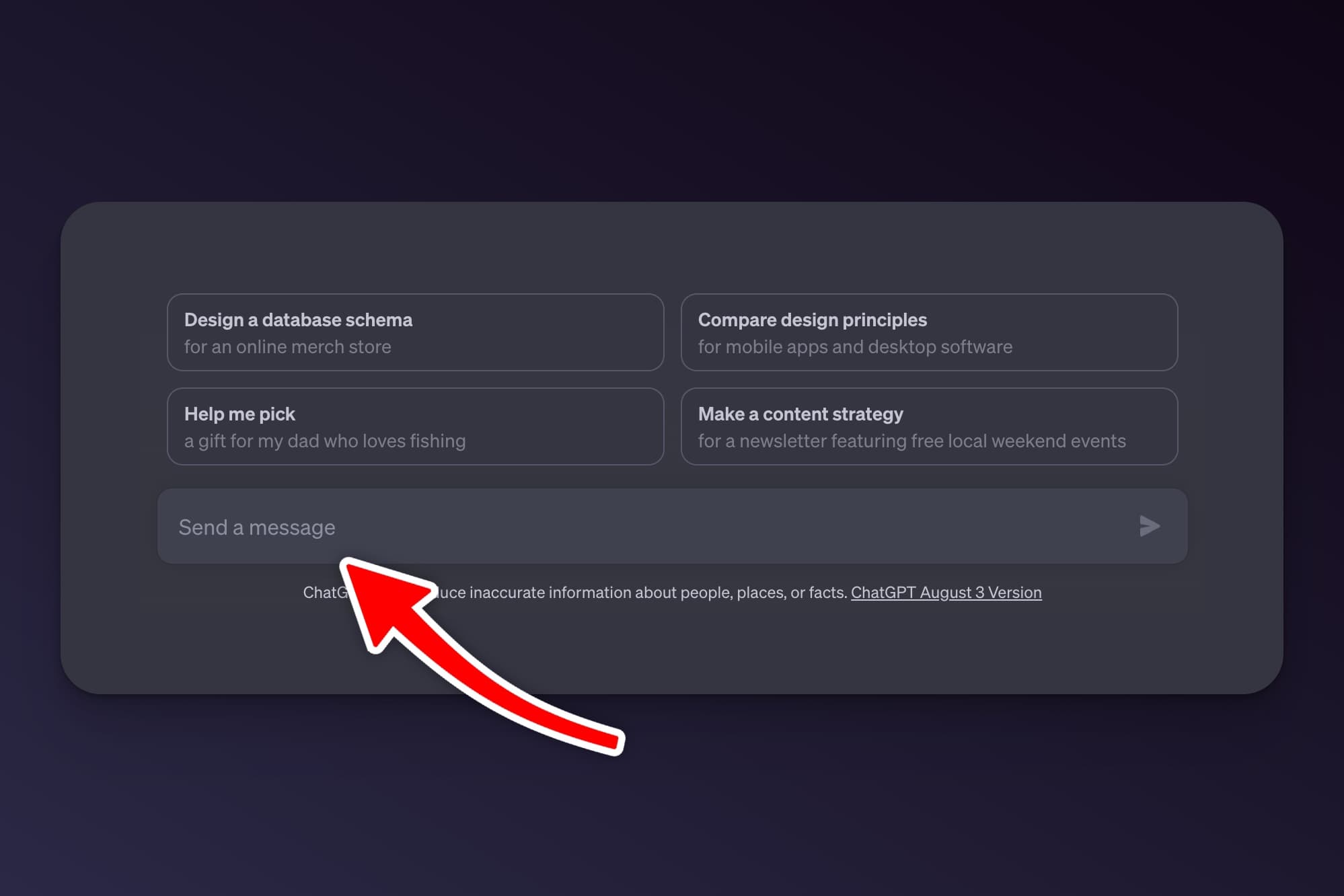
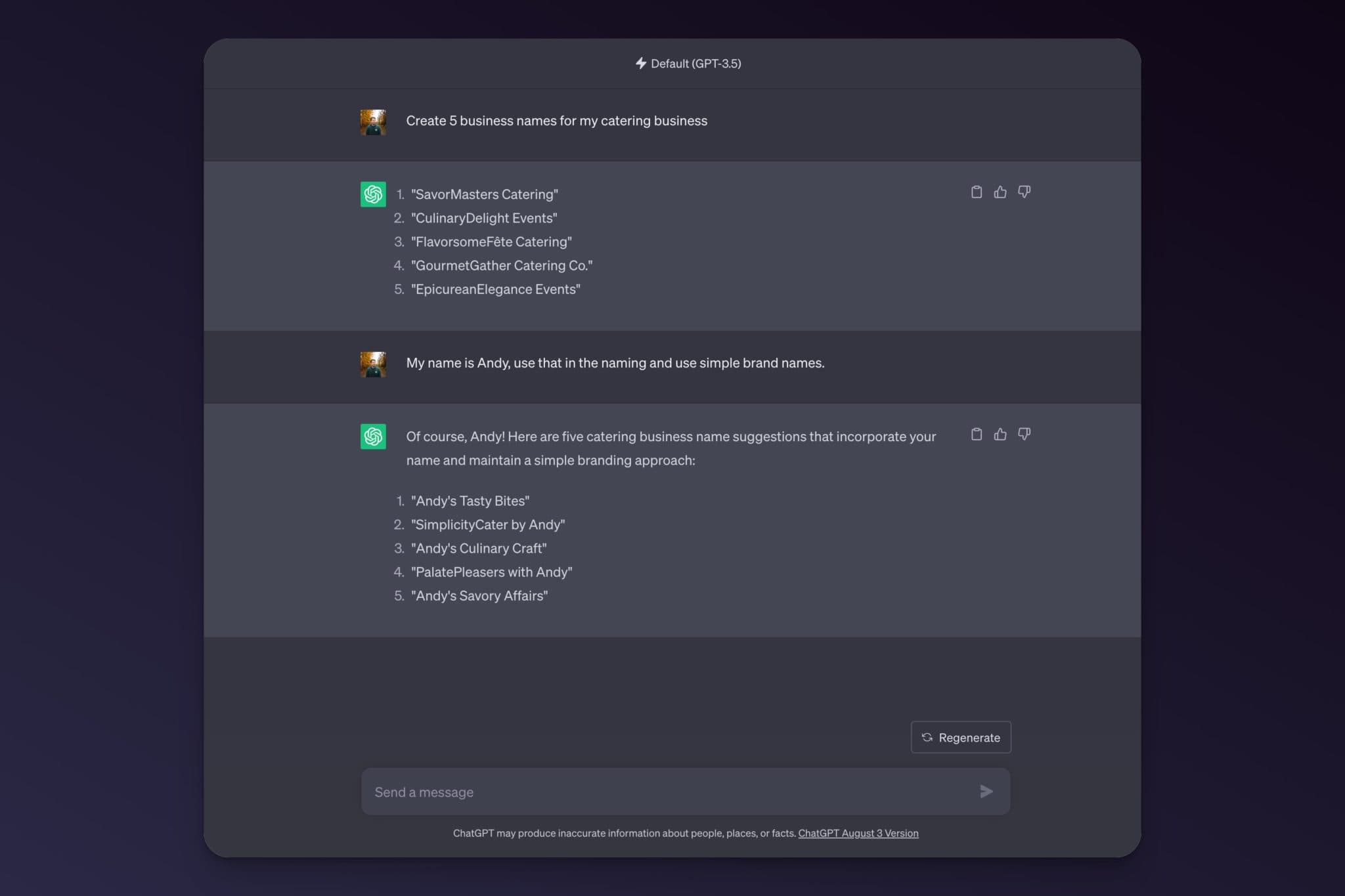
- Branding: “Create 5 business name ideas for my catering company.”
- Marketing: “Write 5 short slogans for a healthy meal-prep catering service.” (Or skip the prompt and use our free slogan generator.)
- Brainstorming: “Give me 10 ways to get more catering bookings this month.”
- Learning: “Explain how compound interest works using a simple example.”
- Writing: “Write a pain-point-driven intro for a blog post about meal prep.”
The real skill is the follow-up. ChatGPT keeps track of your conversation, so you can refine its answer instead of starting over. Tell it what to change (“make it shorter,” “use a friendlier tone,” “give me three more options”) and it adjusts.
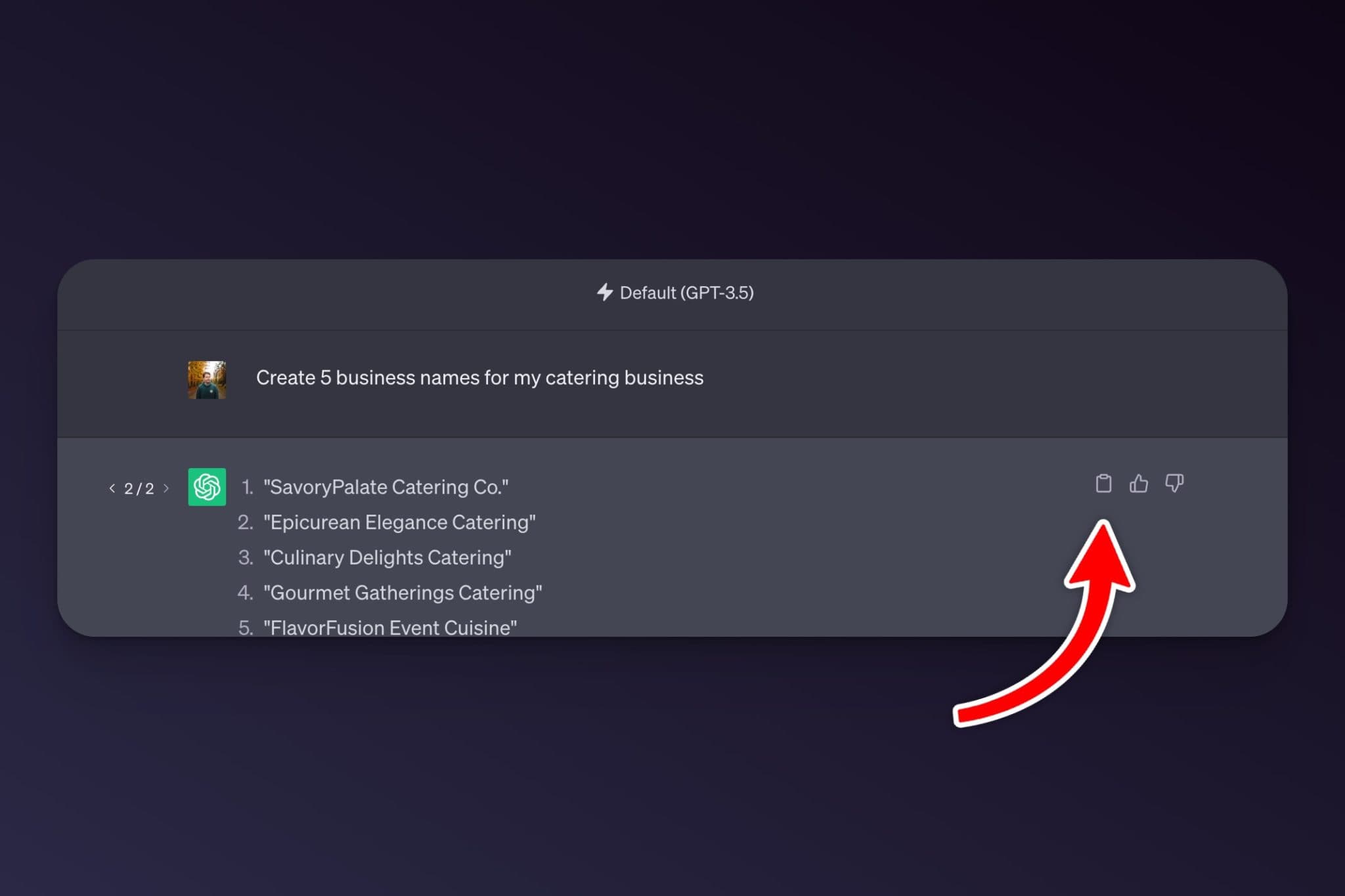
Under each response you can regenerate the answer, copy it, share the chat, or give a thumbs up or down. You can also edit your own message and resend it to try a different angle. A great trick: ask ChatGPT to interview you. Try “Ask me five questions about my business so you can write a better bio,” then answer and let it build from there.
Which ChatGPT Model Should You Use?
OpenAI retired the old jumble of version names. In 2026 you pick a speed and reasoning level instead of a model number: Instant runs GPT-5.5 Instant, and the higher reasoning settings run GPT-5.6 Sol. Paid plans show the full picker in the message box; on the free plan you simply get Instant by default:
- Instant is the fast default. It is free for everyone and handles most everyday questions, drafting, and quick tasks.
- Thinking takes longer and reasons step by step. Reach for it on math, logic, coding, and research. It is available on Plus and higher, and free and Go users get a lighter version of it.
- Pro is the most capable tier for the hardest, longest problems. It is included with the Pro and business plans.
If you would rather not think about it, just leave it on Instant. It automatically routes harder prompts to Thinking on its own, and you can turn that off under Configure in the picker. Here is a quick rule of thumb:
| Your task | Best model |
|---|---|
| Quick questions, drafting, summaries | Instant |
| Math, logic, coding, careful research | Thinking |
| The hardest or longest, highest-stakes work | Pro |
One note if you are following an older tutorial: older models like GPT-4.5 and GPT-4o have been retired and will not appear in the picker (o3 is retiring in August 2026). Stick with the Instant, Thinking, and Pro tiers above.
How Much Does ChatGPT Cost in 2026?
ChatGPT is free to start, and most people never need to pay. There are four individual plans:
| Plan | Price | Best for |
|---|---|---|
| Free | $0 | Casual use and trying things out |
| Go | $8/mo | Light users who keep hitting free limits |
| Plus | $20/mo | Daily users who want Thinking and no ads |
| Pro | $100 or $200/mo | Power users who need the highest limits |
OpenAI has started showing ads on the Free and Go plans, while Plus and above stay ad-free. The free plan gives you GPT-5.5 Instant with limited usage, and Plus is the popular pick because it adds the Thinking model and expands almost everything. Pro comes in two tiers, $100 and $200 a month, with the same top models but progressively higher usage limits plus extras like the Pulse daily digest. For teams there is a Business plan (around $25 per user a month, less on annual billing) and a custom Enterprise plan. Verified K-12 teachers and school staff in the US can use ChatGPT for Teachers free through June 2028.
Which should you choose? Start on Free. Upgrade to Plus the first time you hit a usage cap or want the Thinking model for harder work. Save Pro for genuinely heavy daily use. If you are weighing ChatGPT against other options for writing and SEO work, see our roundup of the best ChatGPT alternatives and how ChatGPT compares to RightBlogger for blogging specifically.
How to Write Better Prompts
The most common mistake I see beginners make is typing a vague one-liner and expecting magic. Most bad answers come from vague prompts, not a weak model, and a simple four-part structure fixes most of them: give it a role, some context, a clear task, and the format you want back.
Compare these two. Weak: “Write about email marketing.” Strong: “You are an email marketer for a small coffee brand (role and context). Write a 150-word welcome email for new subscribers that offers a 10% discount (task). Use a warm, casual tone and end with one clear button (format).” The second prompt gets you something usable on the first try.
A few more habits that help:
- Show it an example by pasting a sample of the style or output you want and asking it to match.
- Ask for several options. “Give me three versions” beats one take you then have to redo.
- Tell it how to sound. Adding “write plainly, short sentences, no buzzwords or emoji” avoids that obvious AI tone, and if you publish the output it still helps to humanize ChatGPT content first.
- Treat the first answer as a draft, then refine it with follow-ups.
If you want to go deeper, our guide to prompt engineering covers roles, examples, and structured output in detail, and the AI Prompt Improver will rewrite a rough prompt into a sharper one for you. Here are a few copy-and-paste prompts to start with:
Write a professional email:
Tailor a resume bullet:
Study or learn something:
Voice, Images, and Files: ChatGPT Beyond Text
The biggest change since ChatGPT launched is that it is no longer text-only. These are the features most people miss.
Voice mode
Tap the voice icon in the mobile app and you can have a real spoken back-and-forth with ChatGPT, hands-free. Voice mode is great for brainstorming on a walk, practicing a language out loud, or quick questions while you cook or drive. It even works in Apple CarPlay, and you can interrupt it mid-sentence and it keeps up.
Image generation
Just describe what you want and ChatGPT creates it with its built-in image model, ChatGPT Images 2.0, available on every plan. It is good at readable text inside images now, so it can handle simple social graphics, logos to riff on, and diagrams. On paid plans you can use “images with thinking,” where it plans the image before drawing it for more accurate results.
Files and vision
Click the plus icon in the chat box to upload a file or photo. ChatGPT can read PDFs, spreadsheets, and documents, summarize them, pull out data, and answer questions about them. Upload a screenshot or photo and it can describe what it sees, explain an error message, or read a chart. One gotcha: with very long PDFs it tends to skim, so for a 100-page report, split it up or tell it exactly which section to focus on.
Custom GPTs, Projects, Memory, and Search
Once you use ChatGPT regularly, these features keep your work organized and personal.
- Memory lets ChatGPT remember details about you across chats, like your job, your writing style, or your goals, so you stop repeating yourself. In 2026 it updates this automatically in the background, and you can review or clear what it knows under Settings, then Personalization.
- Projects group related chats together with their own files and instructions. Keep one project per client, book, or topic so nothing gets mixed up.
- Search lets ChatGPT pull live results from the web and link its sources, so you are not stuck with old training data. This is also why showing up well in AI answers now matters for publishers, which is the idea behind generative engine optimization.
- Custom GPTs are mini versions of ChatGPT you set up for a repeated job, with no code, and you can browse others in the GPT Store. They still work, though OpenAI is steering the ecosystem toward connected apps like Google Drive and Notion.
Custom Instructions and Your Data
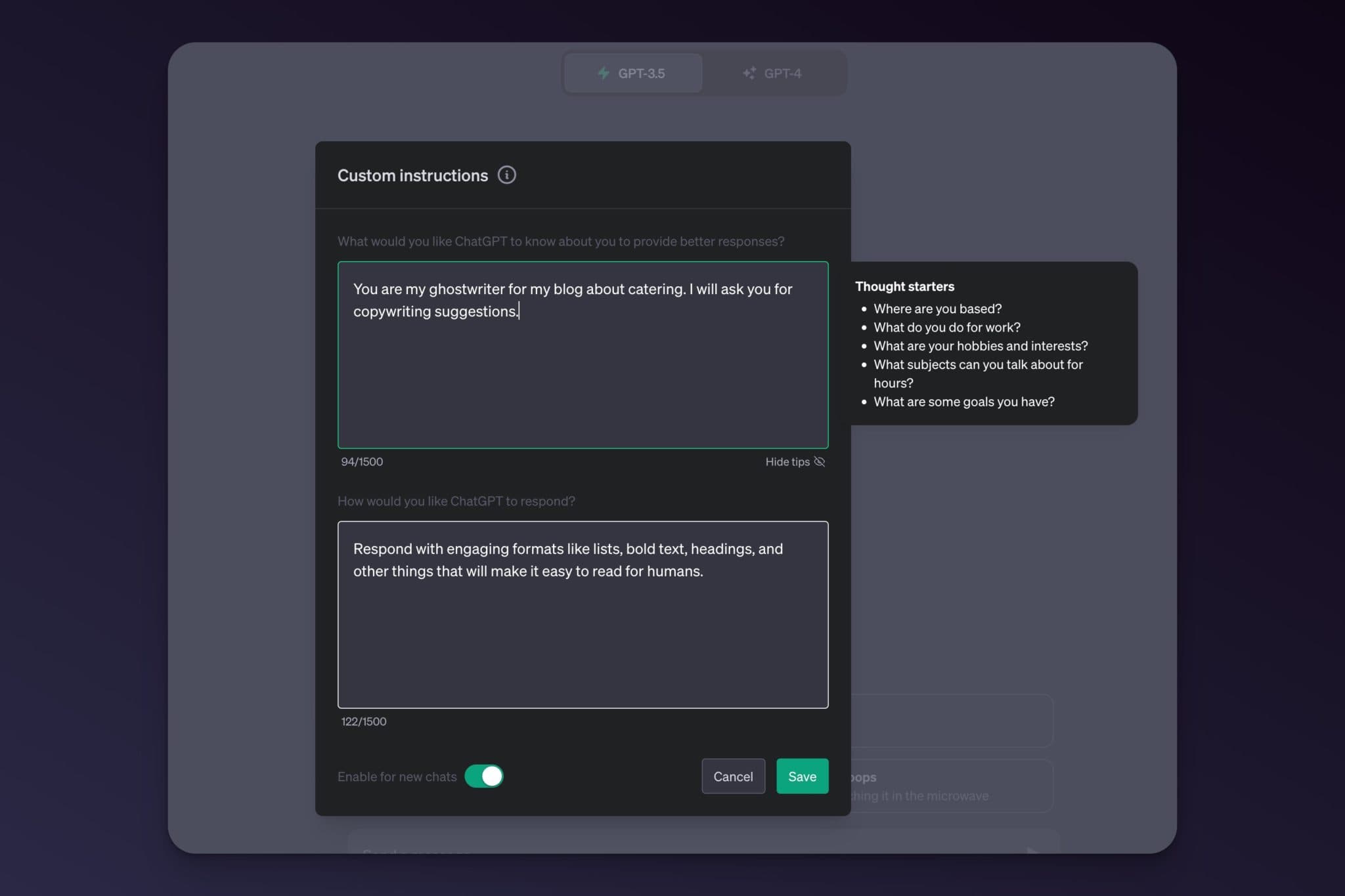
Custom Instructions tell ChatGPT how to respond every time, without retyping it. Open Settings, then Personalization, and tell it who you are and how you want answers (for example, “I run a catering business; keep answers concise and practical”). From then on, every chat follows those rules.
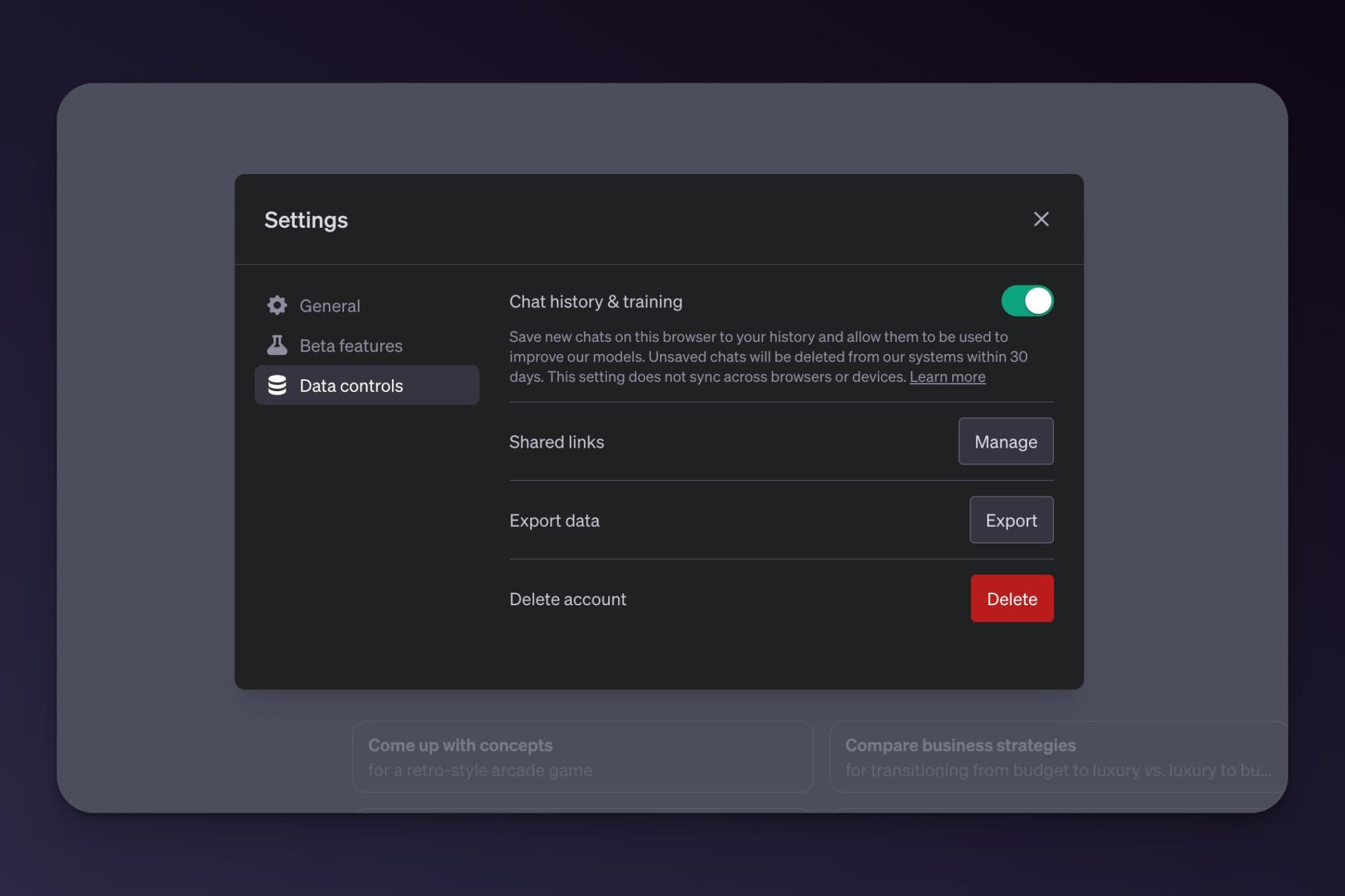
Your conversations can be used to train OpenAI’s models by default, so do not paste anything you would not want seen, like passwords, client secrets, or proprietary code. To control this, open Settings, then Data Controls. There you can turn off model training, start a Temporary Chat that is not saved, and delete or archive old conversations.
How to Use ChatGPT Agent
Agent mode is ChatGPT doing tasks for you instead of just answering. Turn it on and it can browse websites, click around, fill forms, and complete multi-step jobs like comparing products across sites or pulling together research, then hand you the result. It is the same idea OpenAI first shipped as “Operator,” now folded into ChatGPT Agent.
Agent mode is genuinely useful but still early, so give it small, well-defined jobs and check its work. Because an agent that browses the web can be tricked by malicious pages, OpenAI added a Lockdown Mode that limits what it can do, and you should avoid handing it logins or payment details you would not trust a stranger with.
If you want this kind of automation pointed at your own website, that is exactly what RightBlogger’s Site Agent does: it audits and improves your published posts on a schedule, so you get the agent benefit without babysitting a chat.
Automating ChatGPT
You can schedule tasks in ChatGPT by asking for something on a timer, like “send me three story ideas every morning at 8 a.m.” It will then message you on schedule. You can also connect apps like Google Drive directly inside ChatGPT so it can work with your own files.
For automation across other software, a tool like Zapier connects ChatGPT with thousands of apps so you can do things like auto-draft email replies or Slack messages. And if your goal is publishing content at scale, our guide to the best autoblogging tools walks through the options, with human review built in so quality holds up.
When ChatGPT Gets It Wrong: Accuracy and Limits
This is the part most guides bury, and it is the most important. ChatGPT can be confidently wrong. It predicts likely text, so it sometimes invents facts, citations, or numbers that look perfectly real. A few habits keep you safe:
- Ask it to verify. Adding “search the web and cite your sources” makes it pull live results for factual questions instead of guessing.
- Ask for its confidence. A quick “how confident are you, and what would change your answer?” surfaces shaky claims fast.
- Keep a human in the loop, treating output as a first draft to check, especially for anything legal, medical, financial, or published.
It also has a memory limit within a single chat, called the context window. In a very long conversation it can lose track of what you said early on. When that happens, ask it to “summarize what we have decided so far,” then paste that summary into a fresh chat to start clean. As a rule, start a new chat when you switch topics and keep going when you are refining one thing.
Finally, every model has a knowledge cutoff, the point where its training data ends. For anything recent, lean on Search so it checks the live web. ChatGPT is not the only assistant worth trying either, and comparing answers across a few is a good habit; see the best ChatGPT alternatives if you want to test others like Claude or Gemini.
Real Ways People Use ChatGPT
Once the basics click, the use cases are endless. A few of the most popular, with prompts to copy:
Brainstorming and ideas
ChatGPT is a tireless brainstorming partner. Push it past the obvious answers with prompts like these:
Writing and editing
From thank-you emails to essays, outlines, and poems, ChatGPT speeds up a first draft. It is also a sharp editor, so even native speakers can use ChatGPT to fix grammar and spelling. For more, browse our ChatGPT prompts for writing.
Language learning
ChatGPT makes a patient, always-available tutor, and voice mode lets you practice speaking out loud.
Work and money
People use ChatGPT to polish resumes and cover letters, prep for interviews, summarize meetings, write code, and plan side projects. If that last one interests you, we have a full guide on how to make money with AI.
Frequently Asked Questions About ChatGPT
Is ChatGPT free?
Yes. The free plan gives you the GPT-5.5 Instant model with limited daily usage and now shows ads. Paid plans (Go at $8, Plus at $20, and Pro at $100 or $200 a month) raise the limits and add features like the Thinking model.
What model does ChatGPT use?
The default is GPT-5.5 Instant. Paid plans add the higher reasoning settings, which run GPT-5.6 Sol, plus Pro for the hardest tasks.
Can ChatGPT understand other languages?
Yes. Current models handle many languages well for both conversation and translation, though quality can still vary for less common languages. Voice mode works across languages too, which makes it handy for practice.
Can ChatGPT see images and read files?
Yes. Use the plus icon to upload photos, screenshots, PDFs, and spreadsheets. ChatGPT can describe an image, explain an error message, summarize a document, or analyze data in a file. It can also generate images from a text description.
Does ChatGPT have internet access?
Yes. With Search turned on it pulls live results from the web and links its sources, so it is not limited to older training data. Ask it to “search and cite sources” when you need current, verifiable information.
How do I make ChatGPT’s answers more accurate?
Give it clear, specific prompts, ask it to search and cite sources for facts, and fact-check anything important yourself. ChatGPT can sound certain while being wrong, so treat it as a fast first draft, not the final word.
Can I use ChatGPT for business?
Yes, for drafting content, brainstorming, customer replies, analysis, and more. For teams, the Business and Enterprise plans add admin controls and keep your data out of model training. Always review output before it goes to a customer or gets published.
Start Using ChatGPT Today
The fastest way to learn ChatGPT is to open it and start asking. Sign in at chatgpt.com, pick a model, and try a real task from your day, like drafting an email, planning a project, or talking through a problem out loud. Write clear prompts, use follow-ups to refine, and verify anything that matters.
If you write content for a living and want ChatGPT-style help built around blogging and SEO, RightBlogger’s AI chat tool and full suite of AI tools apply everything in this guide to your own site, from first draft to published post.

Article by
RightBlogger Co-Founder, Andy Feliciotti builds websites and shares photography and travel adventures on YouTube.

Automated SEO Blog Posts That Work
Try RightBlogger for free, we know you'll love it.





Leave a comment
You must be logged in to comment.
Loading comments...