7 Best Free WordPress Plugins for New Bloggers
Cover SEO, analytics, security, spam control, content cloning, team activity, and site speed free.


Starting a blog can be an exhilarating (and overwhelming) experience. There’s a vast world of new information to learn, and endless possibilities for the look, feel, design of your site. WordPress plugins are a big potential rabbit hole.
Managing a WordPress site isn’t always as straightforward as we wish it could be, especially when you’re just diving in and everything is new. Fear not though, Ryan & I are here to share our picks for the best free WordPress plugins you need, and will make your blogging journey that much smoother.

In our decade+ experience with blogging and building online businesses, Ryan and I have created well over 100 WordPress sites. As a WordPress developer by trade, I’ve tried on a LOT of different WordPress plugins, and I know which ones are worth your time.
Finding the free WordPress plugins to extend your site’s capabilities can lead to a significant shift in what your online business is capable of. Here are our top seven free WordPress plugins that every new blogger should check out.
1. Yoast SEO or Rank Math
If you’re new to SEO (search engine optimization), think of it as the secret sauce that makes Google favor your content over others on the Internet. SEO is the foundational set of best practices that helps your content rank well in Google search engine results.
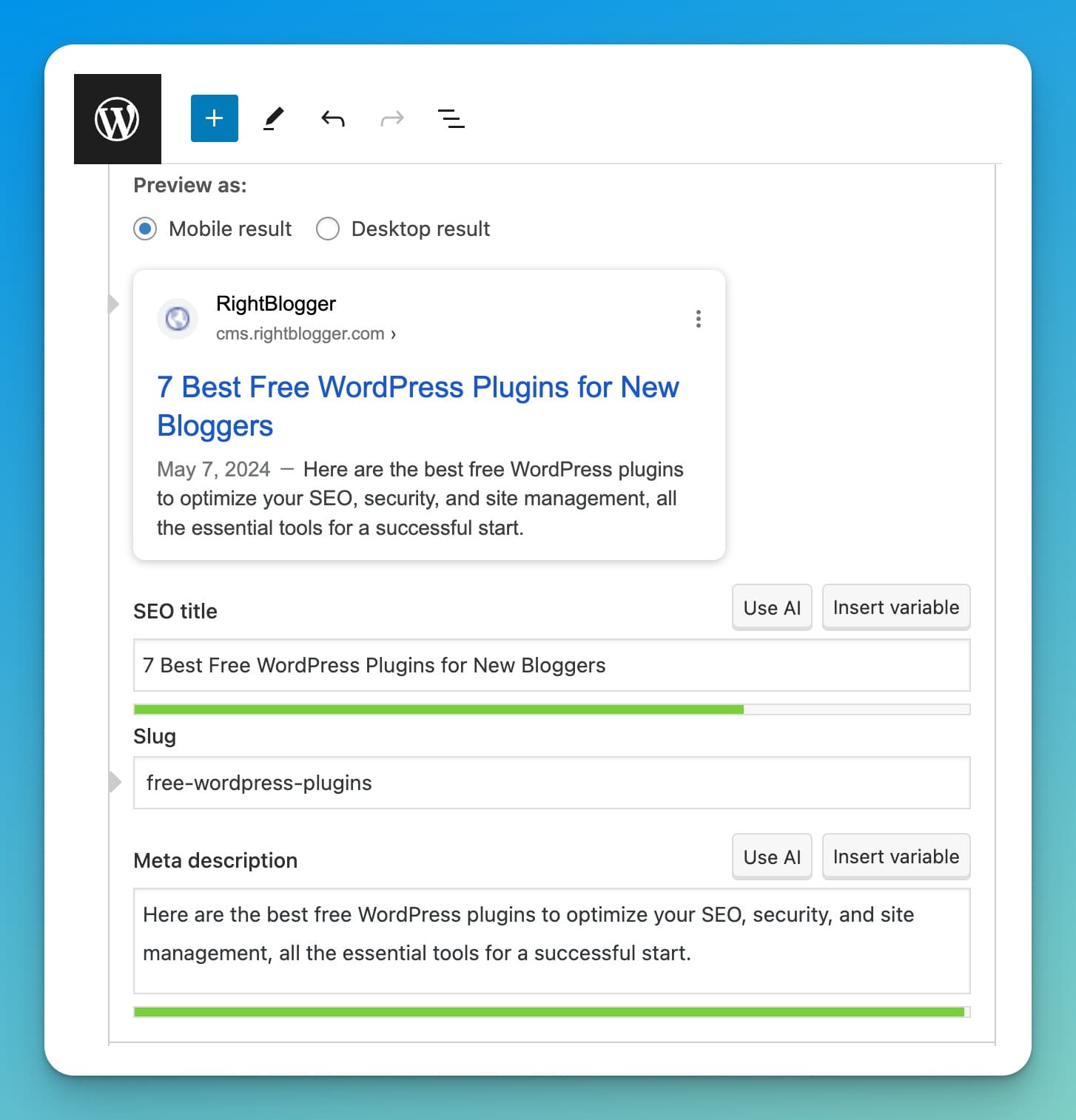
Yoast SEO and Rank Math are the two top dogs in the world of SEO plugins. They help you to craft optimized meta titles and meta descriptions that Google wants to see. Nailing these two alone can significantly boost your rankings.
Here’s why Yoast SEO, in particular, holds a special place in our blogging toolkit:
- Easy Meta Adjustments: It lets you modify your posts’ SEO titles and meta descriptions with a super easy-to-use interface just below the content of your post. They also have a lot of solid advanced options on a per-post and site-wide level.
- Keyword Focus: Yoast SEO checks how often you’ve used your focus keyword phrase throughout your content, making sure you’re positioning yourself to rank high in Google search results for the terms you’re targeting.
And the best part? The free version of Yoast SEO is absolutely fine for most bloggers (Ryan and I still use the free version, ourselves). You’ll see upsell opportunities from this plugin, but know that the basics are more than enough.
2. Site Kit by Google
Understanding who your audience is (and where they’re coming from) is extremely important, and the free Site Kit by Google WordPress plugin simplifies this beautifully with an overview, accessible right inside your WordPress dashboard.
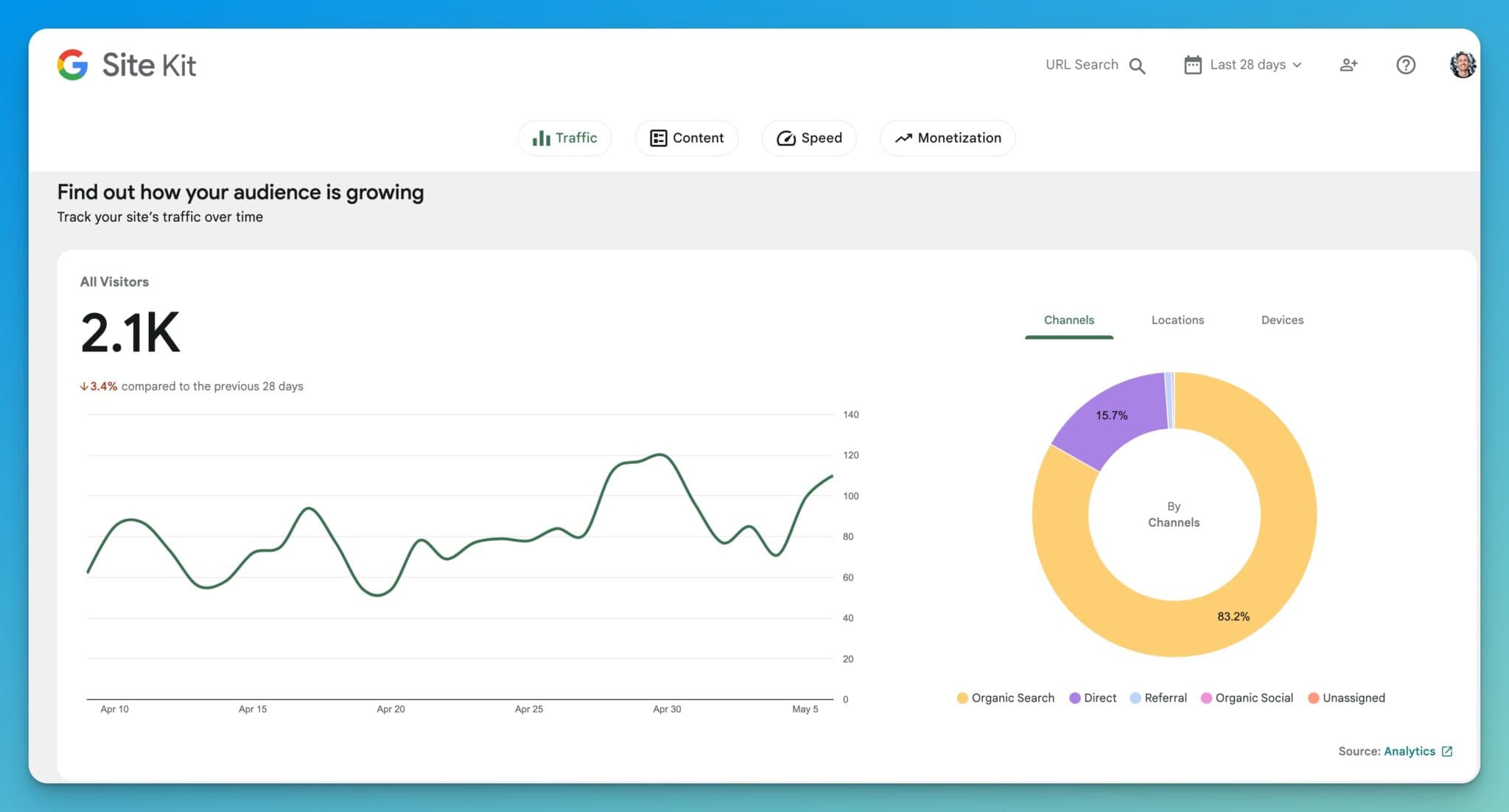
This free WordPress plugin links both your Google Analytics and Google Search Console data directly to your WordPress site, surfacing relevant insights right inside the admin portal of your blog. What exactly does this mean? You’ll see:
- How much traffic your blog is getting
- Which posts or pages are fan favorites (getting the most readers)
- Where your readers come from (acquisition sources and geographic location)
- How your audience interacts with your content and what happens next
Setting up Site Kit by Google is a breeze with their step-by-step, guided process. This plugin is a lifesaver for making quick data-driven decisions without having to dig deep into your analytics all the time.
3. Limit Login Attempts Reloaded
Now, let’s talk security, not the most glamorous aspect of blogging, but still essential. Limit Login Attempts Reloaded is the free security plugin you need.
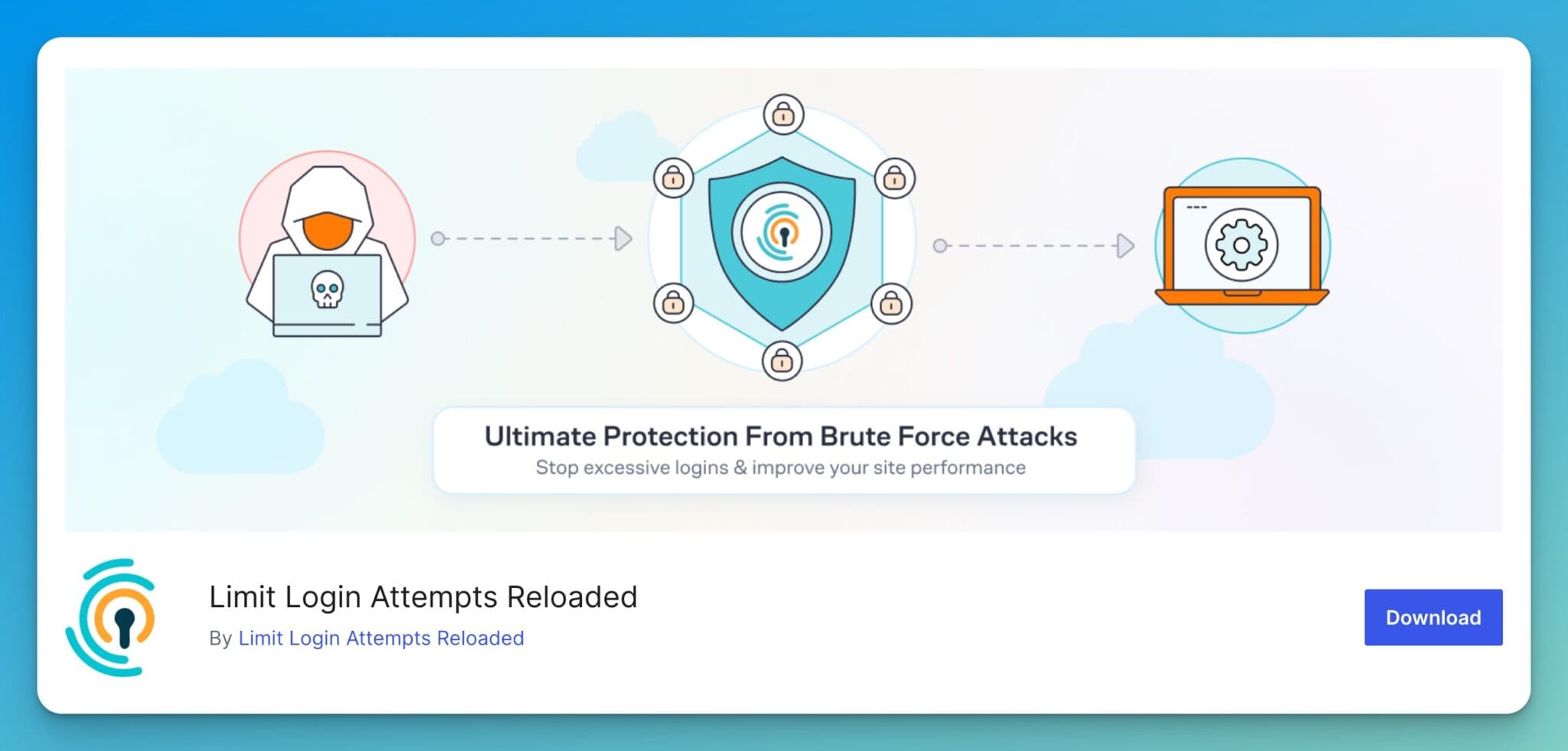
If someone tries to force their way into your admin panel and login as you, this plugin throws up a temporary block after a few failed attempts. One of the most popular ways of hacking into someone’s blog, is through brute force attacks, a targeted, automated, trial-and-error method of cycling through tons of possible login credentials in a short amount of time, until one key opens the door.
Why include this free WordPress plugin in your arsenal?
- Performance: This plugin keeps your site performance running smoothly by preventing slow downs from brute force attacks that overwhelm servers and can crash your site.
- Protection: It’s a shield against those bad actors who seek to gain unauthorized access to your blog.
And yes, like all the plugins on this list, the free version’s got you covered!
4. Antispam Bee
The bane of every blogger’s existence, spam comments. As soon as your blog begins to gain momentum (if you allow comments on your posts), you’ll start noticing an influx of spam comments, too. It’s inevitable, but these automated spam comments can be almost entirely eliminated with Antispam Bee.

Activate this free plugin and watch it:
- Filter: Set advanced filters to halt any spammy, nonsensical comments, with options for restricting comments from specific countries, IP addresses, not allowing a certain number of links in a comment, and more.
- Streamline: Keep your blog’s comment section clean and engaging, by only allowing automatic approval of comments that meet your requirements.
This free WordPress plugin is plug-and-play, easy to use, and protects your blog right from the start. If you’re still getting comment spam we also built RightComments which scans every comment with AI to check if it’s spam (and it’s been great from our testing.)
5. Simple History
If you’re like us and you have a team of writers or contributors, keeping tabs on who does what is important. Simple History is a free WordPress plugin that acts as both an overview of your site’s activity, and has the capability to zoom in to see the detailed activities of individual users on your site.
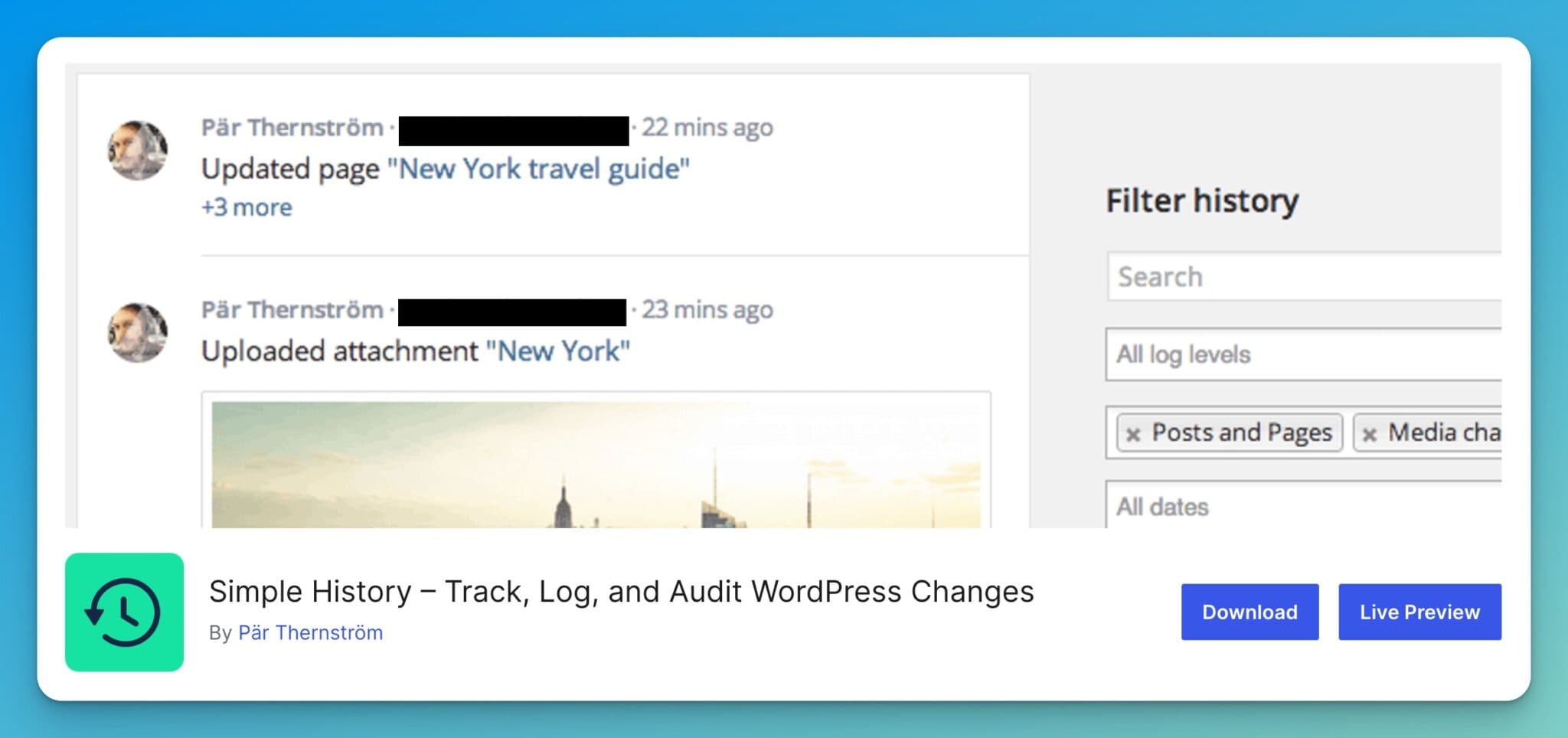
On a per-user level, this free plugin logs all data around:
- Posts updates (with specifics)
- Page edits (and the details of what changes)
- Logins and login attempts
This level of transparency helps make sure everything is on the up-and-up, making it an essential tool for open collaboration on our blogs.
6. Yoast Duplicate Post
Ever designed a perfect page or post, and wish you could replicate it for use without all the annoying copy & paste formatting challenges? Yoast Duplicate Post is your secret weapon for cloning your favorite content and starting with that layout for your next post or page.
With a single click, you replicate the layout, content, and essence of your posts or pages, saving precious time and maintaining consistency of brand feel across your site.
7. Cloudflare
Last on this list, but definitely not least, is Cloudflare’s WordPress plugin. It’s more than just a plugin though, it’s a powerful service that supercharges your site’s performance through its CDN (Content Delivery Network), making all your content load faster for readers around the world.

Here’s why I love Cloudflare’s free WordPress plugin:
- Site Speed: Enhances site speed by serving images and other assets quickly for your audience. (For more on this, see our tips on making images load faster.)
- Security: Adds additional security measures to protect your site against threats.
- Great Ecosystem: As your blog grows and you need more technical support to maintain a high-traffic site, Cloudflare is a really affordable destination for registering domains and turning on other services that’ll keep your site running smoothly for millions of readers.
Setting it up might sound a bit technical on the surface, but the step-by-step setup guide will steer you right, and once you’re up and running, the benefits are immense. Especially for a visual-heavy blog, Cloudflare keeps load times on images and graphics lightning-fast.
The Right Free WordPress Plugins Will Set Your Blog up for Success
Starting with the right tools can make all the difference in your blogging journey. (And if you haven’t picked your theme yet, check out our guide on how to choose a WordPress theme.)
These free WordPress plugins will not only optimize your site (and position it for long-term success), but also protect and enhance your efforts, letting you focus on what you enjoy, creating content that connects with your audience.
Remember, the right tools aren’t a replacement for you, but they can transform your good work into great experiences for your readers. Give these plugins a spin, and you’ll be happy you did.
We also offer complete WordPress integration for RightBlogger, allowing you to publish AI-generated articles directly to your WordPress site with just one click. You can even automate your entire blog with features like autoblogging, scheduled publishing, and automatic SEO optimization, so your WordPress site keeps growing while you focus on other parts of your business.

Article by
RightBlogger Co-Founder, Andy Feliciotti builds websites and shares photography and travel adventures on YouTube and his travel blog.




Automated SEO Blog Posts That Work
Try RightBlogger for free, we know you'll love it.





Leave a comment
You must be logged in to comment.
Loading comments...