Blog Post Examples: 21 Real Blogs + 16 Post Types
See why 16 proven formats work, from step-by-step tutorials to community-building challenges.


Looking for great blog post examples to learn from? I got you 👋
A blog post example is a published post you study to see how a particular format actually works, whether that is a how-to, a listicle, a review, a recipe, or a personal essay. The useful ones show you the structure, the headline, the opening lines, and the way the writer keeps you reading, so you can borrow the pattern without copying the words.
The fastest way to write better blog posts is to study the ones already working. I’ve been blogging for 15+ years and reaching 500,000+ monthly readers at ryrob.com, and almost everything I know about writing posts that rank and convert came from picking apart the blogs I admired and figuring out what they were doing differently.
This guide covers 21 real blogs worth studying across 7 popular niches (small business, photography, travel, food, personal development, lifestyle, and personal), plus 16 specific blog post examples broken down by type so you can see exactly why each one works.

Each niche section below opens with real blogs you can bookmark, then walks through specific post formats with one published post that nails each one. The video above covers a lot of the same ground if you’d rather watch than read.
Small Business Blog Post Examples
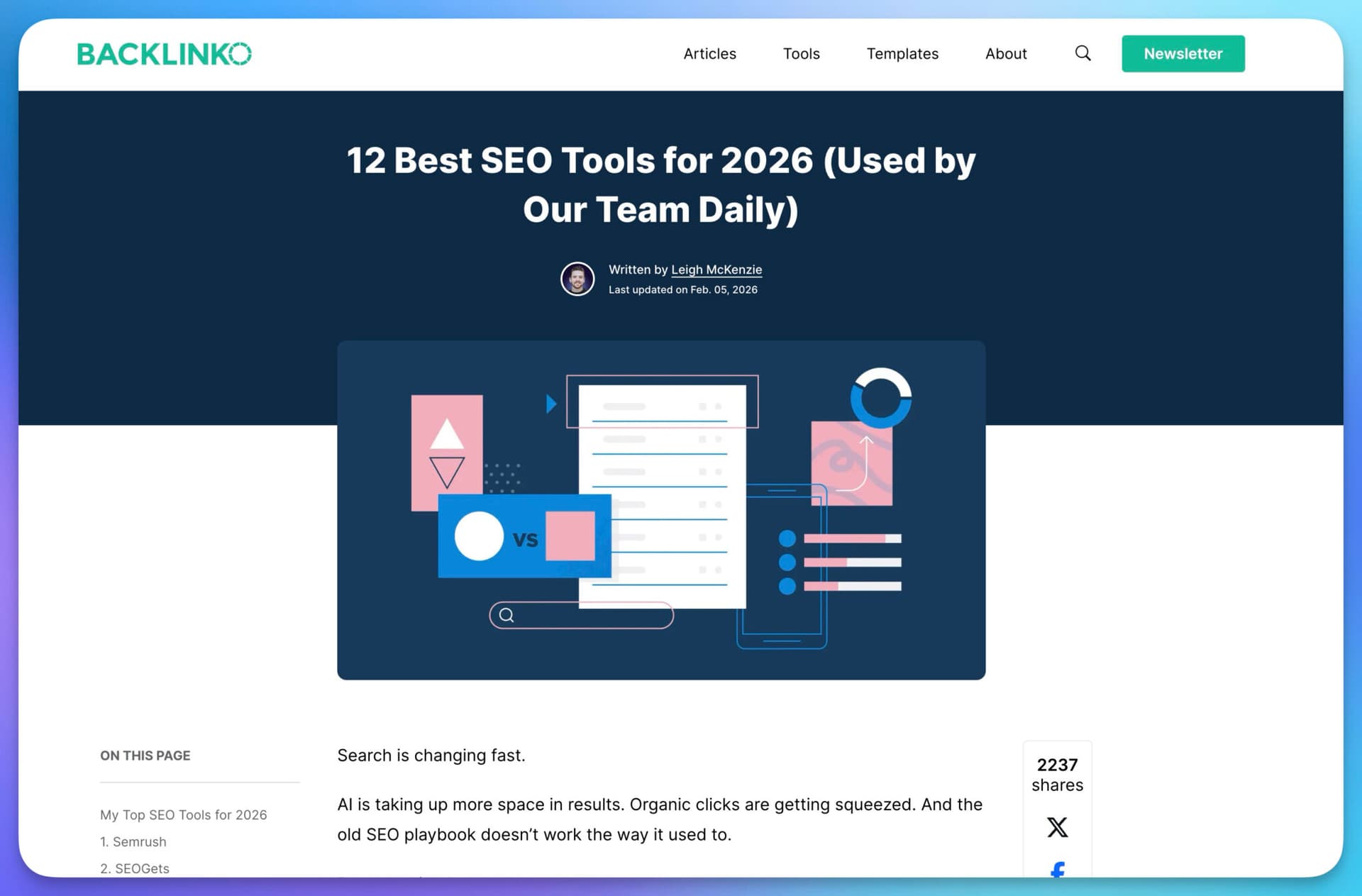
Real small business and marketing blogs worth bookmarking:
- Backlinko (Brian Dean, acquired by Semrush in 2022). The benchmark for “skyscraper” SEO tutorials. Steal the deep step-by-step structure, the heavy use of annotated screenshots, and the way every claim gets backed up with a real example or a small dataset.
- Buffer Blog. Famous for radical transparency posts (open salaries, real revenue numbers, behind-the-scenes engineering decisions). Steal the willingness to publish actual numbers in a niche where everyone else publishes platitudes.
- Kit Creator Blog (formerly ConvertKit). Long-form creator profiles and income teardowns of real working bloggers and newsletter operators. Steal the format: pick one operator, interview them in depth, publish the playbook.
1. How-To Post
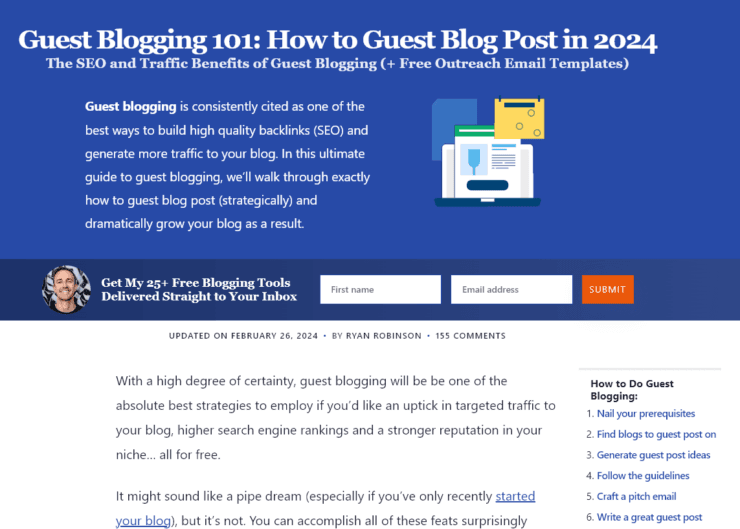
First up, a How-To post from my other blog, RyRob, titled “Guest Blogging 101: How to Guest Blog Post“.
This post has worked over the years because it:
- Breaks the guest blogging process into clear, numbered steps.
- Includes a table of contents for quick navigation.
- Uses a conversational tone backed by 12+ years of blogging experience.
- Offers free email templates and showcases real examples of successful guest posts.
- Uses digestible formatting with bullet points, bold fonts, and contextual internal links.
When you’re writing a how-to post, clearly teach the reader how to achieve something specific. Go beyond the basics with extras like downloadable templates, screenshots, and real-world examples to help readers actually finish the thing you’re teaching.
I had massive success with my “How to Start a Blog” post (a bit meta, I know). Pick something specific in a field you’re interested in, and it will make a perfect how-to topic.
2. Mistakes to Avoid Post
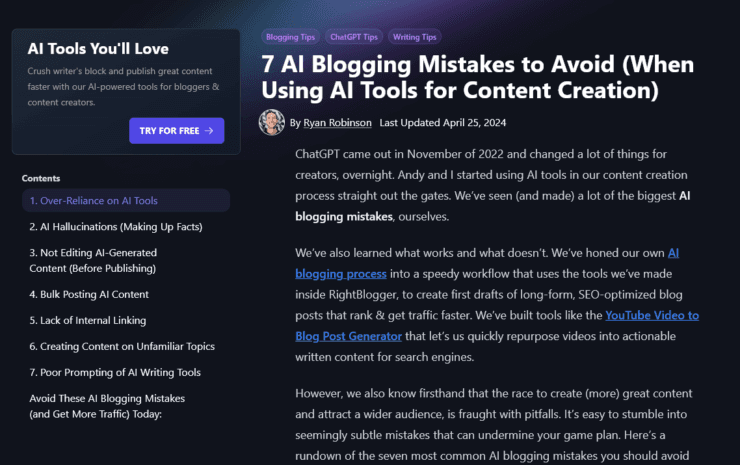
“7 AI Content Creation Mistakes to Avoid” on the RightBlogger blog ranks #1 in Google for “AI blogging mistakes” because it:
- Educates the audience on a subject the author is an expert in.
- Shares personal insights and hard-earned experiences.
- Includes a high-quality video for visual learners.
- Uses formatting that highlights key points and the fix for each mistake.
Writing a “mistakes to avoid” post can be a lot of fun, and it gives you a chance to speak out against the things that drive you crazy in your niche. Just make sure every mistake you list has a real fix attached. Naming a mistake without a solution reads as venting.
3. “What Is” or “What Are” Post

On the Clearscope blog, “What are Topic Clusters? Do You Need Them?” stands out. It explains a complex SEO topic using:
- Diagrams
- Screenshots
- Embedded video
The mixed media reinforces the concept and works for different learning styles.
A “What is” or “What are” post is a great way to bring in search traffic (people search definitions constantly) and to establish authority in your niche. The format works best when you can explain something genuinely confusing in a way that makes the reader feel smarter, not condescended to.
4. Question from a Reader Post
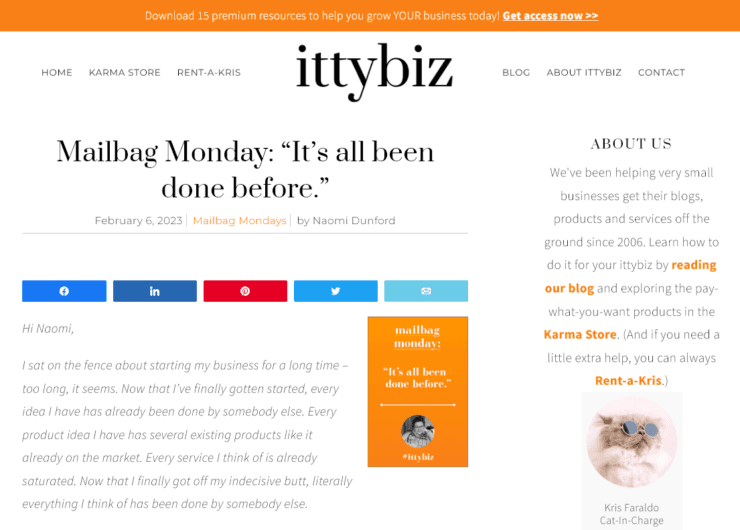
The Ittybiz blog has a regular feature answering reader questions, and “Mailbag Monday: It’s All Been Done Before” is a great example.
It works because it:
- Directly addresses a common concern among small business owners.
- Uses personal stories to connect deeply with the audience.
- Offers a clear conclusion that recaps in an encouraging way and prompts the reader to take action.
This format builds compound returns. Every reader email you turn into a post tells future readers their questions are welcome too, which generates more email, which generates more posts.
Photography Blog Post Examples
Real photography blogs worth bookmarking:
- Fstoppers. Community-driven photography blog with gear reviews, lighting tutorials, behind-the-scenes shoot breakdowns, and pro interviews. Steal the way they pair every written tutorial with a video walkthrough.
- The Phoblographer. Independent photography reviews with strong editorial opinion. Steal the detailed lens-review structure: real shooting tests, sample images, and an honest verdict that doesn’t read like it was written for affiliate clicks.
- PetaPixel. Photography news, gear announcements, and viral photo stories. Steal the speed and the headline craft. PetaPixel turns industry updates into shareable posts within hours.
5. “X Ideas” Post
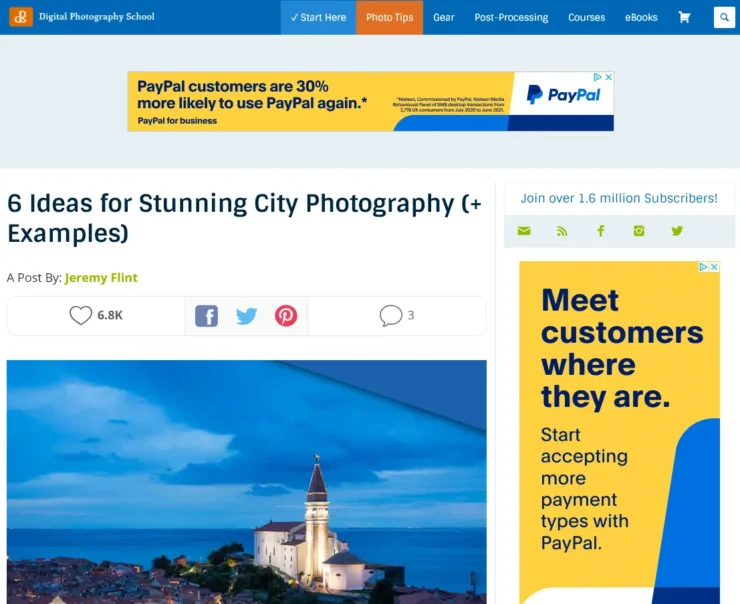
“Six Ideas for Stunning City Photography” on the Digital Photography School blog is a great example of a straightforward post that’s easy to put together and engaging for readers.
This post:
- Provides actionable ideas for capturing better city shots.
- Includes relevant images after each subheading for inspiration.
- Covers different elements like lighting and vantage points so readers can pick the idea that fits where they are.
The great thing about an “ideas” post is that you can list as many (or as few) ideas as you want. They don’t need to link tightly together as long as each one stands on its own.
6. Review Post
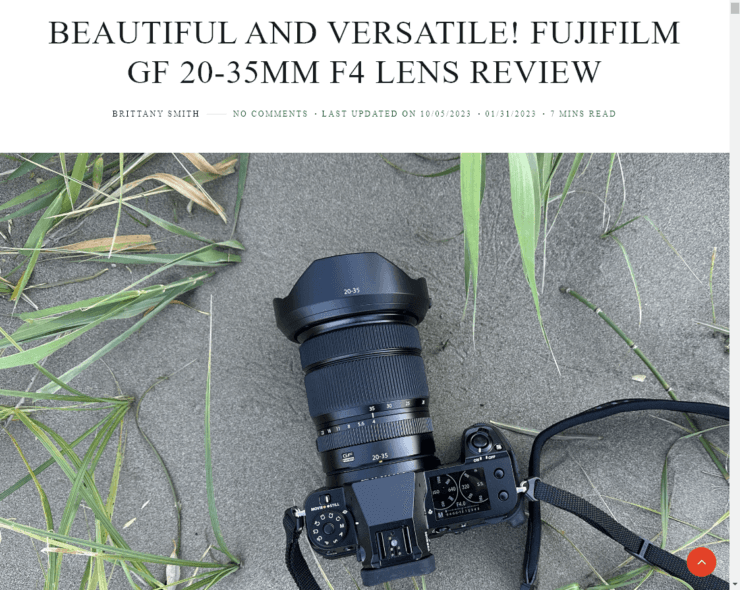
Review posts work in almost any niche, especially if you want to monetize through affiliate marketing. This review of the “Fujifilm GF20-35mm F4 Lens” is a strong example.
It works because it:
- Shares honest, in-depth insights and personal experiences.
- Includes both pros and cons along with high-quality sample images shot with the lens.
- Helps readers make an informed purchase decision without affiliate-driven bias.
The strongest review posts always include something the manufacturer’s spec sheet can’t tell you: how the product actually feels in real use over a couple weeks.
Travel Blog Post Examples
Real travel blogs worth bookmarking:
- Nomadic Matt (Matt Kepnes, 17+ years of full-time travel writing). Steal the structure of his city and country guides: a “what to see,” a “where to stay,” a “what it actually costs,” and a “what nobody tells you” section in every guide.
- The Points Guy. Miles, points, and credit card travel. Steal the way they pair every recommendation with a real award-chart calculation so readers see exactly what a strategy is worth in dollars.
- Adventurous Kate. Solo female travel with honest destination reviews. Steal the willingness to say “skip this place, here’s why” instead of always recommending. Negative recommendations build huge reader trust.
7. “X Best” Post
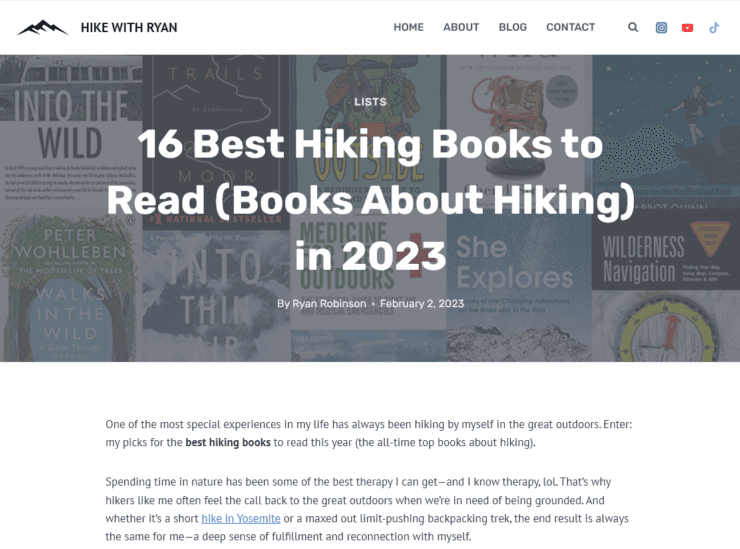
On my hiking blog, I have a post titled “16 Best Hiking Books to Read“. It performs well because it:
- Curates recommendations with detailed descriptions and insights about each book.
- Features a clickable table of contents for easy navigation.
- Includes affiliate links to where readers can buy each book (easy for them, additional income for me).
You can do an “X Best” or “Top X” post in almost any niche. Tools, gadgets, apps, books, blogs, podcasts, courses, or anything else relevant to your readers. The key is genuine selection: lists where every item could be the top pick rank better than lists padded with filler entries.
8. “Things to Do” Post
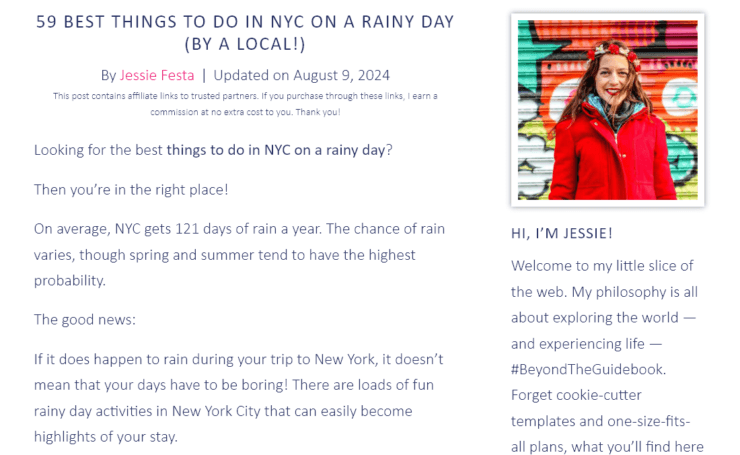
Blogging about a specific city or location? Travel blogger Jessie’s post “59 Best Things to Do in New York City on a Rainy Day by a Local” stands out for:
- Tapping into local appeal and real experiences.
- Using fun, action-oriented subheadings.
- Including quick, easily digestible sections with recommendations.
People search online for things to do constantly, either in their hometown or in an area they’re traveling to, so this type of post brings in steady search traffic. The “by a local” angle helps it stand out from generic top-things-to-do lists scraped from Yelp.
Recipe and Food Blog Post Examples
Real food blogs worth bookmarking:
- Pinch of Yum (Lindsay and Bjork Ostrom). One of the most successful food blogs on the internet. Steal the photography discipline (every recipe shot from multiple angles), the consistent recipe-card structure, and the way they publish income reports that demystify the business side of food blogging.
- Smitten Kitchen (Deb Perelman). NYC home cook with an obsessive testing process. Steal the warm voice and the way she walks you through why a recipe is what it is, not just the steps.
- Budget Bytes (Beth Moncel). Cost-per-serving breakdowns on every single recipe. Steal the angle: in a sea of food blogs, picking one unique data point that nobody else publishes (cost) gives you durable differentiation.
9. Recipe Post
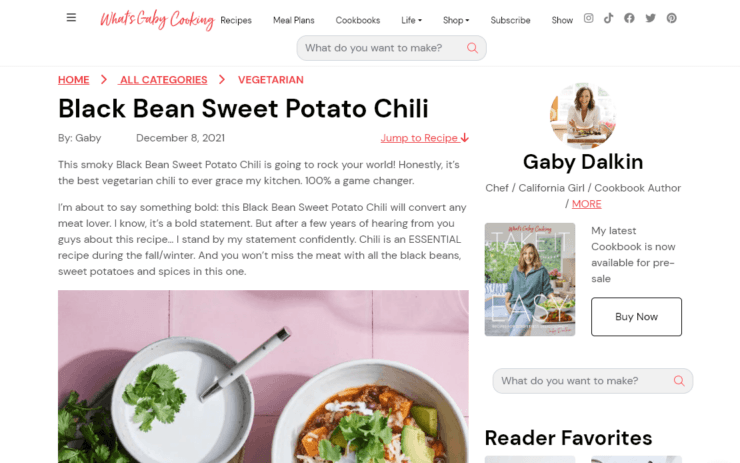
Love recipes and want to share them? Gaby’s “Black Bean Sweet Potato Chili” is a strong recipe post, complete with:
- Practical details like prep time, cook time, and nutritional information.
- A checklist for shopping and clear steps for following the recipe.
- An engaging, personal writing style that doesn’t bury the ingredients under 800 words of life story.
If you run a blog related to food, nutrition, or health, recipe posts are a great addition. The structural lesson from every top food blog: put a “Jump to recipe” button at the top. Readers who want the ingredients fast will love you for it, and SEO-wise it doesn’t hurt your rankings.
10. “Where to” Post
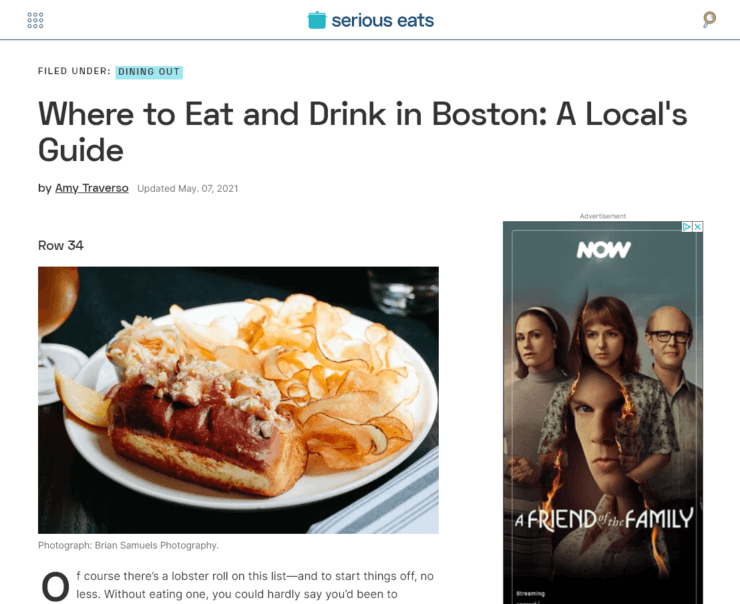
The Serious Eats food blog showcases “Where to Eat and Drink in Boston: A Local’s Guide“. This post does a great job of:
- Drawing from personal experiences and offering insider tips.
- Including vivid descriptions and personal anecdotes for each spot.
- Reading more like a friend’s recommendation than a generic Yelp roundup.
Telling people where to go to eat (or drink, dance, work, etc.) is genuinely helpful to your readers and can get you on the radar of local restaurants or bars you mention, which sometimes opens up collaborations.
Personal Development Blog Post Examples
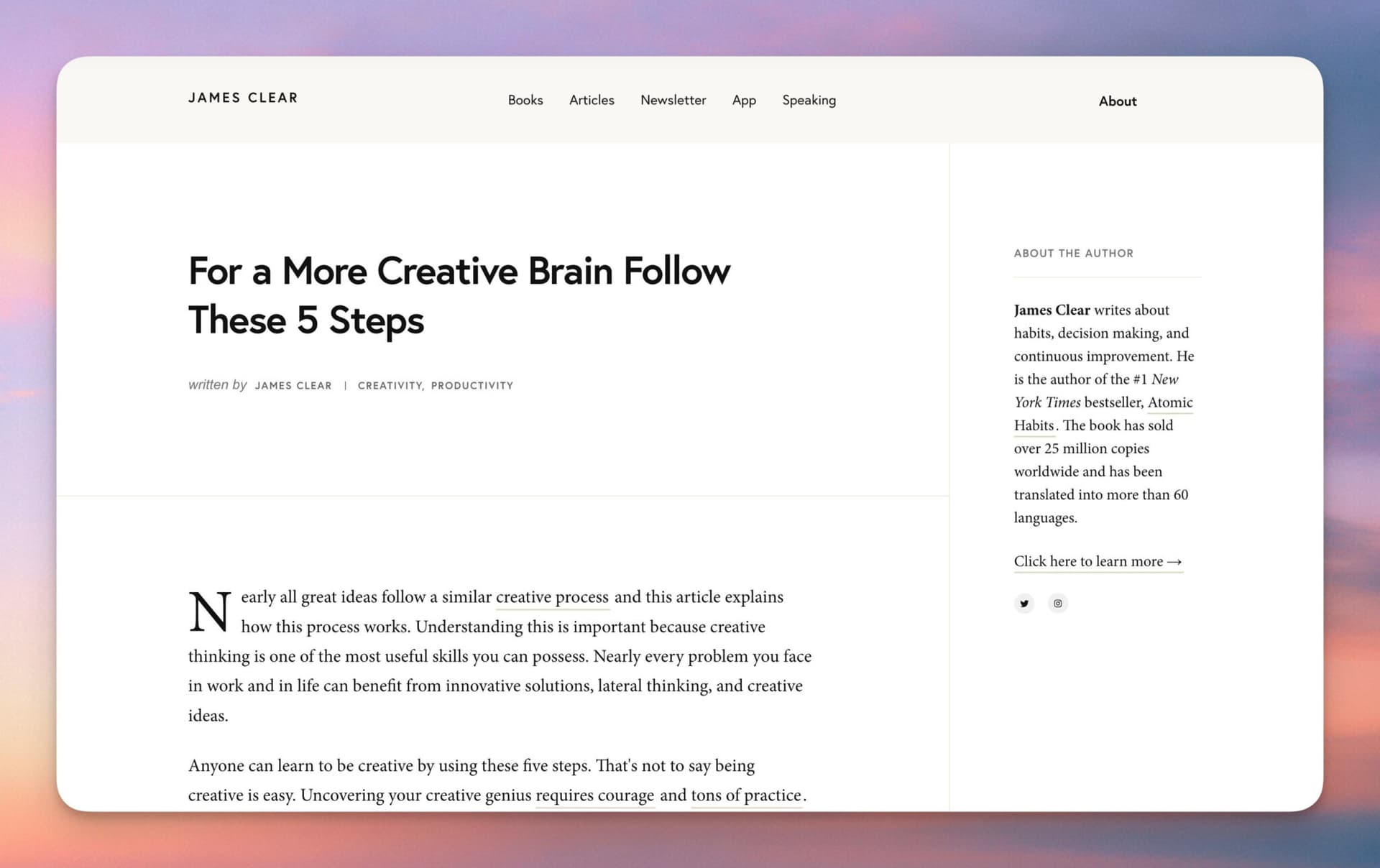
Real personal development blogs worth bookmarking:
- James Clear (Atomic Habits author). Probably the cleanest “one-idea-per-post” blog in personal development. Steal the brevity: most posts are 800-1,500 words, each centered on a single concrete behavior change with one or two citations.
- Mark Manson (The Subtle Art of Not Giving a F*ck). Irreverent self-improvement essays. Steal the willingness to have a strong opinion. Personal development is full of milquetoast advice; voice is the differentiator.
- Tim Ferriss (author, podcaster). Long-form interviews, “what I learned from X” essays, and curated book lists. Steal the format of his “5-Bullet Friday” newsletter posts: a handful of specific items, each annotated with one sentence explaining why it matters.
11. “Why” Post

Plenty of posts tell you the how of something. What about the why? This persuasive style can help convince readers to take action and position you as an expert. Along the way, you can teach plenty of the “how” too.
Michael Hyatt’s “Why Every Small Business Needs a Strategic Plan” combines the why and how elements with:
- Clear sections that lay out benefits, then step-by-step processes.
- Real-world examples and actionable advice.
- Reader-friendly formatting that sets expectations upfront.
A good “why” post earns the reader’s belief before asking them to act. Build the case in the first half so the second half (the “how”) feels inevitable.
12. “How I” Post
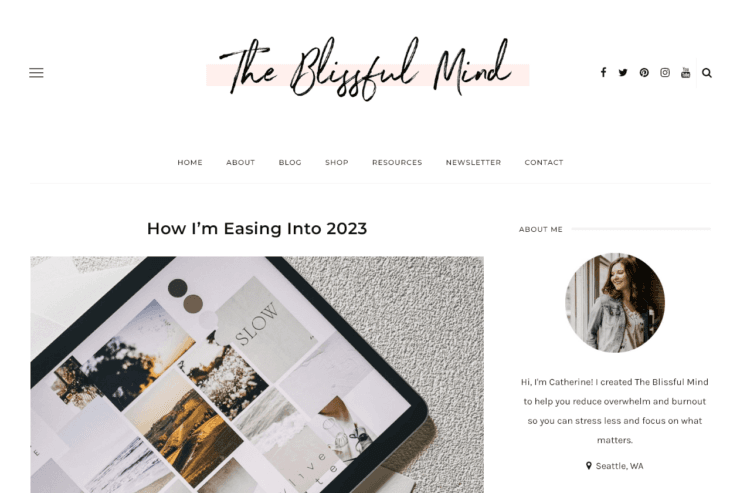
Want to share your own journey with readers and inspire them to try something similar? The Blissful Mind’s “How I’m Easing into the New Year” post connects with readers by:
- Sharing personal experiences and practical advice.
- Fostering a sense of community.
- Inviting readers to engage and reflect on their own journeys.
A “How I” post is less prescriptive than a “How to” post. You’re not setting out to tell readers the only or best way to do something. You’re simply sharing how you did it. This format works especially well when the result isn’t typical, since “how I” implies it’s one person’s experience rather than a universal playbook.
Lifestyle Blog Post Examples
Real lifestyle blogs worth bookmarking:
- Cup of Jo (Joanna Goddard). Thoughtful lifestyle posts that consistently generate hundreds of comments. Steal the question-led post format and the editorial discipline of publishing posts that invite real conversation, not just engagement bait.
- Apartment Therapy. Small-space living, home design, and DIY. Steal the “house tour” series format. Each post is basically a photo-heavy interview with one real person about their home.
- The Everygirl. Career, fashion, and lifestyle for millennial women. Steal the editorial photo treatment. Their feature posts look like magazine spreads rather than blog posts, which sets a different visual bar.
13. “Things I Love” Post
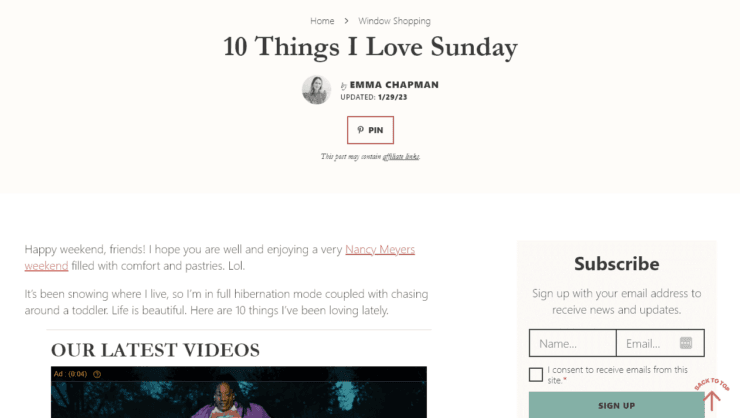
Lifestyle blogging is about connecting with readers and creating a mood or feeling around your blog. That’s why this blog post example works so well: it’s personal and valuable to readers. “10 Things I Love Sunday” from A Beautiful Mess is engaging because it:
- Shows the author’s personality and relatability.
- Includes fun, casual content with no heavy lift required.
- Encourages readers to explore more posts.
This is an easy format to use. List any things you love, or pick a category (e.g. “10 things I love doing on vacation” or “10 kitchen devices saving my life right now”). Sunday or weekly cadence works well because regular readers know when to come back.
14. Question Post

One fast way to come up with content is to pose a question and let readers do the work for you. Cup of Jo’s “What’s the Most Helpful Thing a Therapist Has Ever Told You?” invites readers to:
- Share their own experiences.
- Reflect on different perspectives.
- Engage in meaningful conversations in the comments.
This format builds a sense of community around your blog and gives you deep insight into your readers, which feeds future blog post ideas, product ideas, and service offerings. The best question posts ask something specific enough that readers know exactly what to share but open-ended enough that there’s no single right answer.
Personal Blog Post Examples
Real personal blogs worth bookmarking:
- Wait But Why (Tim Urban). Absurdly long illustrated essays on big ideas (AI, Elon Musk, the brain, procrastination). Steal the courage to write a 20,000-word post when the topic deserves it, and the use of hand-drawn stick-figure illustrations to break up dense content.
- Mr. Money Mustache (Peter Adeney). Opinionated FIRE essays and household economics. Steal the voice. Personal finance is usually written as if the reader is fragile; MMM treats readers like adults who can handle a strong opinion.
- The Marginalian (Maria Popova, formerly Brain Pickings). Long-form literary essays connecting books and ideas across centuries. Steal the practice of weaving quotes from multiple sources into one coherent argument. Each post reads like the writer has actually read 10 books to write 1 post.
15. Challenge Post
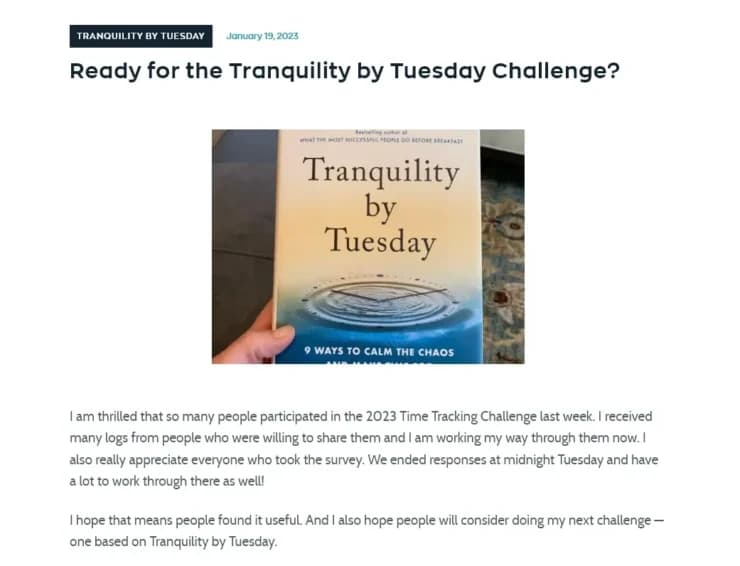
Want to go even further in building community and interaction around your blog? Try running a challenge. Laura Vanderkam’s “Are You Ready for the Tranquility by Tuesday Challenge?” effectively introduces a new challenge by:
- Clearly explaining participation steps.
- Keeping it straightforward and low-commitment.
- Encouraging readers to join (and to bring a friend).
This format can be a lot of fun and doesn’t require a lot of content from you. Readers will share their experiences in comments and emails, and you can turn those into follow-up posts that practically write themselves.
16. Lessons Learned Post
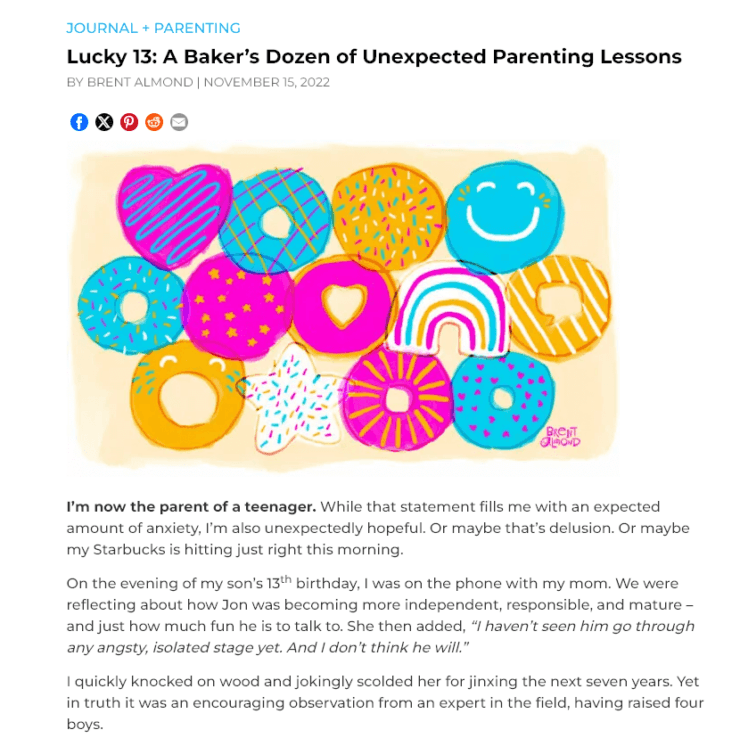
Whatever you do in life, you’ll have learned a lot along the way. Sharing your “lessons learned” is a great way to help readers without sounding preachy. Brent Almond’s “A Baker’s Dozen of Unexpected Parenting Lessons” uses humor and personal anecdotes to:
- Connect with fellow parents.
- Offer actionable advice without lecturing.
- Make the content engaging and informative at the same time.
The strongest lessons-learned posts mix specific personal stories with one transferable lesson per item. Without the story, the advice reads as generic. Without the lesson, the story reads as a diary entry.
Blog Post Example FAQs
A few questions that come up every time I share these teardowns.
What is an example of a blog post?
Any published post you can learn from counts, but the clearest examples are the ones with an obvious format. A how-to walks through a process step by step. A listicle collects options under one theme. A review gives a verdict backed by hands-on use. Every post further down this page is a real, live example of one of those formats, with a breakdown of why it works.
What do you write in a blog post?
Start with the question your reader typed, answer it near the top, then earn the rest of their attention with detail they cannot get from a search snippet. In practice that means a headline promising something specific, an opening that proves you understand the problem, a body organized under scannable subheadings, and a close that tells them what to do next. The format should follow the question, not your mood.
Are blogs still a thing in 2026?
Yes, though the job has changed. Fewer people land on a blog by browsing, and more arrive from a search result or an AI answer that quoted the post first. That rewards writing with a clear point of view and firsthand detail, because those are the parts a summary cannot replace. Every blog featured on this page is still publishing, which is the most honest evidence I can offer.
What type of blogs are most successful?
The ones that pick a narrow subject and go deeper on it than anyone else bothers to. Across the seven niches below, the pattern holds: the standouts are not the broadest sites, they are the ones with a recognizable voice and a specific reader in mind. A food blog that only does weeknight dinners will beat a general lifestyle blog that covers food occasionally.
How RightBlogger Can Help You Write Posts Like These
Andy and I (bloggers ourselves) built RightBlogger from the ground up to help bloggers ship better content faster, without flattening your voice in the process.

If you want to write one of the post types covered above, here are the RightBlogger tools that map most naturally to each:
- How-To, Why, and “How I” posts: start with the Post Outline tool to structure your steps, then the Post Introduction tool if you’re stuck on the opener.
- Listicle posts (X Ideas, X Best, Things I Love, Lessons Learned): the Listicle Writer handles the structure; the Expand tool helps if you’re light on commentary per item.
- “What Is” and Question posts: the People Also Ask tool surfaces the actual questions readers are typing into Google around your topic.
- Review and “X Best” posts: the Keyword Research tool helps identify which products readers actually want compared, and the Review Generator can draft a first pass per item.
- Recipe and “Where to” posts: our social tools (Instagram Caption, Facebook Post) help you repurpose published posts into the social formats where this content gets discovered.
If you want to skip straight to a full first draft, the Article Writer tool takes a topic and outputs a structured draft in minutes. You can edit the outline, adjust the tone, and use the Chat feature to refine sections you want to tighten up. We also have a full set of autoblogging tools for managing multiple sites at once.
RightBlogger is free to try (no credit card required).
Complete Blog Automation in Minutes
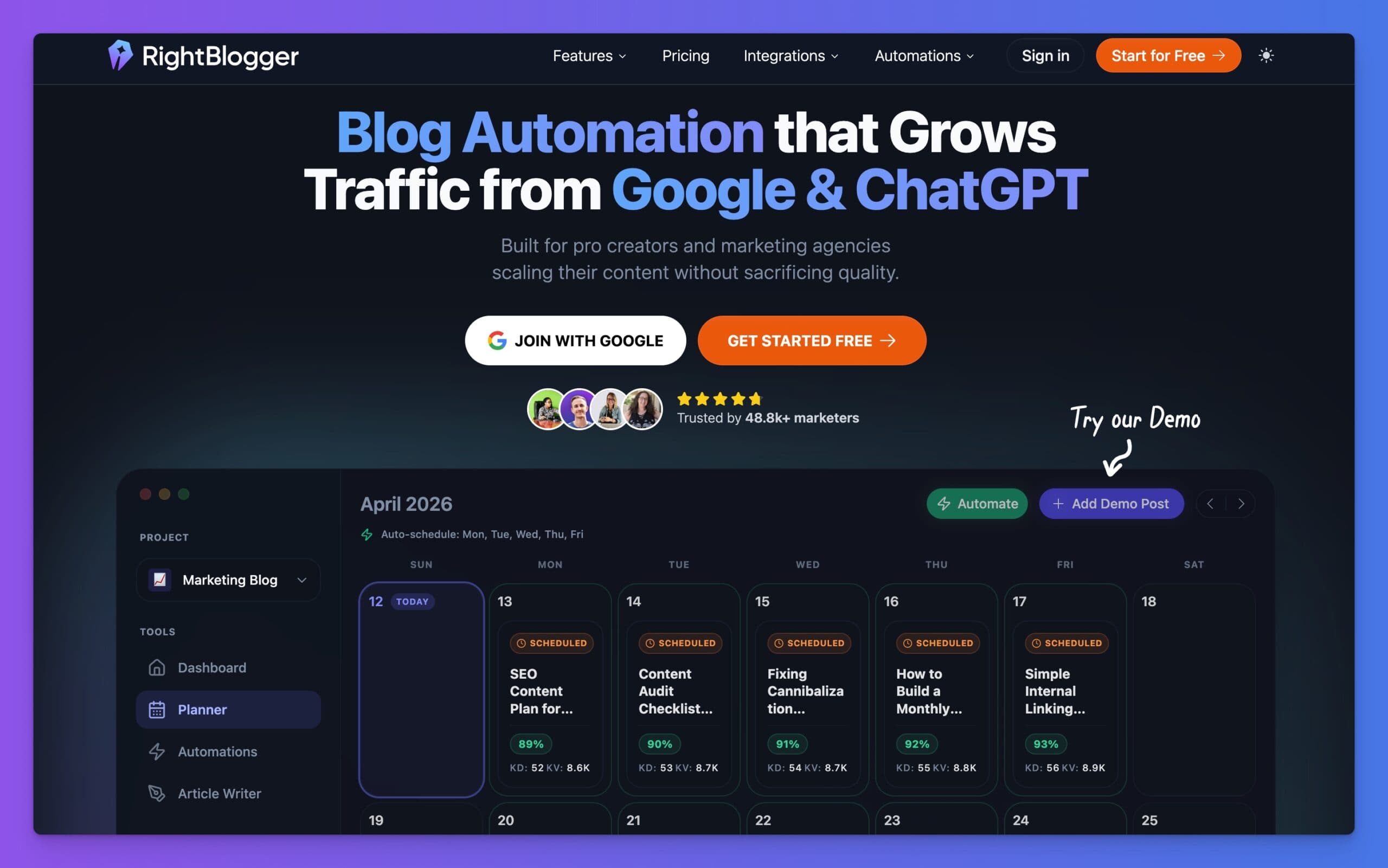
RightBlogger is an AI blog automation tool that helps you research, write, publish, promote, and maintain your blog. Join 50,000+ bloggers, creators, and marketing teams using it to grow traffic from Google and ChatGPT, with 80+ standalone tools, online courses, and a private community included on every plan.

Article by
RightBlogger Co-Founder, Ryan Robinson teaches 500,000 monthly readers to grow online businesses. He is a recovering side project addict.


Automated SEO Blog Posts That Work
Try RightBlogger for free, we know you'll love it.





Leave a comment
You must be logged in to comment.
Loading comments...