Best YouTube Thumbnail Size 2026: Resolution & Aspect Ratio
Use 3840 x 2160 at 16:9, keep files under 50MB, and verify uploads.


As the second-largest search engine in the world, getting attention on YouTube is like jumping through hoops. Unlike Google, where you’ve got a second chance with a meta description, you’ve got only one chance on YouTube: your YouTube video thumbnail.
YouTube recently updated its standards to support high-resolution 4K thumbnails (previously 1280×720 was the recommended), with a maximum file size of 50MB. This change comes as more people watch YouTube on their televisions, driving higher demand for better image quality.
Key Takeaways
- The ideal YouTube thumbnail size is 3840 x 2160 pixels with a 16:9 aspect ratio.
- Recommended file formats are JPG, PNG, or GIF, each under 50MB.
- Thumbnails directly affect click-through rates and viewer engagement.
- You must verify your YouTube account to upload custom thumbnails.

Aside from the visual and the text on it, YouTube thumbnail size matters to maintain clarity and sharpness across different screen types.
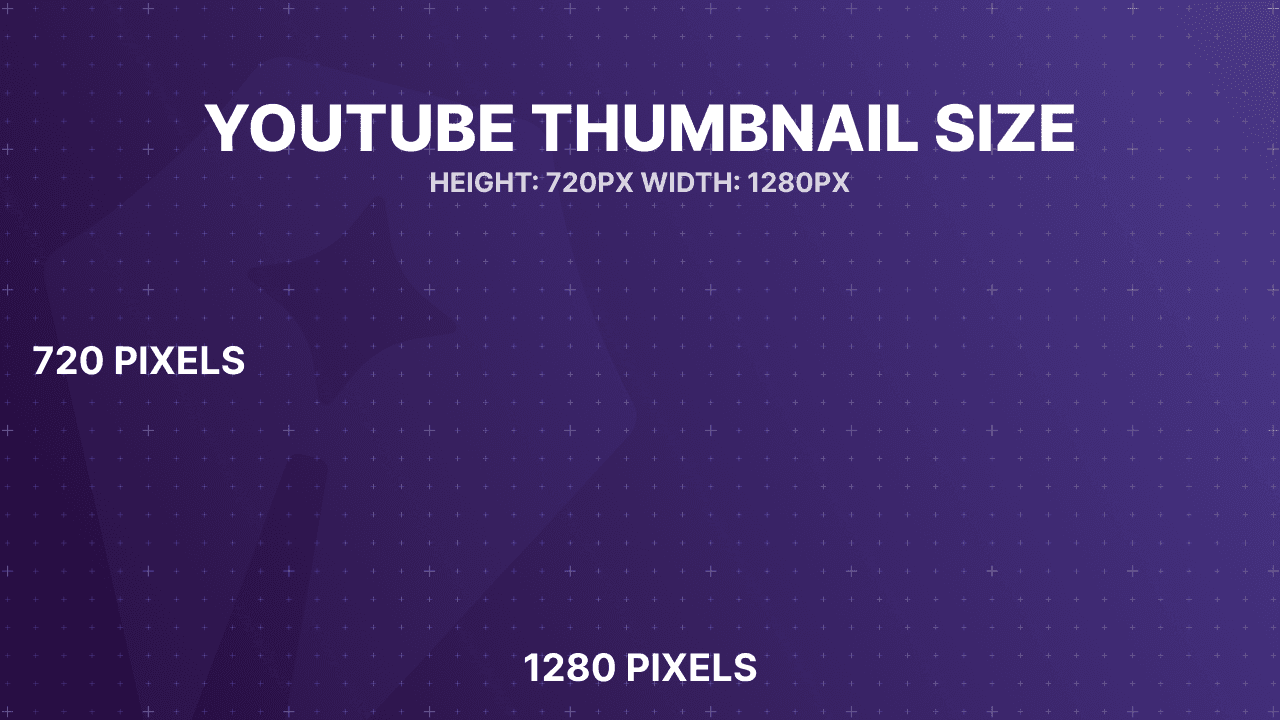
As the thumbnail is the first impression of your video, it impacts viewer engagement and click-through rates. It also acts as a digital billboard for your video content, vital in attracting viewers and enticing them to click on your videos. It’s important to remember if a viewer doesn’t click on your video they won’t watch it, so some would argue the thumbnail is more important than the video itself.
In this article, we will discuss YouTube thumbnail size, resolution, and aspect ratio and guide you through the successful use of thumbnails in your YouTube videos.
Benefits of YouTube Thumbnail Images
We’ve mentioned some of the benefits of YouTube thumbnail images in the introduction of this post.
Here are some of the benefits of YouTube video thumbnails:
- Boosting Click-Through Rates: Skillfully crafted thumbnails can significantly increase the likelihood of a viewer choosing to watch your content.
- Creating a Strong First Impression: As the initial point of contact, thumbnails must captivate and motivate clicks.
- Fostering Brand Recognition: Uniform and quality thumbnails build a recognizable image for your channel, making it easy for your fans and subscribers to easily identify your content, click on it, or bookmark it for later.
- Elevating Viewer Engagement: Thumbnails that mirror the video content accurately boost viewer interest and retention.
- Improving Discoverability: Well-optimized thumbnails enhance your video’s visibility in searches and recommendations, broadening your reach.
- Capturing Viewer Attention: Eye-catching thumbnails halt viewers in their tracks, making them more inclined to engage with your video.
- Conveying Information Quickly: Thumbnails serve as a visual summary, setting viewer expectations at a glance.
- Triggering Emotional Connections: Thumbnails that spark emotions or curiosity can drive stronger viewer reactions and interactions.
- Standing Out in Search Results: Thumbnails optimized for search performance can make your videos more noticeable.
- Optimizing for Mobile Viewing: Ensuring thumbnails are clear and appealing on mobile devices is crucial for capturing the mobile audience.
While thumbnails are very important, there are other important elements of creating a successful YouTube channel, such as content creation, headline generation, and repurposing your content for multiple platforms.
Luckily, RightBlogger has a lot of tools that can help you take your YouTube video content creation to another level. Check out how RightBlogger can help YouTubers here.
YouTube Thumbnail Guide: All You Need to Know
A thumbnail is to a YouTube video what the headline is to an article. Although you also use a title for your video, your video thumbnail is what the audience will most likely see first.
This is a step-by-step guide on how to successfully use thumbnails on your YouTube videos.
Ideal YouTube Thumbnail Dimensions
For creating compelling YouTube thumbnails in 2026, Google recommends dimensions of 3840 x 2160 pixels.
This size, with its 16:9 aspect ratio, ensures thumbnails look professional and clear across various devices, enhancing viewer engagement.
These guidelines are fundamental for crafting thumbnails that capture attention and boost video click-through rates on YouTube.
Image Aspect Ratio for YouTube Thumbnails
For an in-depth look at the significance of maintaining the ideal 16:9 aspect ratio for YouTube thumbnails, it’s crucial to understand its impact.
This ratio aligns perfectly with YouTube’s video player and preview interfaces, ensuring that thumbnails look sharp and professional on all viewing platforms.
A correct aspect ratio prevents awkward cropping or stretching, thus preserving the visual integrity of your thumbnail across different devices. This careful attention to aspect ratio will significantly enhance the user’s visual experience, making your content more appealing and likely to be clicked.
Compatible File Formats for Custom Thumbnail Images
For custom YouTube thumbnails, optimal formats include JPG for high-quality images, PNG for transparency support, and PSD for design flexibility.
These formats are universally compatible and can be used for uploads to platforms such as YouTube, Facebook, Vimeo, and LinkedIn. Selecting an appropriate format is key to ensuring thumbnails look their best and engage viewers across various digital devices.
How to Enable Custom Thumbnail Images
To activate and use custom thumbnails on YouTube, account verification is necessary for this feature, which can be done through a simple process involving your phone.
To verify your account, visit https://www.youtube.com/verify.
You’ll be asked to choose your country and opt for a verification method via text or phone call.
Upon receiving and entering the 6-digit code, you’ll complete the verification, unlocking the ability to add custom thumbnails to your videos, confirmed by a success message.
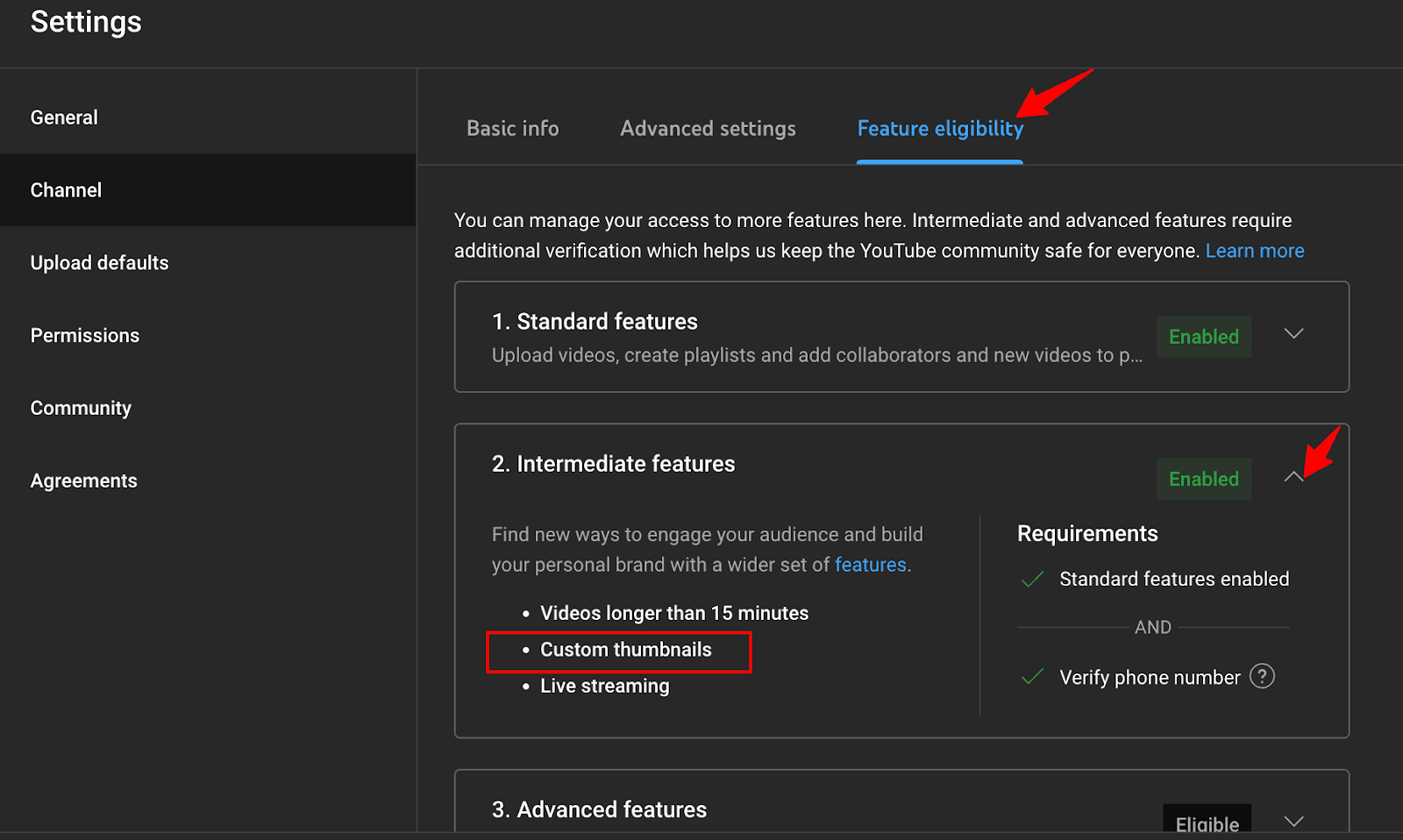
To confirm that you can now upload a thumbnail, go to your “Settings” and select “Channels.”
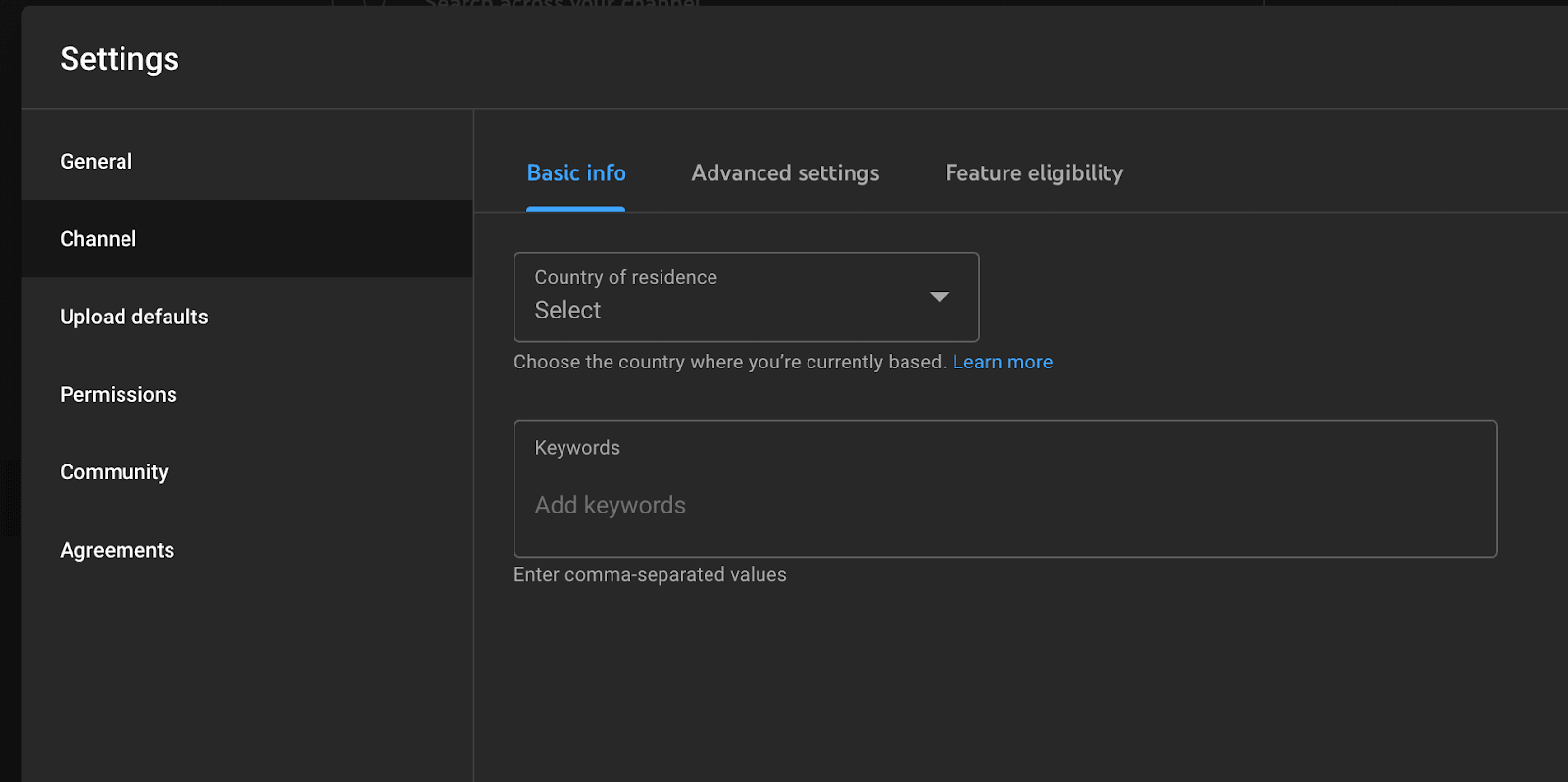
Go to “Feature Eligibility,” then click on “Intermediate Features,” where you’ll be able to confirm if you’re eligible to upload thumbnails.
How to Upload a Custom Thumbnail for a YouTube Video
Once your YouTube account’s phone number is confirmed, the option to upload a thumbnail becomes available in the video editing section. Here’s a quick guide:
- Enter YouTube Studio.
- Find and select the video under “Videos,” then access “Video Details” and the “Basic” tab.
- Locate the “Thumbnail” section down the page.
- Click the thumbnail upload button to upload a thumbnail.
- Choose your custom thumbnail file from your computer and upload.
- Ensure your custom thumbnail is selected among the automatically generated options YouTube will recommend.
- Save your changes to update your video with the new thumbnail.
That’s it. You are done.
Final Thoughts on Best YouTube Thumbnail Size for 2026
In summary, to ensure your YouTube thumbnails are effectively displayed, they must be a minimum of 640 pixels in width. This baseline width is critical for a successful upload and optimal presentation on YouTube, helping your content to stand out and attract viewers.
Ideally, thumbnails must be at least 640 pixels wide to maintain clarity. You should keep the image files in JPG, PNG, or GIF formats and under a 50MB file size limit to ensure smooth uploads and compatibility.
FAQs About YouTube Thumbnails Size
In this section, we answer some FAQs about YouTube thumbnail size.
Are There Other Important Factors Besides Thumbnails for Creating a Successful YouTube Channel?
Yes, while thumbnails are crucial, they’re only part of the portion.
Successful YouTube channels also focus on quality content creation, compelling headlines, and repurposing content for multiple platforms. For a deeper dive, consider exploring guides on AI for YouTubers (link to the AI for YouTuber’s article when it’s live).
You can explore our article on creative how-to video ideas and our post on ways to boost your YouTube Shorts views.
What is the Ideal Size for a YouTube Thumbnail in 2026?
The recommended dimensions for YouTube thumbnails in 2026 are 3840 x 2160 pixels. This size ensures your thumbnails appear clear and professional across different devices.
Why is the Aspect Ratio Important for YouTube Thumbnails?
The 16:9 aspect ratio is crucial for YouTube thumbnails because it matches the platform’s video player and preview interfaces. This ensures your thumbnails appear correctly without awkward cropping or stretching across various viewing platforms.
What File Formats are Recommended for YouTube Thumbnails?
For YouTube thumbnails, optimal file formats include JPG for high-quality images, PNG for transparency support, and PSD for design flexibility. These formats ensure compatibility and high visual quality on various platforms. You’ll likely want to upload your thumbnail as a JPG to YouTube since they will compress your image and you can likely see what it will look like before uploading.

Article by
Ali Faagba is a content strategist and B2B SaaS writer focused on AI, marketing automation, and sales.




Automated SEO Blog Posts That Work
Try RightBlogger for free, we know you'll love it.





Leave a comment
You must be logged in to comment.
Loading comments...